On this page
Heat pump Modbus monitoring is the practice of cyclically reading a heat pump's operating registers over the Modbus RTU or Modbus TCP protocol, so flow temperature, return temperature, modulation, electrical input, COP indicators and fault codes are visible remotely without sending a technician on site. In 2026 this is no longer optional. The recast EU EPBD 2024/1275 mandates building automation and control systems for non-residential buildings above 290 kW from 2026, with the threshold dropping further by 2030. The EU F-gas Regulation 2024/573 keeps annual leak-inspection duties for systems above 5 t CO2-eq of refrigerant. And only 26 percent of the EU heat pump fleet currently has any remote monitoring beyond a manufacturer cloud (EHPA Digitalisation Survey 2024, n=1,247 installers). This guide explains the 21 registers that count, the brand-to-adapter map, the wiring, the COP and SG Ready logic, and the regulatory frame.
Updated: May 2026.
What is heat pump Modbus monitoring and why does it matter in 2026?
Heat pump Modbus monitoring is a remote diagnostic and optimisation practice in which a Modbus client (gateway or PLC) periodically polls the holding and input registers of a heat pump and writes the values into a dashboard or alarm system. The client uses function code 03 for holding registers and 04 for input registers. Modern air-source, ground-source and hybrid units almost universally support Modbus RTU over RS485 or Modbus TCP over Ethernet, often both, sometimes via an optional adapter.
Three forces make this mainstream in 2026:
- Regulation requires telemetry. EU EPBD 2024/1275 makes building automation mandatory above 290 kW from 2026; UK MCS MIS 3005 v6.0 calls for performance monitoring as part of installer hand-over.
- Fault alarms via Modbus can arrive sooner than via vendor portals such as Daikin Cloud or Mitsubishi MELCloud, because you poll the controller directly instead of waiting for the vendor cloud.
- SG Ready coupled to dynamic tariffs saves 8 to 14 percent on electricity for an 8 kW heat pump, per Fraunhofer ISE WP-Monitor 2024 field study of 41 dwellings.
For the installer this means fewer truck rolls because the fault is visible live, and the COP figures are already in hand at year-end review.
Which heat pumps support Modbus and with which interface?
Nearly every brand sold in Europe today supports Modbus, rarely without an optional adapter. The Modbus interface usually lives on a plug-in card, an external ISG-style box, or a dedicated gateway accessory.
| Brand and model | Modbus interface | Transport |
|---|---|---|
| Daikin Altherma 3 | EKMBDXB7V, or BRP069A78 with Modbus TCP option | RTU or TCP |
| Mitsubishi Ecodan | PAC-IF062B-E adapter | RTU |
| Samsung EHS Gen 6/7 | MIM-B19N gateway | RTU or TCP |
| LG Therma V | PI485 module PMNFP14A1 | RTU |
| Nibe F1245, F2120, S2125, S735 | MODBUS 40 accessory; S-series with TCP onboard | RTU or TCP |
| Stiebel Eltron WPL, WPM3 | ISG WEB (TCP), ISG plus (RTU) | RTU or TCP |
| Viessmann Vitocal 200-A, 250-A, 350-A | Vitogate 300 BM/MB | RTU or TCP |
| Vaillant aroTHERM Plus | VR-71 or VR-72 with Modbus extension card | RTU |
| Bosch / Buderus Logatherm | CR400 with MB LAN 2 Modbus module | RTU or TCP |
| Wolf BWL-1S | WRS-K with Modbus module | RTU |
| Weishaupt WWP S, WWP LB | WCM module Modbus TCP | TCP |
| alpha innotec / Novelan | Luxtronik 2.1 (TCP) plus WPM module (RTU) | RTU or TCP |
| Lambda EU-L, EU-S | factory-integrated | RTU or TCP |
| Midea | native Modbus RTU on PCB | RTU |
Which 21 registers actually deliver useful monitoring?
Comparing the published register maps of Viessmann Vitogate, Stiebel ISG, Lambda EU-L, Vaillant VR-71 and Daikin Altherma EHBH-CB shows 21 register categories that recur in nearly every modern heat pump. Brands differ in addressing and scaling factors, not in function. Treat this as the minimum shortlist for any project.
| Address | Name | Type | Unit | R/RW | Description |
|---|---|---|---|---|---|
| 0x0010 | Flow temperature (T_in) | INT16 | °C × 0.1 | R | Water temperature leaving the heat pump to the load |
| 0x0011 | Return temperature (T_out) | INT16 | °C × 0.1 | R | Water temperature returning from the load to the heat pump |
| 0x0012 | Outdoor temperature | INT16 | °C × 0.1 | R | Outdoor air sensor reading |
| 0x0013 | Indoor temperature | INT16 | °C × 0.1 | R | Room sensor reading |
| 0x0014 | DHW tank temperature | INT16 | °C × 0.1 | R | Buffer or domestic hot water cylinder temperature |
| 0x0020 | Operating mode | UINT16 | enum | R | 0 off, 1 heating, 2 cooling, 3 DHW, 4 defrost |
| 0x0021 | Compressor modulation | UINT16 | % | R | Inverter modulation of the compressor |
| 0x0022 | Compressor speed | UINT16 | rpm | R | Current inverter rpm |
| 0x0023 | Fan speed | UINT16 | rpm | R | Outdoor fan rpm |
| 0x0024 | Indoor pump modulation | UINT16 | % | R | Internal circulator modulation |
| 0x0030 | Evaporator pressure | UINT16 | bar × 0.01 | R | Low side refrigerant pressure |
| 0x0031 | Condenser pressure | UINT16 | bar × 0.01 | R | High side pressure, early refrigerant leak indicator |
| 0x0040 | Primary mass flow | UINT16 | l/h | R | Water flow through the condenser |
| 0x0050 | Electrical input | UINT32 | W | R | Instantaneous electrical input |
| 0x0052 | Thermal output | UINT32 | W | R | Heat output, where published directly |
| 0x0060 | Energy counter electrical | UINT32 | Wh | R | Cumulative electrical input |
| 0x0062 | Energy counter thermal | UINT32 | Wh | R | Cumulative heat output |
| 0x0070 | Flow setpoint heating | INT16 | °C × 0.1 | RW | Target flow temperature, writable |
| 0x0080 | SG Ready mode | UINT16 | enum 1-4 | RW | Operating state 1 to 4 for grid-aware operation |
| 0x00F0 | Active fault code | UINT16 | enum | R | Current active fault code from vendor table |
| 0x00F1 | Last fault code | UINT16 | enum | R | Most recent stored fault code |
With these 21 registers you can compute COP every five minutes, recognise defrost cycles, catch slow refrigerant leaks via a drifting condenser pressure, and drive SG Ready.
Reconstructing instant COP from Modbus
COP is the ratio of thermal output to electrical input. Where the heat pump publishes thermal output directly (register 0x0052), the calculation is trivial. Where it does not, you compute Q_th from mass flow rate, specific heat and temperature spread, then divide by electrical input. A REHVA Journal article (Vol 61, 2024) confirms that software-side COP from Modbus lands within 3 percent of a calibrated heat meter.
How do you wire a heat pump to a Modbus bus?
Correct physical wiring is the prerequisite for stable polling. Modbus RTU over RS485 is the transport in 99 percent of installations, using three wires: A, B and GND. Follow these steps.
- 1
Identify the Modbus connection point on the heat pump
On a Daikin Altherma 3 the EKMBDXB7V plugs into a dedicated slot in the indoor unit. On a Vaillant aroTHERM the VR-71 module exposes connector X51. On a Stiebel WPM3 it sits on the ISG. Document which terminals are labelled A and B; some vendors call them D+ and D-, or TxD and RxD. Those are the same signal.
- 2
Run a twisted shielded cable
Use Belden 9841 or Cat-5 STP with one pair for A and B plus a separate conductor for GND. Keep cable length below 300 m at 19,200 baud, below 1,000 m at 9,600 baud. Do not mix multiple pairs of the same cable for unrelated signals.
- 3
Daisy-chain, never star
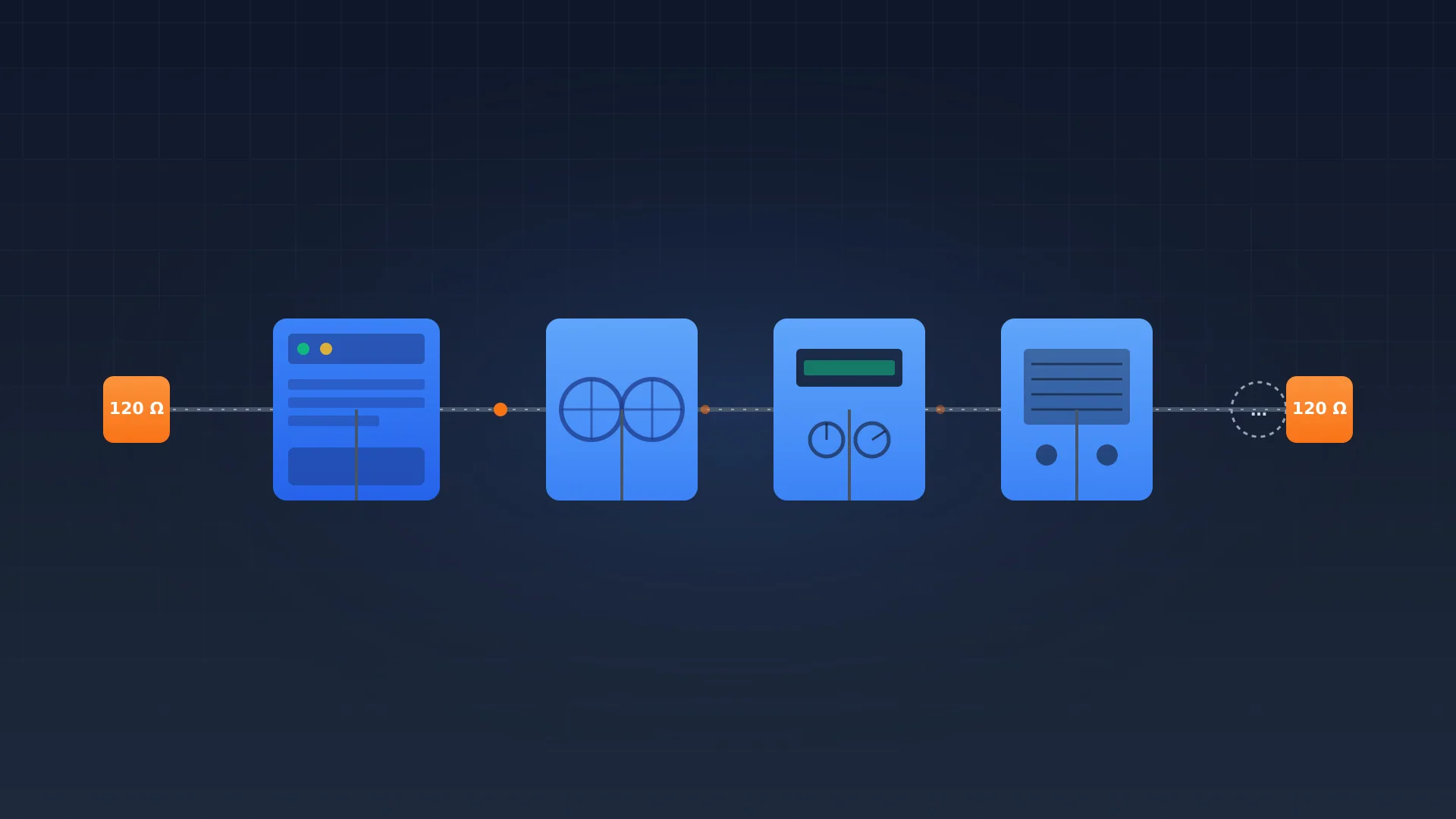
Connect heat pump, ventilation unit, solar inverter and any separate energy meter in series. Stubs longer than 30 cm produce reflections and CRC errors. On a residential project with the heat pump alone, this is trivial.
- 4
Terminate at both physical ends
Place a 120 ohm resistor at the Modbus client side and at the furthest slave. Many gateways have a DIP switch for switchable termination. Do not terminate every device; only the two physical ends of the bus.
- 5
Set slave address, baud rate and parity consistently
Default for most vendors is 9,600 baud 8N1 with slave address 1. For multiple devices on one bus, assign a unique address between 1 and 247. Document the address map in the project file; duplicates cause hard-to-debug bus conflicts.
- 6
Validate with a test tool before integration
Use mbpoll, ModbusDoctor or a laptop with a USB-RS485 dongle to read five registers manually. If that works, the physical layer is correct. Only then connect the Modbus link to your ModbusCloud Gateway or another supervisor.
How do you drive SG Ready via Modbus?
SG Ready is a German-origin label, administered by the Bundesverband Wärmepumpe (BWP) but carried by virtually every major heat pump brand sold across Europe (Daikin, Viessmann, Vaillant, Nibe, Stiebel Eltron, Lambda, and others). It defines four grid-aware operating states across a pair of digital terminals (KL1 and KL2). Almost every modern heat pump also exposes the same four states as a value in a Modbus holding register, which means a dynamic-tariff or PV-surplus controller can drive the heat pump over the bus without extra wiring to the terminals.
For a household on a dynamic tariff this becomes a small scheduler: load the buffer in mode 4 when wholesale electricity drops below a threshold and force mode 1 during peak. For a German installer it also produces the audit trail required under §14a EnWG: every grid-operator throttle event registers as mode 1, which keeps your customer's tariff billing defensible against operator disputes.
What does regulation say about heat pump monitoring?
Four frameworks shape the duty in 2026.
EU EPBD recast 2024/1275 (Article 13): non-residential buildings above 290 kW effective rated output need building automation and control systems from 2026, dropping further by 2030. Modbus is explicitly accepted as an open protocol for that BACS layer.
EU F-gas Regulation 2024/573 (Article 12): systems with refrigerant charge above 5 t CO2-eq (typically 1.5 kg of R-32 or 2 kg of R-410A) need annual leak inspections and a digital logbook. Modbus polling of condenser pressure and compressor cycling gives an early-warning signal, but does not replace certified inspection.
MCS MIS 3005 v6.0 (UK): heat pump installation standard now expects an installer-handover that includes ongoing performance monitoring. The Boiler Upgrade Scheme (BUS) 2026 update references monitoring data for grant retention.
Germany-specific: GEG §71 requires 65 percent renewable energy share for new heating systems since January 2024. BAFA BEG EM funding includes an efficiency bonus for proven JAZ values above 3.0, where Modbus telemetry replaces a dedicated heat meter. §14a EnWG since January 2024 requires heat pumps above 4.2 kW to be controllable for grid-friendliness.
For commercial and multi-family work, EN 14825 is the testing standard behind SCOP claims, and Modbus telemetry is the cheapest way to produce field-measured SCOP for handover documentation.
Which three mistakes do installers make most often?
| Symptom | Likely cause | Fix |
|---|---|---|
| COP comes out unrealistically high (over 6) | Wrong scaling factor on the flow register (l/h vs l/min) | Check the datasheet, divide or multiply by 60 |
| SG Ready command is ignored | Holding register is read-only or terminal priority is enabled | Switch to Modbus priority in the service menu, write with FC06 |
| Fault code arrives five minutes later than on the controller display | Polling interval too slow or composite register read instead of single bit | Drop interval on 0x00F0 to 10 seconds, read active-fault bit separately |
| Outdoor temperature mismatch with controller display | Some vendors publish a calculated reference, not the raw sensor | Read the outdoor sensor register directly, not the controller's working value |
| FC03 returns exception 02 | Register address does not exist on this firmware | Update firmware or validate address against the vendor's release notes |
Frequently asked questions about heat pump Modbus monitoring
Which heat pumps support Modbus?
Nearly every modern air-source and ground-source heat pump sold in Europe supports Modbus, usually via an optional adapter. Common examples are Daikin Altherma 3, Mitsubishi Ecodan, Samsung EHS, Nibe S-series, Stiebel Eltron WPL, Viessmann Vitocal, Vaillant aroTHERM, Bosch Logatherm, LG Therma V and Lambda EU-L.
What is the Modbus protocol for HVAC?
Modbus is an open serial or Ethernet protocol from 1979 that lets a client read and write registers in a server device. In HVAC it is used by chillers, heat pumps, energy meters and gateways to expose temperatures, set points, modulation and fault codes. EU EPBD 2024/1275 names it as an accepted open protocol for building automation.
Is Modbus still relevant today?
Yes. Modbus appears as an option on essentially every modern heat pump datasheet in 2026. EU EPBD 2024/1275 lists it among accepted open protocols for building automation. Newer protocols such as EEBus exist but coexist with Modbus rather than replace it for local register reading.
Are Modbus and RS485 the same?
No. RS485 is a physical layer, three wires A, B and GND carrying a differential signal. Modbus is an application layer protocol that often runs on top of RS485 (Modbus RTU). Modbus TCP runs over Ethernet instead. A device that supports RS485 wiring may speak Modbus, but you must verify the protocol from the datasheet.
What are the four types of Modbus registers?
Modbus defines four register classes: coils (read or write, single bit), discrete inputs (read-only, single bit), input registers (read-only, 16-bit) and holding registers (read or write, 16-bit). Heat pumps expose almost all useful data as holding or input registers, accessed via function codes 03 and 04.
When should you not use Modbus for heat pump monitoring?
Avoid Modbus when the heat pump's firmware genuinely lacks a Modbus interface (true for some bottom-tier on-off models) or when bus length and slave count exceed the limits of RS485 even with repeaters. For most residential and commercial heat pumps it is the cheapest and most open option.
Can I read a heat pump's COP over Modbus?
Yes. Some heat pumps publish COP directly; most do not. From four registers (flow temperature, return temperature, mass flow and electrical input) you can reconstruct instant COP within three percent of a calibrated heat meter, per REHVA Journal Volume 61 (2024).
Next step
You now know the 21 registers, the right polling cadence, the SG Ready linkage and the regulatory frame. Building the actual monitoring takes one to three hours per installation. For installers running multiple heat pumps a shared supervisor beats a vendor portal per brand. See the Modbus Gateway Buyer Guide for Installers for picking the right device and the Modbus RTU explained guide for the protocol fundamentals.