On this page
SolarEdge Modbus is the way you read a SolarEdge inverter directly, over the open Modbus protocol, instead of waiting on the SolarEdge monitoring portal. The inverter exposes its own SunSpec register model over Modbus TCP on Ethernet (port 1502 by default) or over Modbus RTU on RS485, and any Modbus client can poll it: a gateway, a PLC, or a home automation server. First, a myth-buster, because the SERP is full of it. Modbus is a free, open protocol and the SunSpec register map costs nothing. You do not buy "SolarEdge Modbus"; you only pay for the field hardware that does the polling. This guide covers the SetApp enable path, the verified register offsets and their scale factors, the single biggest field trap (the port), and how the read sits next to the portal.
Updated: July 2026.
What is SolarEdge Modbus?
SolarEdge Modbus is the local data interface built into every SolarEdge inverter. The inverter implements the open SunSpec Modbus information model (the SunSpec Alliance standard, part of the IEC 61850-7-420 lineage for distributed energy resources), so a compliant client reads a predictable chain of registers with function code 0x03 (read holding registers). Measurement registers are read-only. You get AC power, lifetime energy, DC power, heat-sink temperature and operating state as raw integers, each paired with a scale factor. Because it is SunSpec, the same decode approach works across SolarEdge, SMA, Fronius and Huawei, which is why a single gateway reads a mixed fleet.
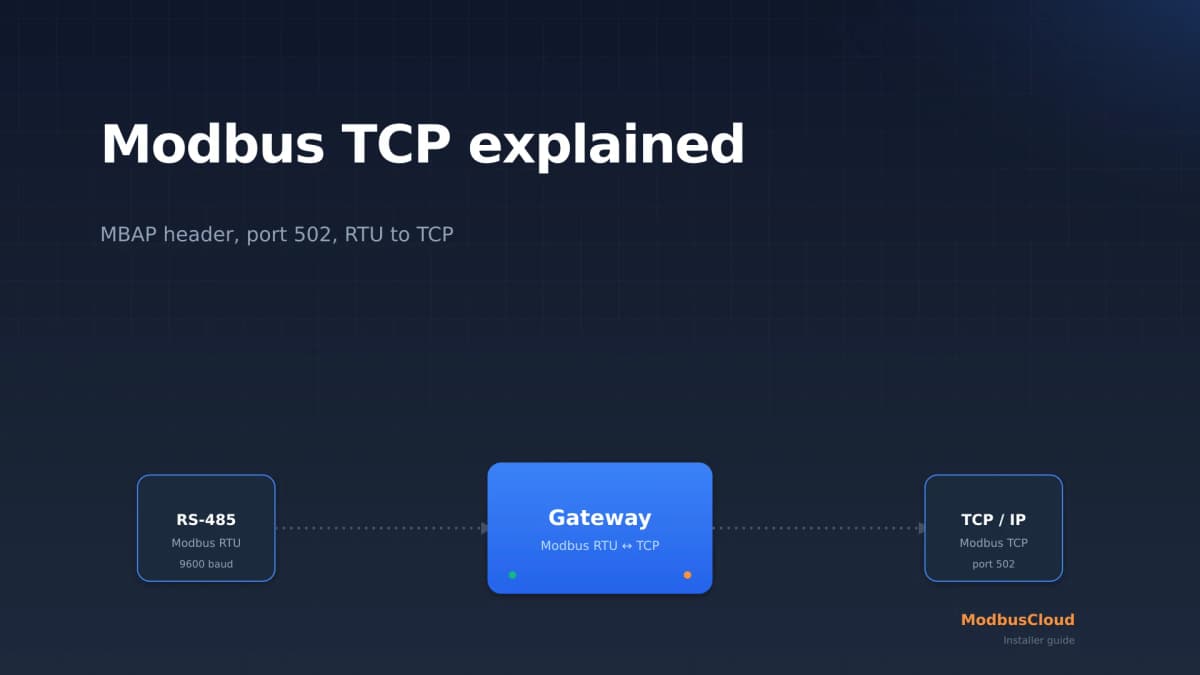
Two transports carry the same model. Modbus TCP runs over the built-in Ethernet port on port 1502. Modbus RTU runs over the RS485 terminals when you set the bus protocol to SunSpec. A SolarEdge site supports one Modbus leader only, so you pick one path per site, not both as leaders at once.
Enable Modbus TCP in SetApp
On any SetApp-commissioned SolarEdge inverter, Modbus TCP is off until you turn it on. The path is short. Open SetApp, connect to the inverter, and follow the sequence below.
- 1
Open Commissioning in SetApp
Log in to SetApp and connect to the inverter over its local Wi-Fi access point. Go to the Commissioning menu, the same menu you use at handover.
- 2
Go to Site Communication
Open Site Communication. This is where every communication interface on the inverter is configured, Ethernet and RS485 alike.
- 3
Select Modbus TCP and Enable
Choose Modbus TCP and set it to Enable. Enabling reveals a Port field with the default value 1502. Leave it at 1502 unless you have a documented reason to change it, and write down whatever value you set.
- 4
Confirm the device ID
On the Ethernet connection the default device ID (unit ID) is 1. Note it. Your gateway needs the exact IP, port and device ID to open the session.
- 5
Poll test with function code 0x03
From the gateway, read the block at the start of the SunSpec map. A valid response returns the ASCII marker "SunS". A Modbus exception 02 (illegal data address) usually means the wrong offset; a timeout means the wrong port, subnet or firewall.
The local Modbus read runs alongside the SolarEdge monitoring portal, not instead of it. Enabling Modbus does not disable, replace or slow down the SolarEdge monitoring platform. The inverter keeps talking to the SolarEdge cloud over HTTPS for warranty, firmware and remote monitoring, while your gateway polls the same inverter locally over Modbus TCP. Set customer expectations accordingly: the portal login stays exactly as it was.
The RS485 SunSpec option
If Ethernet is impractical, the RS485 terminals carry the same SunSpec model as Modbus RTU. In SetApp go to Site Communication, pick RS485-1 (or RS485-2), set Protocol to SunSpec (Non-SE Logger), and assign a device ID. That turns the RS485 bus into a standard SunSpec RTU interface for a third-party logger or gateway. Note that the same RS485 bus also carries the SolarEdge Modbus Meter, so plan the bus roles before you commit. For the physical trade-off between the two transports, see Modbus RTU vs Modbus TCP.
The SunSpec register map that matters
SolarEdge lays out its registers as a chain of SunSpec models. It starts with the ASCII identifier "SunS" (0x53756E53), then a Common Model (manufacturer "SolarEdge", model, version, serial number), then one or more Inverter Models, and closes with an End Model marker 0xFFFF. The inverter model number tells you the topology: 101 = single phase (the HD-Wave residential units), 102 = split phase, and 103 = three phase (the SE-series three-phase inverters). You read the device ID register at 40069 to learn which one you have.
Before the table, a base-convention warning that trips up nearly everyone. SolarEdge's own Technical Note frames the read as "starting at address 40001", while most libraries (for example the community nmakel and binsentsu implementations) encode the "SunS" marker at 40000. This is a genuine plus-or-minus-one ambiguity. The canonical SunSpec convention places SunS at 40000, and the Modbus wire (PDU) address is 0-based, so the wire address equals the holding-register number minus 40001. Never trust a single number without knowing which base it uses; confirm what your gateway or library expects before you trust the first read. The table below uses the 40000-based holding-register notation.
| Address | Name | Type | Unit | R/RW | Description |
|---|---|---|---|---|---|
| 40069 | Inverter model DID | uint16 | enum | R | 101 single phase, 102 split phase, 103 three phase |
| 40083 | I_AC_Power | int16 | W | R | Real-time AC output power. Scale factor at 40084 |
| 40084 | I_AC_Power_SF | int16 | scale | R | Signed exponent for I_AC_Power (value x 10^SF) |
| 40093 | I_AC_Energy_WH | acc32 | Wh | R | Lifetime energy, 32-bit accumulator across 40093 to 40094. Never read as one register |
| 40095 | I_AC_Energy_WH_SF | int16 | scale | R | Signed exponent for the lifetime energy accumulator |
| 40100 | I_DC_Power | int16 | W | R | DC input power, for DC/AC ratio analysis. Scale factor at 40101 |
| 40103 | I_Temp_Sink | int16 | C | R | Heat-sink temperature, for derating detection. Scale factor at 40106 |
| 40107 | I_Status | enum16 | enum | R | 1 Off, 2 Sleeping, 3 Starting, 4 Producing (MPPT), 5 Throttled, 6 Shutting down, 7 Fault, 8 Standby |
Each measurement register is an integer, and the real value is the raw register multiplied by ten to the power of its paired scale-factor register: value = raw x 10^SF, where SF is a signed int16. I_AC_Power sits at 40083 and its scale factor at the adjacent register 40084. If the raw value is 550 and the scale factor is 1, the power is 5500 W. Getting the scale factor wrong is the second most common decode error after the port, and it leaves readings off by whole powers of ten.
SolarEdge HD-Wave is in the library
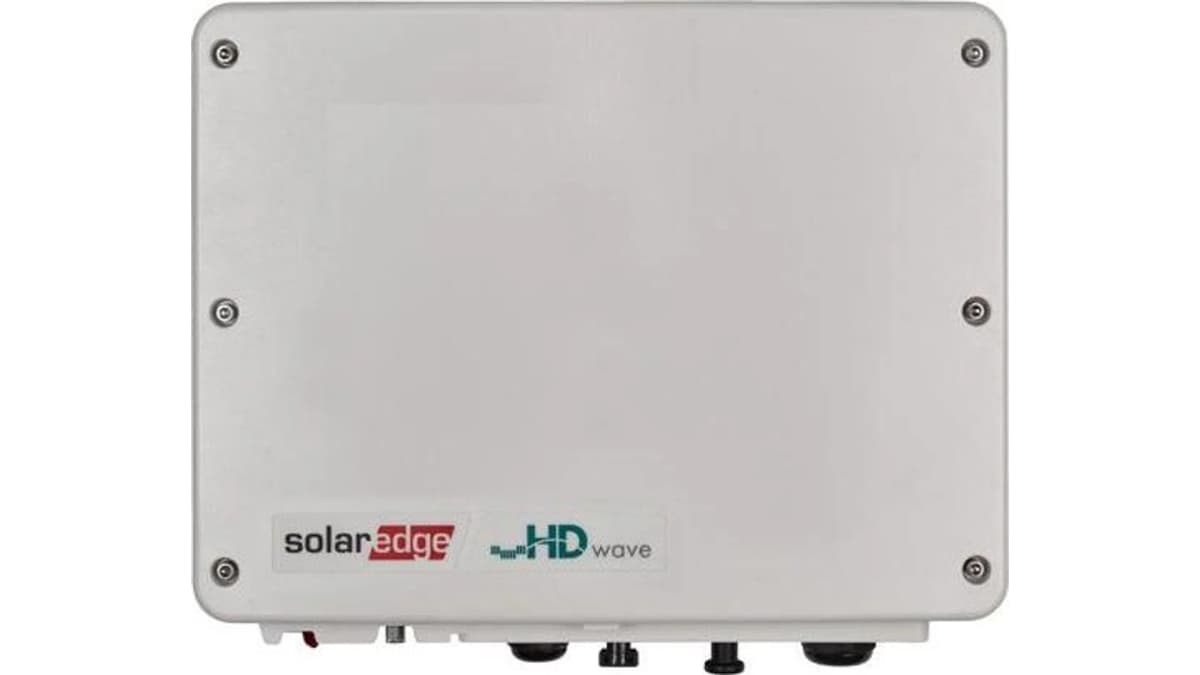
Connect the ModbusCloud Gateway and start a scan in the portal. The gateway recognises the SolarEdge HD-Wave using the template from the library.
12 registers preconfigured · 8,300x downloaded
The SolarEdge Modbus Meter versus reading the inverter
These are two different jobs and installers routinely confuse them. The SolarEdge Energy Meter with Modbus Connection (the SE-WNC-3Y-400-MB and its single-phase variants) is a revenue-grade CT meter that wires to the inverter over RS485 as Modbus RTU. It measures import, export and consumption at the grid connection, and its readings surface as extra SunSpec meter-model registers on the inverter. It is a field measurement device, not a way to read the inverter itself.
Reading the inverter over Modbus TCP exposes the inverter's own model (AC and DC power, lifetime energy, temperature, status) over Ethernet on port 1502, with no extra hardware on the inverter side. In short, the Modbus Meter answers "how much energy flows at the grid connection", while Modbus TCP off the inverter answers "how is the inverter performing". A ModbusCloud Gateway reads both over Modbus TCP from the inverter, because the meter readings surface as SunSpec meter registers on the inverter, and unifies them in one view. It does not join the meter's RS485 bus: the inverter is already the master there, and a bus has only one master. If you are choosing a meter for the grid-connection side, compare options in the Modbus energy meter comparison.
Multiple inverters: leader and follower
A SolarEdge site supports a single Modbus leader only. That means one Modbus RTU chain or one Modbus TCP connection acting as leader, not both at once. Where several physical inverters are installed, they connect in a leader/follower (master/slave) RS485 chain and you read the followers through the leader. Each follower needs a distinct device ID. So on a multi-inverter site, decide up front whether the gateway reads over TCP from the leader or over RS485, assign unique device IDs, and stick to one leader. Mixing two leaders is a configuration that will not work.
Keep the poll interval short as well. The SolarEdge TCP server has a 2-minute idle timeout, so if nothing polls within 120 seconds the inverter closes the socket. Set the gateway to poll every 10 to 60 seconds and the connection stays up.
Where SolarEdge sits among SMA, Fronius and Huawei
Because SolarEdge, SMA, Fronius and Huawei all speak SunSpec, one gateway and one decode approach reads a mixed fleet. The differences that bite an installer are the TCP port, the RTU availability, and how you enable the interface. SolarEdge's port is the outlier.
One caveat specific to SolarEdge: the per-panel data from the DC power optimisers is a genuinely unique data source, but it only flows out through the SolarEdge cloud, not over Modbus. What Modbus gives you is the inverter-level picture in the table above, plus meter registers when a Modbus meter is attached. If you want per-panel yield you stay on the portal for that one dataset. The full cross-brand matrix lives in the solar inverter monitoring pillar.
Installer pitfalls, in order of how often they bite
- Port 1502, not 502. The default is 1502. A gateway on the IANA default 502 fails silently.
- Firmware and CPU version. SetApp inverters support SunSpec out of the box. Older LCD-display units need CPU firmware version 3.xxxx or later. If SunSpec is absent, check the firmware before you blame the wiring.
- Scale factors are mandatory. Always apply the paired SF register. Skip it and readings are off by powers of ten.
- acc32 energy is a register pair. Lifetime energy at 40093 spans two registers. A single-register read is wrong.
- Base-offset off-by-one. The doc says "40001", most libraries use 40000, and the wire address is the register minus 40001. Confirm the convention first.
- Single Modbus leader. One RTU leader or one TCP leader per site, never both.
- 2-minute idle timeout. Poll faster than every 120 seconds or the socket drops.
- Measurement registers are read-only. You cannot fix a plant by writing to 40083. Control registers exist but are version-dependent and out of scope for a monitoring guide, so this article documents no control addresses.
Frequently asked questions
What is SolarEdge Modbus?
SolarEdge Modbus is the local data interface in a SolarEdge inverter that exposes its SunSpec register model over the open Modbus protocol. A client reads holding registers with function code 0x03 to get AC power, lifetime energy, DC power, heat-sink temperature and operating state. It runs over Modbus TCP on Ethernet (port 1502) or Modbus RTU on RS485, and the measurement registers are read-only.
How do you enable Modbus on a SolarEdge inverter?
On a SetApp inverter, open SetApp, go to Commissioning, then Site Communication, then Modbus TCP, and set it to Enable. A Port field appears with the default 1502. The Ethernet device ID defaults to 1. For RS485, set the bus protocol to SunSpec (Non-SE Logger) and assign a device ID instead.
Does SolarEdge use Modbus TCP or Modbus RTU?
Both. Modbus TCP runs over the built-in Ethernet port on default port 1502. Modbus RTU runs over the RS485 terminals when you set the bus protocol to SunSpec. A SolarEdge site supports one Modbus leader only, so you choose one path per site rather than running both as leaders simultaneously.
Which port does SolarEdge Modbus TCP use?
Port 1502 by default, which is reconfigurable in SetApp. This is not the IANA default 502 used by SMA, Fronius and Huawei, so a gateway left on 502 usually times out with no clear error. Port 502 sometimes answers as well, but treat it only as a fallback and set 1502 explicitly.
Do you still need the SolarEdge monitoring portal if you read Modbus?
The portal and Modbus are two independent data paths. Enabling Modbus does not disable or replace the SolarEdge monitoring platform. The inverter keeps talking to the SolarEdge cloud over HTTPS for warranty, firmware and remote monitoring, while your gateway reads locally over Modbus TCP. Per-panel optimiser data is only available through the portal, not over Modbus.
Which SunSpec registers does SolarEdge expose?
The core inverter registers in 40000-based notation are AC power at 40083 (scale factor 40084), lifetime energy at 40093 as a 32-bit accumulator (scale factor 40095), DC power at 40100, heat-sink temperature at 40103, and operating state at 40107. The inverter model DID at 40069 reads 101, 102 or 103. Confirm the base convention your library uses first.
Can you read more than one SolarEdge inverter over Modbus?
Yes, through a leader/follower chain. Multiple inverters connect over RS485 in a master/slave arrangement and you read the followers through the leader, giving each follower a unique device ID. Because a site supports one Modbus leader only, decide up front whether the gateway reads over TCP from the leader or over RS485.
Is SolarEdge Modbus read-only?
The measurement registers (power, energy, temperature, status) are read-only, so you cannot change plant behaviour by writing to them. SolarEdge does expose some control registers, for example power limiting, but they are version-dependent and outside the scope of a monitoring guide, so this article documents no control addresses.
Reading a SolarEdge inverter over Modbus is a short job once you avoid the traps: enable Modbus TCP in SetApp, poll port 1502 rather than 502, decode the SunSpec chain with the right base convention and scale factors, and treat the lifetime energy field as a 32-bit pair. The portal keeps running in parallel, so nothing is lost on the customer side. The ModbusCloud Gateway reads a SolarEdge inverter through the ready-made SolarEdge inverter template, without register programming. It polls SolarEdge alongside SMA, Fronius and Huawei on one SunSpec decode and ships the values to one dashboard with your own alerts.