In this lesson
What this lesson covers
- Three checklists for handover: physical layer, protocol, network
- The cheat sheet with the core numbers: 125 registers, 247 addresses, port 502
- From one symptom back to the lesson that closes the gap
Read first: Modbus RTU troubleshooting: symptom to cause, Modbus TCP troubleshooting with Wireshark, Modbus integration: PLC, Home Assistant, cloud
A Modbus commissioning checklist is what turns a working bus into an installation somebody else can take over. The protocol part of this course ends here: what is left is the discipline of writing down what you built, plus a card with the numbers you would otherwise look up on a ladder. After this lesson you can hand over an installation, and tell from one observation which earlier lesson you need to reread.
What you hand over when it works
A handover is a working bus plus the eight facts that let the next person change something without measuring your installation again.
Those eight facts: a topology drawing with the two termination points marked, the address plan, the serial parameters or IP addresses, a register file per device, the poll interval with the reason behind it, the alarm rules and who receives them, firmware versions and serial numbers, and a short list of open points. If a gateway sits in the chain, note the model and why: ports, connection limit and unit id mapping all follow from it. The Modbus gateway buyer's guide is the reference for that choice.
Two of those eight are easier to show than to claim. A logging session from ModbusCloud Diagnostics exports to CSV or JSON, and that file goes into the handover unchanged as the measurement your poll interval and your alarm thresholds rest on.
The checklist for the physical layer
Walk this list with a multimeter in hand: every item is visible or measurable in under a minute.
- One line end to end, no star, spurs under 20 m. A tap with several spurs divides that budget: 40 divided by the number of spurs, in metres.
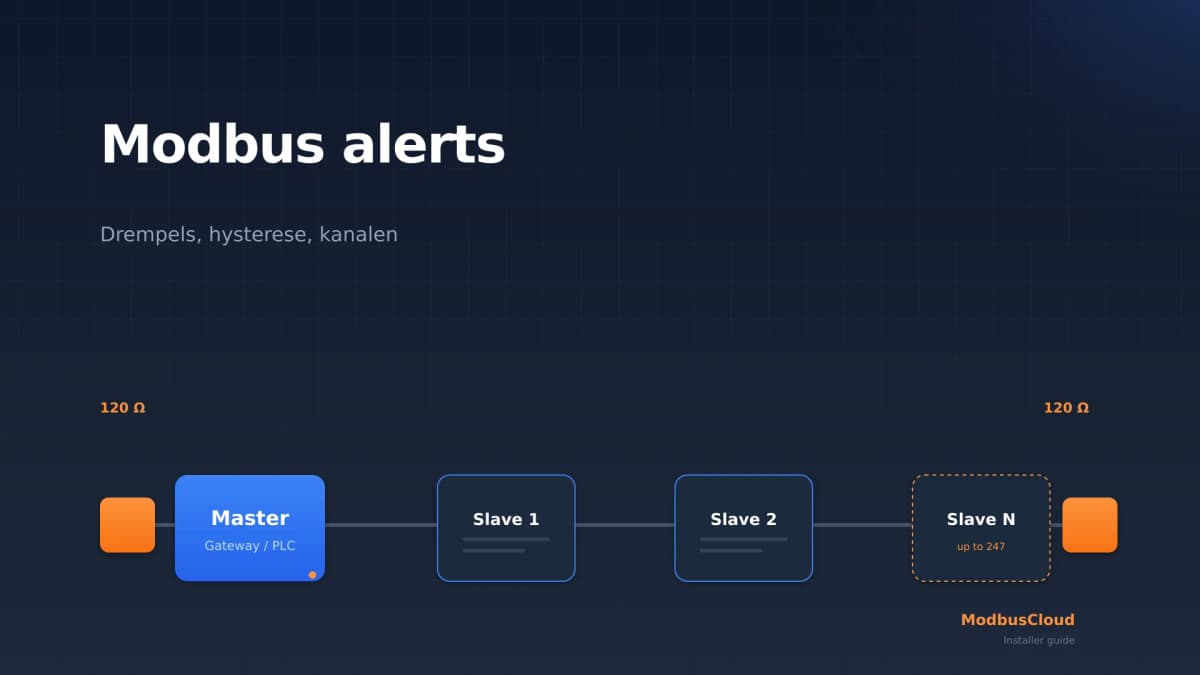
- Termination at the two ends of the trunk and nowhere else: two line terminations per pair, never one on a spur.
- Common carried through with the pair, because a two-wire Modbus bus has three conductors. Screen earthed at one end.
- At idle, D1 (B, D+) sits positive to D0 (A, D-). Measure the direction, do not trust the labels.
- Length and load inside budget: 1000 m at 9600 baud with AWG26 or thicker, 600 m on Cat5, and 32 devices without a repeater, four fewer with biasing of 450 to 650 ohm.
- A label on every terminal block with the server address, the baud rate and the parity.
The RS485 wiring guide carries the cable and terminal detail this lesson does not repeat.
The checklist for the protocol
This list keeps you out of the interpretation domain, line by line through your register file. One line from a three phase energy meter:
| Field in the handover file | Value for this meter |
|---|---|
| Datasheet number | 30073, 1-based |
| Address on the wire | PDU address 72, bytes 00 48 |
| Function code and type | FC04, float32 across two registers |
| Word order and scaling | ABCD, kWh, no scaling factor |
Each row removes a class of mistake. The rule: a datasheet number is a number in a counting scheme, the PDU address is that number minus one, and the scheme belongs in the column header so nobody guesses. The next device usually differs on one point, and that point is word order, because the same float32 read as CDAB gives a plausible number that is wrong by orders of magnitude. That is data types and word order.
Beyond that: server addresses unique and inside 1 to 247, with 0 reserved for broadcast. Same baud rate and parity everywhere. Reads inside 125 registers and 2000 coils, writes inside 123 registers and 1968 coils. Sentinels filtered before you scale, because 0x8000 in an int16 means not implemented, not minus 32768.
The checklist for the network
Everything on the serial side still holds, and the network adds five things that go wrong on their own.
- A fixed IP address for every gateway and native device, outside the DHCP pool, written down.
- Port 502 reachable. A device may listen on an extra port, but 502 has to stay available.
- Unit id per device: 0xFF or 0x00 for a native Modbus TCP device, the real server address from the RS485 bus behind a gateway.
- The connection limit of the device. A client keeps its connection open and closes it itself, and a server that accepts only a handful runs out when a second dashboard appears.
- Firewall and VLAN rules per direction, plus the note that plain Modbus TCP has no authentication and no encryption. Modbus/TCP Security on port 802 with TLS 1.2 exists, but almost nothing speaks it.
Record the poll interval with its arithmetic. Bus load is cycle time divided by poll interval, and the rule of thumb this course uses, not one from the specification, is to stay under 50 percent.
The cheat sheet you take with you
Print this, fold it once and put it in the toolbox. It holds the three things you look up most often and never remember: what limits your requests, what comes back when a device refuses, and what the bus itself demands.
What you can do now, and what remains
Five ideas carry this whole course. Once they have landed you can work out the rest yourself.
Modbus is request and response with no built in meaning, so the manufacturer decides what a register means. A register is 16 bits, and anything bigger is an agreement about gluing registers together. RTU and TCP are the same PDU in a different envelope. Most faults are physical layer and addressing, not protocol. And addressing has two counting schemes, which is the number one cause of reading nonsense.
Left outside the scope on purpose: Modbus ASCII and Modbus Plus, which you meet only on old equipment, and the neighbouring protocols BACnet, M-Bus, KNX and OPC UA. This course also does not make you a library author: for bit level detail of a function code that never comes up in the field, the specification is the place.
Where to go from here
Three directions, and which one fits depends on what already stands on site.
For reference, use the primary sources: the specification documents on modbus.org and the manual of the exact model, because that is where the register file and the sentinel values come from. For tools, mbpoll and pymodbus stay free to use, including commercially. QModMaster has not been updated since 15 August 2022, Modbus Poll is paid with a 30 day trial, and the Simply Modbus demo stops after six messages.
For the installation, the question is what you want to maintain. Home Assistant or a PLC keeps everything under your own control and costs you the register work. A ready made platform such as ModbusCloud, alongside comparable industrial IoT platforms, brings its own gateway and device templates, which is plug and play Modbus monitoring in the sense that the register translation is already done. Either way, set alerting up deliberately: how to set up Modbus alerts covers thresholds and escalation.
Common mistakes
Handing over without a file. The installation works, so it feels finished. Six months later nobody can reconstruct why one register is scaled by a factor of 10, and whoever adds a meter starts by reverse engineering your work.
No labels on the terminal block. Server address, baud rate and parity on a label save the next engineer an hour of sweeping through parameter combinations. It is the cheapest item on the checklist and the most skipped.
Alarm rules delivered untested. An alarm nobody ever triggered on purpose fires at the wrong moment, or never fires at all. Force each rule once, with the customer watching, and note who got the message.
Poll intervals without a reason. Anyone adding a device later needs to see how much room is left. Record the measured cycle time next to the interval, so the next person can do the arithmetic instead of guessing.
Get hands-on
Commission one installation on paper, from beginning to end. Use a real one if you have it, otherwise invent one with three devices.
- 1
Pick the installation
A real site, or a fictional one with three devices on one bus. Write down what is on it before you start checking.
- 2
Walk the three checklists
Physical layer, protocol and network, in that order. Tick what is correct and leave the rest open instead of fixing as you go.
- 3
Send every open point back to a lesson
Note per open point which lesson covers it. That list is your gap analysis, and it is worth more than a score.
- 4
Print the cheat sheet
Fold it once, into the toolbox. It stays readable in black and white.
- 5
Write the handover file
Address plan, parameters or IP addresses, register file per device, poll intervals, alarm rules, and the reason behind each choice.
- 6
Take the final quiz
Questions across the whole course. Every wrong answer points at one lesson.
Without an installation. Use the simulator from practising with a Modbus simulator with two devices you define yourself, and commission them as if a customer were paying. The file is shorter, the discipline identical.
Expected result: three completed checklists, a printed cheat sheet, and a handover file another engineer can read without calling you.
Summary
- A Modbus installation is finished when somebody else can take it over: a handover file with the address plan, the register file, the poll intervals and the alarm rules.
- The physical layer checklist is measurable in minutes: one line with spurs under 20 m, termination at exactly two points, three conductors, 32 devices without a repeater.
- Every line in your register file names its counting scheme, its data type, its word order and its scaling before anybody trusts the number.
- The network is finished with a fixed IP address outside the DHCP pool, port 502 reachable, and the right unit id: 0xFF or 0x00 on a native device, the real server address 1 to 247 behind a gateway.
- One observation halves the search area: silence points at physical layer, parameters or address, an exception at your request, a wrong value at interpretation.
Check yourself
Four questions about this lesson. Every answer comes with an explanation.
Stuck on a project?
Describe what you see and where it goes wrong. We will look at it and tell you what we would do.