In this lesson
What this lesson covers
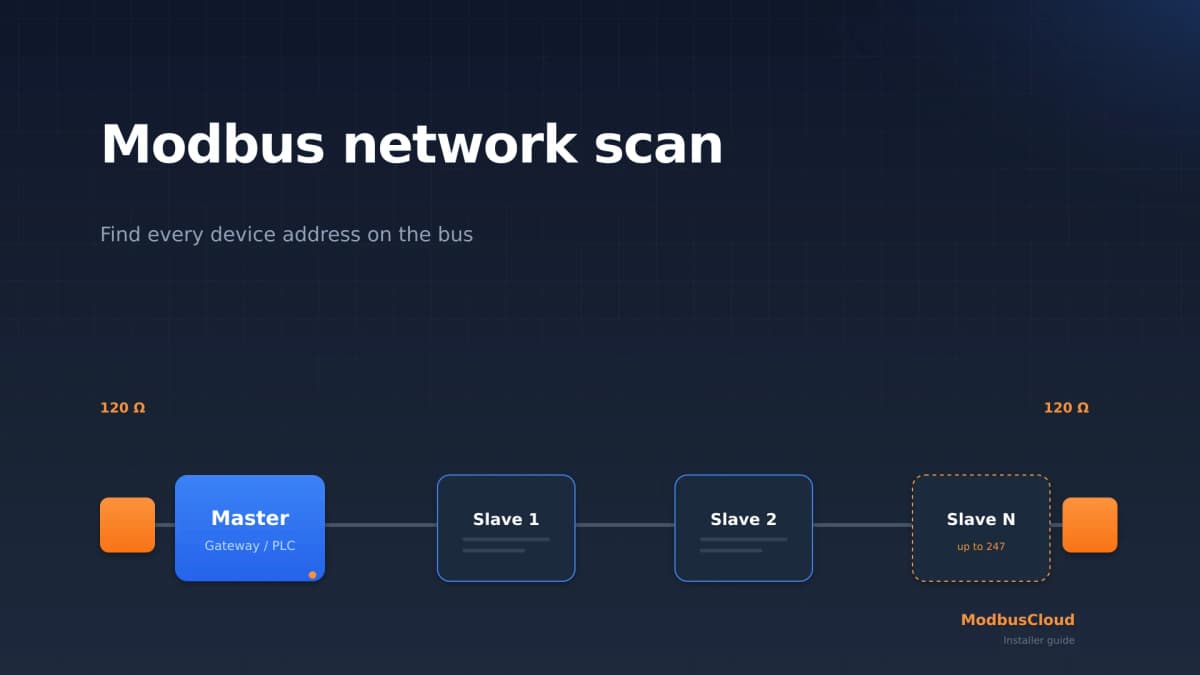
- The address plan: address 0, the reserved range and the 247 usable ones
- Why a duplicate address takes down the whole bus, not one device
- Poll order, timeouts and how many devices fit on one segment
Read first: RS485 explained: A, B, common and termination, Baud rate and parity: why 8E1 is the default
Putting multiple Modbus devices on one RS485 bus works because every request carries the address of exactly one server, and only that server may answer. From the second device onwards, addressing becomes a design decision and your poll cycle becomes arithmetic. After this lesson you can draw an address plan, prove what a duplicate address does, and pick a timeout that does not slow down the whole installation.
How the client knows who answered
The address sits in the very first byte of the request, and the server puts that same address in the first byte of its answer. Here is a real request to server 1, asking for three holding registers from PDU address 107, byte by byte:
01 03 00 6B 00 03 74 17
| Byte | Value | Field |
|---|---|---|
| 1 | 01 | Server address: this question is for server 1 |
| 2 | 03 | FC03, read holding registers |
| 3 to 4 | 00 6B | Start address, PDU address 107, datasheet number 40108 |
| 5 to 6 | 00 03 | Number of registers: 3 |
| 7 to 8 | 74 17 | CRC-16, low byte first |
The answer that comes back on the same pair:
01 03 06 02 2B 00 00 00 64 05 7A
| Byte | Value | Field |
|---|---|---|
| 1 | 01 | Server address: server 1 says who is talking |
| 2 | 03 | FC03, the same function code |
| 3 | 06 | Byte count: 6 |
| 4 to 9 | 02 2B 00 00 00 64 | Three register values: 555, 0 and 100 |
| 10 to 11 | 05 7A | CRC-16 |
The rule follows. Every device sees every frame, compares the first byte with its own address, and stays silent unless it matches. The client itself has no address, which is why a "master address" setting in software is a misunderstanding rather than a feature.
Now change exactly one thing. Send the same question to server 3 and the first byte becomes 03. Server 1 hears it, sees an address that is not its own and stays quiet. The last two bytes change too, because the CRC covers the whole message including that address byte.
Which addresses may you use?
Use 1 to 247 for devices, and nothing else. The address space holds 256 values, and the other nine are already spoken for.
| Address | Meaning |
|---|---|
| 0 | Broadcast: every server acts, nobody answers |
| 1 to 247 | Individual server addresses |
| 248 to 255 | Reserved, do not use |
Broadcast is a write-only tool. This frame is FC06, writing the value 3 to PDU address 1 on every device at once:
00 06 00 01 00 03 99 DA
No answer comes back, and that is by design: if every server replied, all of them would transmit at the same instant. That is also why a broadcast read does not exist.
Addresses 248 to 255 are reserved, and plenty of devices will happily accept 250 anyway. That is not permission, it is a time bomb for whoever extends this bus in three years.
What happens with a duplicate address
Both devices answer at the same time, their drivers fight over the same pair, and the client reads a mangled frame. The Modbus serial line specification is blunt about it: with two devices on one address the whole bus can start behaving abnormally, and the client may lose contact with every server, not just the two that clash.
The symptom is deceptive: alternating good and bad responses on one address read like a cable fault or a marginal termination. The fastest proof costs a minute. Disconnect one of the two suspects and poll again, and if the errors vanish it was never the wiring. What a genuine wiring fault looks like is in the RS485 wiring guide for Modbus.
Finding a device whose address you do not know
Walk the range from 1 to 247 with a scanner and note which addresses answer. That is an address sweep, and it is the standard rescue when a meter has outlived its documentation.
Do it with one device on the bus. Sweeping a populated bus that already holds a duplicate address gives results you cannot trust, because the collisions land on the addresses you are trying to identify. The serial parameters have to match too: a sweep at the wrong baud rate or parity finds nothing and proves nothing. Tool choices are in scanning a Modbus network.
How many devices fit on one segment?
Thirty-two, without a repeater. The address range runs to 247, but that is a numbering limit, not an electrical one.
A standard RS485 driver handles 32 unit loads and a standard receiver presents one unit load, so 32 devices are always allowed on a segment. Add line polarization and you give up four of them, which leaves 28. Transceivers with a fractional unit load go further, but only where the datasheet states the figure: with one-eighth unit load parts up to 256 devices fit on a segment, and external fail-safe biasing brings that back to 96. The electrical background sits in the lesson on RS485, A, B, common and termination.
Need more? A repeater splits the bus into two segments with their own 32 device budget, at the cost of an extra box, extra power and one more thing to fail.
In which order do you poll?
In any order you like, but strictly one device at a time. A Modbus client sends a request, waits for the answer, and only then addresses the next device. The cycle time is the sum of all those transactions, and the slowest device sets the pace for everyone.
Put numbers on it. Ten Modbus energy meters at 9600 baud, each read in one block of 24 registers, is 8 request bytes plus 53 response bytes plus the mandatory silence: 77.92 ms on the wire. Add an assumed 20 ms of processing inside each meter, a figure the specification never fixes, and you are at 97.92 ms per meter. Ten of those is 979 ms, so a full round takes roughly one second.
Two consequences follow. Reading each meter in one block instead of twelve small reads of two registers is the biggest lever you have: the same data in twelve separate reads pushes that cycle to 5.7 seconds, almost six times slower. And polling faster than one cycle is impossible whatever interval you configure. Both are worked out in polling interval and bus load.
Timeouts and retries that do not wreck your setup
Keep the response timeout as low as your slowest device allows. The specification puts the typical response timeout at 1 second to several seconds at 9600 bps, and the turnaround delay after a broadcast at 100 to 200 ms.
Now let meter 7 die. The client still asks, hears nothing and waits out the whole timeout. The nine healthy meters take 881 ms together, plus 1000 ms of waiting, so those same ten meters go from 979 ms to 1881 ms per cycle. Let the client make three attempts before it gives up and it waits three times 1000 ms on that one device: 881 ms plus 3000 ms is 3881 ms. A single blown fuse has just made every value on the bus four times staler.
Common mistakes
Handing out addresses without a plan. Two devices on address 1 because both ship from the factory on address 1 is the most common version of this. Configure each device on its own, before it goes on the bus, and write the address down.
Sweeping with everything connected. If a duplicate address is already present, the sweep reports nonsense on exactly the addresses you care about. Sweep with one device at a time.
Using address 0 or 250. Address 0 is broadcast and 248 to 255 are reserved. Some devices accept them without complaint, which only means the failure surfaces later, in someone else's shift.
Leaving a dead device in the poll cycle. With a 1 second timeout and three attempts, one failed device costs three seconds of waiting per cycle, more than the nine working meters together. That is the usual explanation for "everything has been slow since last week", and no amount of tuning the healthy devices will fix it.
Get hands-on
Build the address plan first, then prove the failure mode on purpose so you recognise it later.
- 1
Draw the bus on paper
Sketch the line, put each device on it in physical order, and write the address you intend to give it next to the box.
- 2
Mark the two ends
Mark the two physical ends of the trunk and note where termination belongs. A bus with more devices is a bus with more chances to get this wrong.
- 3
Connect and read one device at a time
Hang one device on the bus, read one known register from it, and only then add the next. That rules out two fault sources at once.
- 4
Create a duplicate address deliberately
Set two devices to the same address and poll it. Write down what you see: silence, or good and bad frames in turn.
- 5
Make the addresses unique again
Restore the plan and confirm that every device comes back. This is the reference picture you want in your head.
- 6
Work out your cycle time
Count your devices, take the number of registers each one needs, and add up the transactions the way the polling section does. Set your poll interval well above that result.
- 7
Label the terminal strip
Write baud rate, parity and address on a label at the terminals so the next technician does not have to sweep at all.
Finish this pair yourself. The second frame is the same question sent to server 3:
Request to server 1:  01 03 00 6B 00 03 74 17
Request to server 3:  03 03 00 6B 00 03 __ __
The last two bytes are not 74 17, because the CRC covers the address byte too. How to calculate it is in the lesson on the RTU frame and the CRC.
No hardware to hand. Start two pymodbus simulator instances on different TCP ports and poll them alternately. Pymodbus 3.15.0 is free to use, including commercially. The bundled configuration listens on port 5020, so for the second instance you copy the setup file and put a different port in server_list:
pymodbus.simulator --modbus_server server --modbus_device device --http_port 8081
pymodbus.simulator --json_file bus2.json --modbus_server server --modbus_device device --http_port 8082
A duplicate address cannot be reproduced on TCP, because there the IP address separates the devices and the unit id no longer has to be unique. That difference is worth writing down, because it is exactly what changes when you move to Modbus TCP.
Expected result: an address plan on paper, a calculated cycle time, and the fault picture of a duplicate address seen with your own eyes.
Summary
- Every RTU request starts with one server address, and that server repeats it in the answer, so the client always knows who is talking.
- Addresses 1 to 247 are for devices, 0 is broadcast and only works for writing, and 248 to 255 are reserved.
- Two devices on one address collide and can render the whole bus unusable, and the symptom looks like a cable fault.
- A segment carries 32 devices without a repeater, and only 28 once the bus needs line polarization, whatever the address range allows.
- The cycle time is the sum of all transactions, so one dead device with a 1 second timeout stretches a 979 ms cycle to about 1.88 seconds and slows every other reading with it.
Check yourself
Four questions about this lesson. Every answer comes with an explanation.
Stuck on a project?
Describe what you see and where it goes wrong. We will look at it and tell you what we would do.