

Huawei SUN2000 Modbus: read it over Modbus TCP
Huawei SUN2000 Modbus over Modbus TCP: enable it in the app, poll on port 502 at unit ID 1, and scale the Huawei registers correctly.
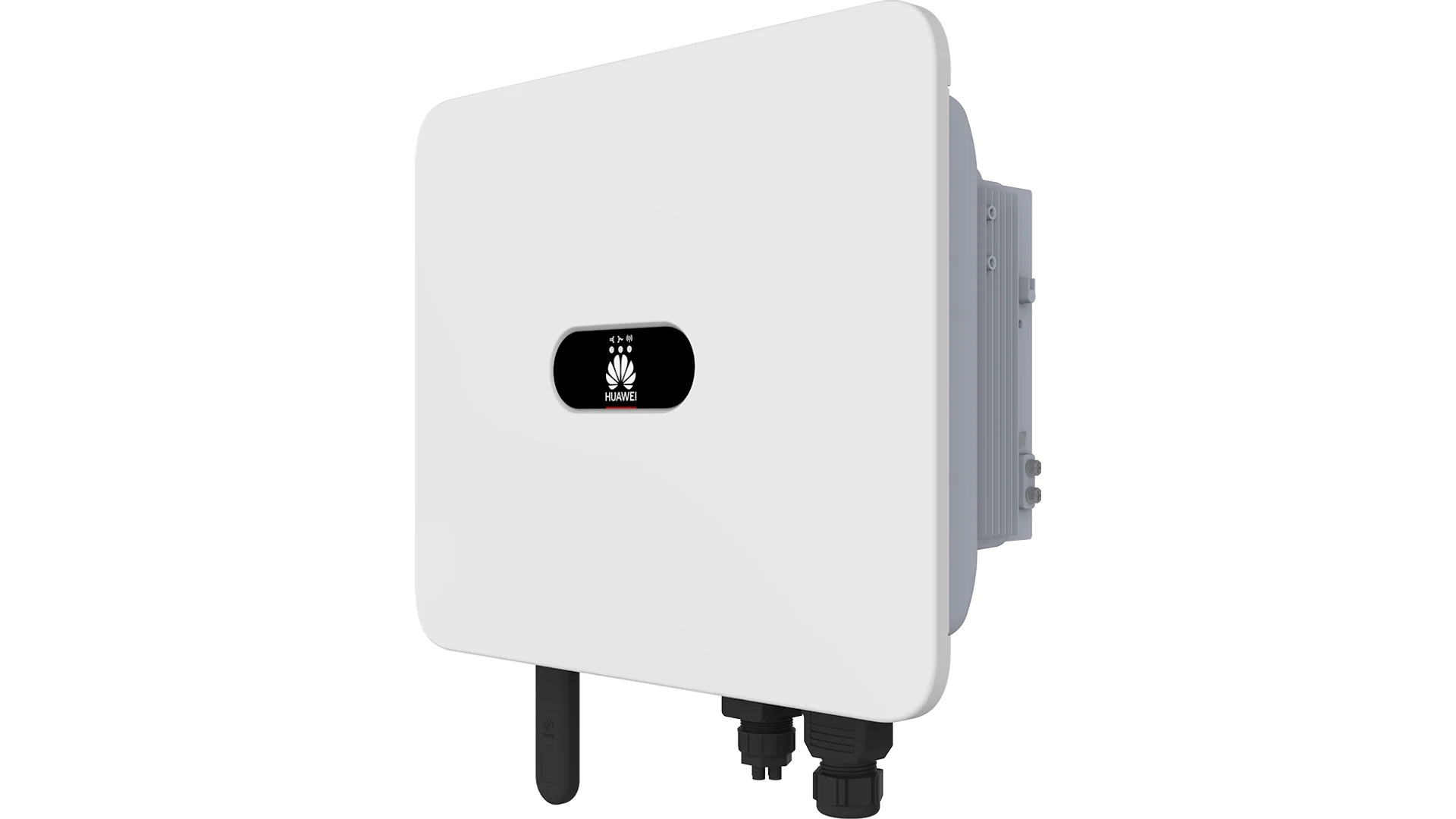
Huawei SUN2000 Modbus means reading a SUN2000 inverter locally over Modbus TCP instead of through the FusionSolar portal. You enable Modbus TCP in the FusionSolar or SUN2000 app, open a connection to the inverter on port 502 at unit ID 1, and read active power, yield, grid frequency and the operating state directly. For an installer that is the basis for your own monitoring, alerts and energy management, without depending on a vendor account. The important twist: unlike Fronius, SMA and SolarEdge, the SUN2000 uses its own Huawei register map rather than SunSpec, and a single session also returns the meter and battery data. This guide explains how to enable Modbus TCP, which registers matter, and how to scale them correctly.
Updated: September 2026.
What this guide covers
- Which SUN2000 inverters speak Modbus TCP and what you need
- Enabling Modbus TCP through the FusionSolar or SUN2000 app
- Why the SUN2000 uses its own register map, not SunSpec
- The registers you use in practice, with data types and gain
- How to read the meter and battery from the same session
- Common problems and how to fix them
Free: RS485 and Modbus RTU installation checklist (PDF)
The pre-commissioning checklist for every RS485 bus. Print it and take it to site.
- Wiring order: A/B polarity, GND and shielding
- Termination and biasing, with the multimeter checks
- Communication settings crib sheet (baud rate, parity, stop bits)
- The 10 most common faults and how to spot them
What is Modbus TCP on a Huawei SUN2000?
Modbus TCP on a Huawei SUN2000 is a local Modbus server that the inverter offers on the network on port 502, the IANA standard port for Modbus TCP. The server is disabled by default and lives inside the communication dongle, so you need no extra card to pull production data, only a Smart Dongle and a Modbus client or gateway on the same network.
The appeal of this route is independence. Where FusionSolar needs a cloud account per plant, an internet connection and Huawei's infrastructure, Modbus TCP talks directly on your own network. That enables local alerts, longer data retention and vendor-neutral consolidation. Unlike the SunSpec brands, Huawei follows its own register definition, the Solar Inverter Modbus Interface Definitions, so the register logic differs from what you know from Fronius or SMA. This guide assumes you know what a holding register is; if not, keep what is Modbus to hand.
What you need
Before you can read Huawei SUN2000 Modbus, check four things. Without this groundwork your first poll fails on a timeout or an empty response.
- A SUN2000 inverter with a Huawei Smart Dongle (SDongleA-05, WLAN-FE or 4G), on the same subnet as your Modbus client.
- The right dongle firmware. Huawei requires at least version V100R001C00SPC127 for Modbus TCP; older firmware does not show the option.
- The FusionSolar app or the local SUN2000 app, plus an installer account. Without the installer role the communication parameters are greyed out.
- A Modbus client or gateway that polls on port 502, plus the register map further down.
Enabling Modbus TCP on the SUN2000
Modbus is off by default. You turn it on one of two ways: remotely through the FusionSolar portal, or locally through the SUN2000 app on your phone. The local route works without internet and is the handiest during installation.
- 1
Connect to the inverter
Connect your phone to the inverter WLAN hotspot. The SSID has the form SUN2000-serialnumber; the inverter is reachable at 192.168.200.1. Turn off mobile data so the app finds the device.
- 2
Log in as installer
Open the SUN2000 app and choose the installer role. Without this role you can see the communication parameters but not change them.
- 3
Go to the dongle parameters
Navigate to Settings, then Communication configuration, then Dongle parameter settings, and open Modbus-TCP.
- 4
Set Modbus-TCP to unrestricted
Choose Enable (unrestricted). Unrestricted allows any Modbus client; restricted allows FusionSolar only. For your own monitoring you need unrestricted. The port stays 502.
- 5
Test the connection
Poll from your client to the inverter IP address, unit ID 1, holding register 30000 (the model register). If you get a readable model name back, the server is on correctly.
Remotely you do the same through the FusionSolar portal with your installer account: open the plant, go to Device Management, select the Smart Dongle, click Set Parameters and, on the Modbus-TCP tab, set the connection to Enable (unrestricted). Note that FusionSolar and local reading run side by side. The inverter keeps talking to the Huawei cloud over HTTPS for warranty and firmware, while you read the same inverter locally on port 502.
Its own register map instead of SunSpec
This is the biggest difference from the other brands and the reason a Fronius or SMA integration will not just work on a SUN2000. Where Fronius and SolarEdge offer the open SunSpec standard, the SUN2000 uses a fully proprietary Huawei register map. There is no SunS marker, no model 101 or 103, and no scale-factor register.
Two practical consequences. First, there is no offset of 1 like SunSpec: the register number is the protocol address directly. Read register 32080 at address 32080, not 32079. Second, you do not scale with an adjacent scale-factor register; you divide the raw value by a fixed gain documented per register in the Huawei map. That makes the map more predictable, as long as you apply the correct gain per register.
The Huawei registers that matter
The registers below follow the Huawei Solar Inverter Modbus Interface Definitions and are confirmed by widely used integrations such as the huawei_solar integration for Home Assistant. Read them with function code 03 (holding registers) at unit ID 1. For "gain": the real value is the raw value divided by the gain. When in doubt, always verify with a test poll before you build dashboards.
| Adres | Naam | Type | Eenheid | R/RW | Beschrijving |
|---|---|---|---|---|---|
| 30000 | Model (name) | string | text | R | Inverter model name, useful as a connection test |
| 32064 | DC input power | int32 | kW | R | Total DC power from the strings, gain 1000 |
| 32080 | Active power | int32 | kW | R | AC active power, gain 1000 |
| 32085 | Grid frequency | uint16 | Hz | R | Grid frequency, gain 100 |
| 32087 | Internal temperature | int16 | C | R | Cabinet temperature, gain 10, useful for derating detection |
| 32089 | Device status | enum16 | enum | R | 0x0200 running (on-grid), 0x0300 fault, 0x0000 to 0x0003 standby |
| 32106 | Accumulated yield | uint32 | kWh | R | Total energy generated, gain 100 |
| 32114 | Daily yield | uint32 | kWh | R | Energy generated today, gain 100 |
For a usable monitoring set, four registers are enough: 32080 for real-time active power, 32106 for the total yield, 32089 for the operating state and 32087 for the temperature.
The device status at 32089
The device status at register 32089 is an enum and the quickest way to see whether an inverter is actually feeding in. 0x0200 means running (on-grid), 0x0300 means shutdown on a fault, and the values 0x0000 to 0x0003 are standby states during start-up. The matching fault code sits in register 32090, carrying the highest-priority alarm.
Meter and battery from the same session
This is the second property that sets Huawei apart and often surprises installers. On most brands an energy meter is a separate Modbus slave with its own address. Not on Huawei: the SUN2000 places the data of the attached Huawei DTSU666-H Smart Power Sensor and the LUNA2000 battery in the inverter's own register space, at unit ID 1. So a single Modbus TCP session to the inverter returns inverter, meter and battery together.
Reading the DTSU666-H meter
You read the DTSU666-H grid power around register 37113. The sign tells you the direction: positive is export to the grid, negative is import. With no meter fitted, this register reads zero and the meter status shows offline. The meter is wired over RS485 to the inverter COM port at 9600 8N1; you do not poll it separately, you read it through the inverter.
The LUNA2000 battery
The state of charge of a LUNA2000 battery sits around register 37760. These battery and meter registers are firmware dependent, so verify the exact addresses against your own inverter with a test poll before you rely on them.
Fixing common problems
Most Huawei SUN2000 Modbus problems come down to a handful of causes. Work through this list if you get no connection or nonsense values.
- Modbus is still off. The server is disabled by default. Check under Dongle parameter settings in the app that Modbus-TCP is set to Enable (unrestricted).
- Dongle firmware too old. Without firmware V100R001C00SPC127 or newer the option is missing. Update the Smart Dongle through FusionSolar.
- Expecting SunSpec. If you look for a SunS marker or model 103, you will not find one. The SUN2000 uses the Huawei register map; poll the 32000 and 37000 addresses.
- Gain forgotten. An active power of 5500 at gain 1000 is 5.5 kW, not 5500 kW. Always divide by the gain from the register map.
- Different subnet or firewall. The gateway sits on a different subnet than the inverter, or port 502 is blocked. Give the inverter a fixed DHCP reservation so the address stays stable.
Reading locally with a gateway
For a single inverter, a Modbus client on a laptop or a Home Assistant instance is enough. Open-source SUN2000 integrations such as huawei_solar are widely used by prosumers who want to read their inverter locally. If you want to go that route, Home Assistant Modbus integration gets you started, and for the background on register definitions Modbus register map explained is useful.
For a growing fleet with many customers, a fixed gateway per site becomes more practical. A ModbusCloud Gateway (see the Gateway page) sits on the local network, opens a Modbus TCP session to the inverter on port 502, polls the registers from the table above, applies the gain and forwards the values encrypted to a dashboard. The hardware is not tied to a specific model; the Gateway reads a SUN2000 just as it reads a SunSpec inverter, so a mixed fleet with Huawei, Fronius and SMA consolidates into one overview with your own alerts. To set those up, automated alerts for Modbus devices is the logical next step.
The business hook for installers is energy management. As feed-in tariffs shrink and network operators push demand-side control, self-consumption matters more than export. Local, real-time inverter and meter data is the basis for battery control, dynamic tariffs and export limiting during grid congestion. FusionSolar stays for cloud and warranty monitoring, but for your own alerts and vendor-neutral consolidation, local Modbus reading is indispensable.
Frequently asked questions
Does a Huawei SUN2000 support Modbus out of the box?
Yes, the SUN2000 has a Modbus TCP server in the Smart Dongle, but it is off by default. You enable it in the FusionSolar or SUN2000 app under Communication configuration and Dongle parameter settings, set to Enable (unrestricted). The dongle needs firmware V100R001C00SPC127 or newer.
Which port does Huawei SUN2000 Modbus TCP use?
The SUN2000 uses the IANA standard port 502 for Modbus TCP, with 1502 as a selectable alternative. Huawei treats 502 as a high-risk port in some regions. A gateway defaulting to 502 works directly, unless you deliberately switched to 1502.
Does the SUN2000 use SunSpec?
No. Unlike Fronius and SolarEdge, the SUN2000 uses its own Huawei register map, the Solar Inverter Modbus Interface Definitions. There is no SunS marker and no scale-factor register. You divide the raw value by a fixed gain per register instead of scaling by ten to the power of a scale factor.
What unit ID does a Huawei SUN2000 use?
On Modbus TCP the SUN2000 inverter unit ID is 1; identification is by IP address. The attached DTSU666-H meter and the LUNA2000 battery have no unit ID of their own: their data sits in the inverter's own register space, also at unit ID 1.
Can I read the DTSU666-H meter separately?
Usually not on its own. In a standard Huawei setup the DTSU666-H is wired over RS485 to the inverter, and you read the meter data through the inverter, around register 37113. The sign gives the direction: positive is export, negative is import. With no meter attached that register reads zero.
Why do I read zero or get no connection?
The most common causes are: Modbus is still off, the dongle firmware is too old, you are polling SunSpec addresses instead of the Huawei 32000 range, or the gateway is on a different subnet. Test first with register 30000 (the model name) at unit ID 1 and port 502.
Can I read a Huawei SUN2000 in Home Assistant?
Yes. Set Modbus TCP to unrestricted and use a SUN2000 integration such as huawei_solar, or the standard Home Assistant Modbus integration with the correct registers. Target port 502 and unit ID 1, and do not forget the gain per register, otherwise your charts will be wrong.
Reading Huawei SUN2000 Modbus is, for the installer of 2026, less an extra and more a core skill. You enable Modbus TCP in the app, remember that the port is 502 and the unit ID is 1, apply the gain per register, and know that the SUN2000 uses its own map instead of SunSpec. Combine that and you have a local, cloud-independent data layer that returns inverter, meter and battery in one session. The ModbusCloud Gateway reads a SUN2000 without register programming and consolidates multiple sites and brands into one dashboard, alongside (not instead of) FusionSolar.
Question about your setup?
Ask it here. We think along with your project, and building a free integration is part of that.