









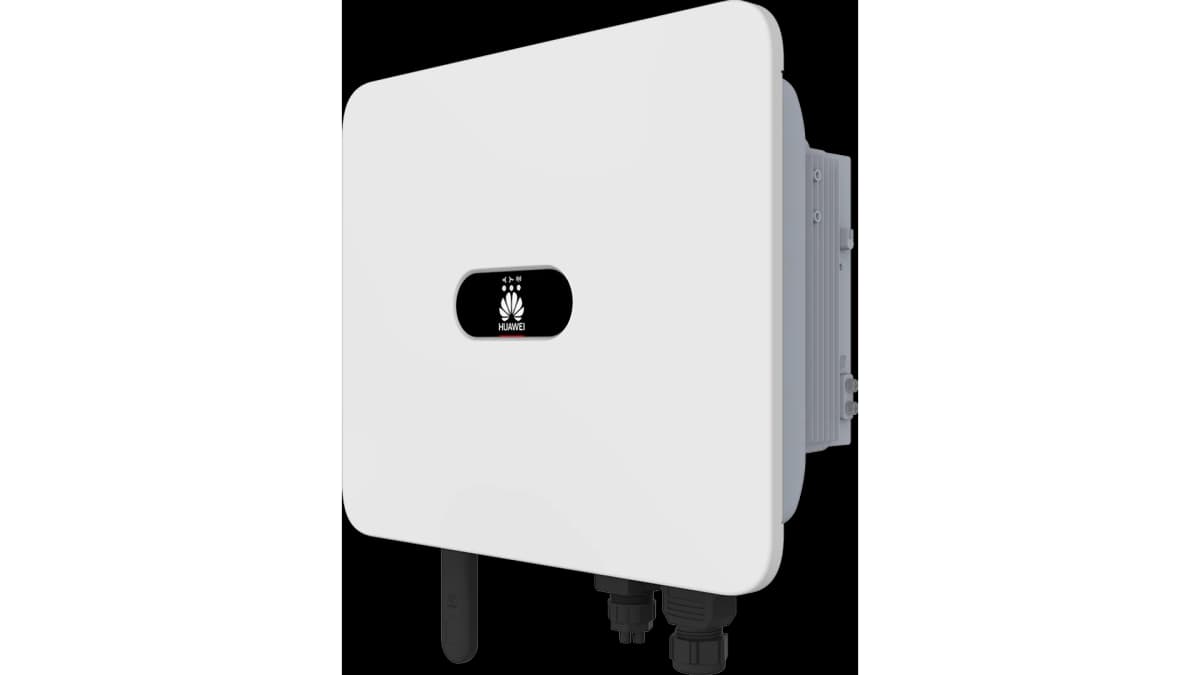
HUAWEI SUN2000 Inverter & LUNA2000 battery
Monitors HUAWEI SUN2000 inverter, LUNA2000 battery, and Smart Power Sensor via Modbus TCP.
This ModbusCloud template reads live power and battery data from HUAWEI SUN2000 residential and commercial inverters, optional LUNA2000 battery storage, and Smart Power Sensor meters over Modbus TCP. Connection is made through the SmartDongle WiFi/FE, which can host up to ten inverters on separate Modbus addresses for multi-string and cascaded installations.
- Protocol
- Modbus TCP
- Connection
- Ethernet, Modbus TCP
- Registers
- 4, read only
- Brand
- Huawei
- Key readings
- Smart Power Sensor Power · LUNA2000 State of Charge · LUNA2000 Battery Power · DC Power
- Compatible models
- HUAWEI SUN2000 L1 2KTL-6KTL · HUAWEI SUN2000 M0 3KTL-20KTL · HUAWEI SUN2000 M1 3KTL-10KTL · HUAWEI SUN2000 M2 12KTL-20KTL · HUAWEI SUN2000 M3 30KTL-40KTL · HUAWEI SmartDongle WiFi/FE · Huawei Smart Power Sensor · HUAWEI LUNA2000
- Last updated
Registers (4)
4 read, 0 write
| Name | Unit | Access | Address (Hidden until you enter your email) | Function (hidden) | Type (hidden) |
|---|---|---|---|---|---|
| SmartPowerSensor Power | kW | Read | |||
| Luna SOC | % | Read | |||
| Luna Power | kW | Read | |||
| DC Power | kW | Read |
Loading registers…
Send your device list
If a device is not in the library yet, we build the template for free as soon as we have the register data.
Use cases
- Show PV production, battery state of charge, and grid import or export on a single customer dashboard with minute level resolution.
- Send an email or in-portal alert when the LUNA2000 state of charge drops below a threshold overnight, so you can diagnose standby drain.
- Log DC power per MPPT input for performance comparisons between strings, especially useful for east-west roof setups.
- Monitor Smart Power Sensor readings to verify that a HUAWEI installation is exporting to the grid correctly under net metering rules.
- Aggregate multiple cascaded inverters on one dongle into a portfolio view for installers managing several sites.
Installation
Update the SUN2000 inverter to firmware SPC123 or newer. On SPC124+, open the FusionSolar app and enable Modbus TCP on the dongle settings page.
Connect the SmartDongle WiFi/FE to the same local network as your ModbusCloud gateway. Note its IP address or configure a DHCP reservation.
In ModbusCloud, add a new device with protocol Modbus TCP, pointing at the dongle IP on port 502 and slave ID 1 (inverter 1).
Import the HUAWEI SUN2000 template into the device. Readings appear within 30 seconds.
For multi-inverter setups, repeat for slave IDs 2, 3, ... up to the number of inverters behind the dongle.
Things to watch for
Why do I get read errors when my polling interval is faster than 5 seconds?
The SmartDongle WiFi/FE is rate limited by HUAWEI. Any interval below 5 seconds triggers dropped packets or error responses. Keep ModbusCloud polling at 5 seconds or higher, which is the default for this template.
I can reach the dongle by ping but Modbus requests time out. What should I check?
On SPC124 and newer firmware, Modbus TCP is disabled by default. Open FusionSolar app, go to Commissioning, and enable Modbus TCP under the dongle settings. The port will open after a short reboot.
Which slave ID do I use for the battery and power sensor?
They share the slave ID of the inverter they are connected to. For a single inverter install, everything is on slave ID 1. The template maps dongle, inverter, battery, and sensor registers all at that address.


Want to see how it works?
