









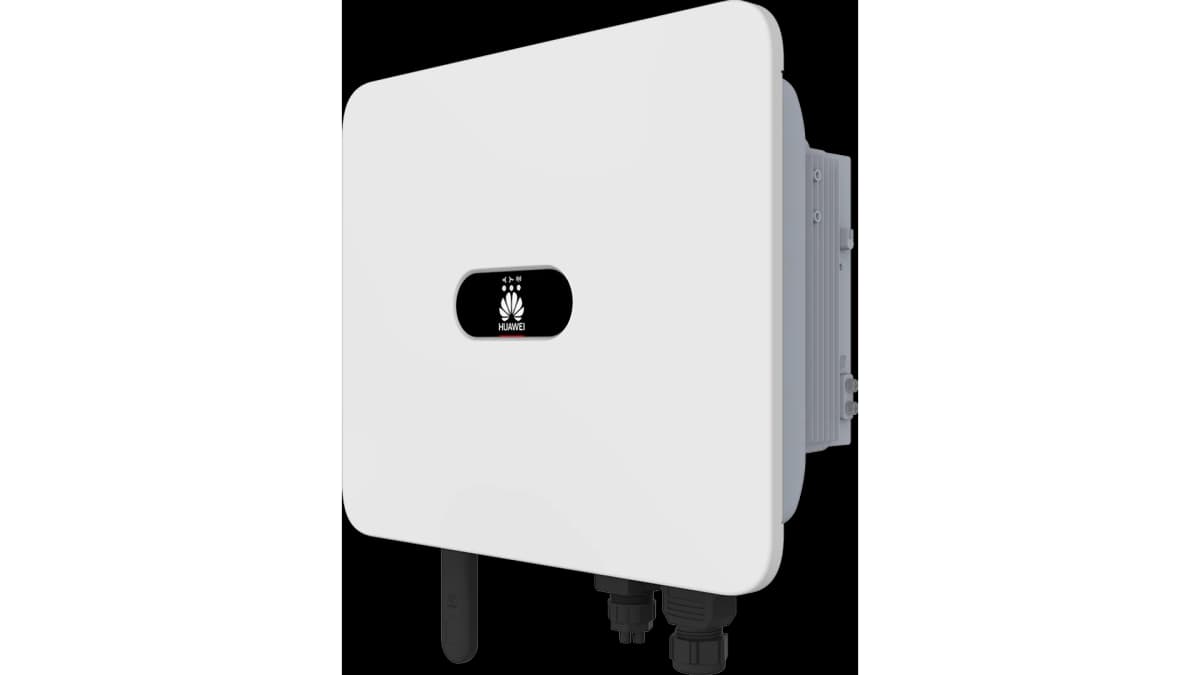
Huawei Sun + Luna2000 + DTSU666-H
Monitors and controls Huawei SUN2000 inverter with Luna2000 battery and DTSU666-H smart meter.
This ModbusCloud template monitors and controls a Huawei SUN2000 inverter paired with a Luna2000 battery and a DTSU666-H smart meter over Modbus TCP. It reads production power, energy yields, battery state of charge, grid import and export energy, inverter and battery temperatures, and system efficiency, and lets you write storage working mode, AC charging status, and max charge and discharge power setpoints.
- Protocol
- Modbus TCP
- Connection
- Ethernet, Modbus TCP
- Registers
- 25, read and write
- Brand
- Huawei
- Key readings
- Production power and total energy · Daily energy yield · Battery state of charge · Grid import and export energy · Inverter and battery temperatures · Grid frequency and efficiency
- Available commands
- Storage working mode · AC charging status · Max DC charge/discharge power · Max AC charge power
- Compatible models
- HUAWEI SUN2000 L1 2KTL-6KTL · HUAWEI SUN2000 M0 3KTL-20KTL · HUAWEI SUN2000 M1 3KTL-10KTL · HUAWEI SUN2000 M2 12KTL-20KTL · HUAWEI SUN2000 M3 30KTL-40KTL · HUAWEI SmartDongle Wifi/FE · Huawei Smart Power Sensor · DTSU666-H · Luna 2000
- Last updated
Registers (25)
22 read, 5 write
| Name | Unit | Access | Address (Hidden until you enter your email) | Function (hidden) | Type (hidden) |
|---|---|---|---|---|---|
| 19 - Production Power Ppwr | kW | Read | |||
| 20 - Production total Ptot | kWh | Read | |||
| 6 - Daily energy yield | kWh | Read | |||
| 1 - Power factor | Read | ||||
| 2 - Grid frequency | Hz | Read | |||
| 3 - Efficiency | % | Read | |||
| 23 - Wechselrichter int Temp | °C | Read | |||
| 4 - Insulation resistance | MOhm | Read | |||
| 5 - Device status | Read | ||||
| 11 - Energy Storage Power Spwr | Read | ||||
| 9 - Energy Starage state of Charge SoC | % | Read | |||
| 18 - Lieferung + Bezug - | kW | Read | |||
| 7 - AC Laden Status | Read and write | ||||
| 22 - Storage Working Mode Status | Read and write | ||||
| 21 - Reverse Active Power | Read | ||||
| 17 - Grid Energy Import GI | Read | ||||
| 16 - Grid Energy export Ge | Read | ||||
| 14 - Energy Storage Total charge | kWh | Read | |||
| 15 - Energy Storage Total discharge | kWh | Read | |||
| 13 - Energy Storage Status | Read | ||||
| 10 - Energy Storage 2 Temp | °C | Read | |||
| 8 - Energy Staorage 1 Temp | °C | Read | |||
| 51 - Max. Entladeleistung Storage DC | Write | ||||
| 52 - Max. Ladeleistung Storage DC | Write | ||||
| 53 - Max. Ladeleistung Storage from AC | Write |
Loading registers…
Send your device list
If a device is not in the library yet, we build the template for free as soon as we have the register data.
Use cases
- Shift battery charging to low-tariff hours using dynamic pricing data and write setpoints through ModbusCloud automations.
- Track grid import and export separately for feed-in tariff reporting and net metering verification.
- Monitor battery state of charge and cell temperatures to catch cell imbalance or thermal issues early.
- Build a landlord dashboard showing PV yield, battery activity, and grid interaction per tenant installation.
- Enable or disable battery AC charging remotely when the installer needs to troubleshoot or run tests.
Installation
Confirm firmware versions: inverter V100R001C00SPC148 or newer, dongle SPC130 or newer, battery SPC116 or newer. Older firmware lacks the control registers.
Connect the SmartDongle WiFi/FE to the local network via LAN cable (WiFi also works but LAN is more stable for control use cases).
Enable Modbus TCP in the FusionSolar app under the dongle settings. On SPC148+ this is already on by default.
Add a Modbus TCP device in ModbusCloud at the dongle IP, port 502, slave ID 1, and import this template.
ModbusCloud reads every 5 minutes by default (minimum 1 minute), well above the dongle's 5-second limit, so timeouts are not caused by the query interval.
Things to watch for
Battery shows strange values like 6553.5% charge or 2.1 GW load. Is the template wrong?
No, this is a known Huawei standby-mode artefact. When the battery goes into deep sleep, the dongle briefly reports uninitialised register values that decode as these wild numbers. ModbusCloud filters out zero and negative outliers, but the battery itself has to recover. Values return to normal once the battery wakes.
Can I use this template alongside FusionSolar?
Yes but expect occasional read errors. The Huawei dongle only responds to one Modbus client at a time. If both ModbusCloud and FusionSolar poll the dongle, some requests will be rejected. Letting ModbusCloud be the only client gives the cleanest data.
I can read values but writing storage mode returns an error. What now?
Write access requires the inverter to accept external control, which is a one-time setup step in the FusionSolar app under Commissioning, Control mode. Some grid-managed installs have writes locked by the utility.


Want to see how it works?
