








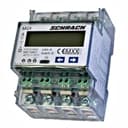
Schrack MGX20400 Modbus power meter
Reads energy and power registers from Schrack MGX2040x Modbus power meters.
This template reads energy and power data from the Schrack MGX2040x series Modbus power meter over Modbus RTU. It captures total energy, forward energy, reverse energy, and total active power. Register names are prefixed with GPWR, GE, and GI for straightforward energy monitor integration.
- Protocol
- Modbus RTU
- Connection
- RS485, 9600 baud
- Registers
- 4, read only
- Brand
- Schrack
- Key readings
- Total Energy · Forward Energy · Reverse Energy · Total Active Power
- Compatible models
- MGX2040x · MGX20400
- Last updated
Registers (4)
4 read, 0 write
| Name | Unit | Access | Address (Hidden until you enter your email) | Function (hidden) | Type (hidden) |
|---|---|---|---|---|---|
| Total Energy | kWh | Read | |||
| GI Reverse Energy | kWh | Read | |||
| GE Forward Energy | kWh | Read | |||
| GPWR Total active power | kW | Read |
Loading registers…
Send your device list
If a device is not in the library yet, we build the template for free as soon as we have the register data.
Use cases
- Monitor total energy consumption of a building in real time on the ModbusCloud dashboard.
- Track forward and reverse energy to evaluate grid import and export for solar PV installations.
- Create alerts when total active power exceeds a defined threshold to prevent peak demand charges.
- Generate monthly energy reports for customers based on logged kWh data from the Schrack meter.
- Compare energy consumption across multiple sites by deploying MGX2040x meters with the same template.
Installation
Wire the Schrack MGX20400 meter into the distribution board according to the manufacturer's installation guide, ensuring correct CT or direct connections.
Connect the RS485 A and B terminals of the Schrack meter to the corresponding RS485 terminals on your ModbusCloud Gateway.
Verify that the meter's Modbus RTU settings are configured to 9600 baud, 1 stop bit, and even parity, matching the gateway configuration.
Set the Modbus slave address on the meter and note it down for use during template configuration in the ModbusCloud portal.
Import the Schrack MGX20400 template in the ModbusCloud portal, assign the correct slave address, and verify that readings appear on the dashboard.
Things to watch for
Do I need to subtract 1 from the register addresses listed in the Schrack documentation?
No. Schrack register addresses in hexadecimal map 1:1 to IO addresses. No minus one offset is required, unlike many other Modbus devices.
What baud rate and parity settings should I use?
The default settings are 9600 baud, 1 stop bit, and even parity. Make sure these match on both the meter and the Modbus gateway.
What data type are the registers on the Schrack MGX2040x?
All energy and power registers are encoded as float32 (two consecutive 16-bit registers). The template handles this automatically.
Can I use this template for other meters in the MGX2040x series?
Yes. The template is designed for the full MGX2040x range, including the MGX20400. The register layout is shared across this series.
More Schrack templates

Want to see how it works?
