








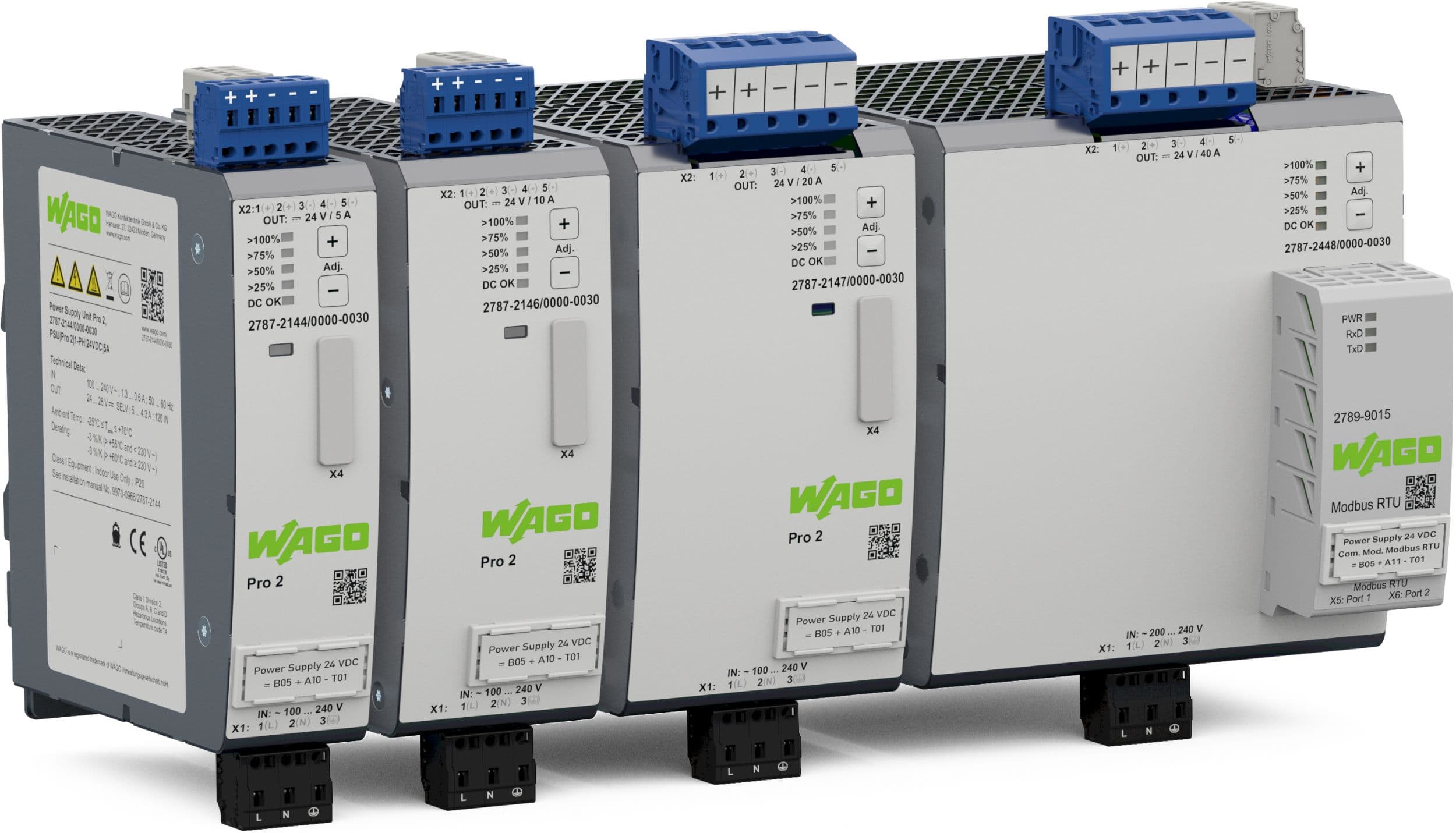
Wago Pro 2 Power supply
Monitors WAGO Pro 2 power supply output via Modbus RTU communication module.
This template reads output voltage, output current, output power, and device state from Wago Pro 2 power supplies over Modbus RTU. It requires the optional 2789-9015 communication module. Compatible models include the 5A, 10A, 20A, and 40A variants.
- Protocol
- Modbus RTU
- Connection
- RS485, 19200 baud
- Registers
- 4, read only
- Brand
- Wago
- Key readings
- Output Voltage · Output Current · Output Power · Device State
- Compatible models
- Wago Pro 2 5A · Wago Pro 2 10A · Wago Pro 2 20A · Wago Pro 2 40A
- Last updated
Registers (4)
4 read, 0 write
| Name | Unit | Access | Address (Hidden until you enter your email) | Function (hidden) | Type (hidden) |
|---|---|---|---|---|---|
| State | Read | ||||
| Voltage Out | V | Read | |||
| Current Out | A | Read | |||
| Power Out | W | Read |
Loading registers…
Send your device list
If a device is not in the library yet, we build the template for free as soon as we have the register data.
Use cases
- Monitor output voltage and current of Wago Pro 2 power supplies on a live cloud dashboard.
- Create an alert when output current exceeds a defined threshold, indicating potential overload on downstream circuits.
- Track output power trends over time to identify increasing load on 24V DC control circuits.
- Verify device state remotely to confirm the power supply is operating normally without a site visit.
- Compare power delivery across multiple Wago Pro 2 units installed at different panel locations.
- Generate periodic reports on power supply utilization for your customer's maintenance planning.
Installation
Install the Wago 2789-9015 communication module onto the Wago Pro 2 power supply according to the Wago installation guide.
Verify that the Wago Pro 2 firmware is version 1.4 or higher, and update the firmware if necessary using Wago's configuration software.
Connect the Modbus RTU wiring (A, B, and GND) between the Wago communication module and the ModbusCloud Gateway.
Configure the Modbus slave address on the Wago Pro 2 communication module and set the baud rate to 19200 with odd parity.
Import the Wago Pro 2 template in the ModbusCloud platform and assign the correct Modbus slave address to match the device configuration.
Verify that output voltage, current, power, and device state readings appear correctly on the ModbusCloud dashboard.
Things to watch for
The gateway cannot read any registers from the Wago Pro 2. What should I check?
Ensure the firmware on the Wago Pro 2 is version 1.4 or higher. Factory-shipped units may have older firmware that does not support Modbus communication. Update the firmware using Wago's configuration tools.
What baud rate and parity settings should I use?
Set the baud rate to 19200 and parity to odd (1 stop bit). These settings must match on both the Wago communication module and the ModbusCloud gateway.
The output power reading seems incorrect or shows zero. Why?
The Power Out register at address 6 is a uint32 value that spans two consecutive registers. Ensure your template is configured to read two registers at that address with the correct byte and word order.
Do I need the 2789-9015 communication module for Modbus RTU?
Yes. The Wago Pro 2 power supply does not have a built-in Modbus interface. The optional 2789-9015 communication module must be installed to enable Modbus RTU connectivity.
More Wago templates

Want to see how it works?
