








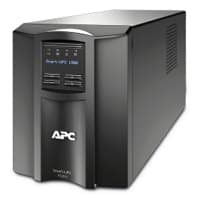
APC Smart-UPS On-Line (SURTD)
Monitors APC Smart-UPS On-Line SURTD-series via Modbus TCP
Modbus TCP template for APC Smart-UPS On-Line SURTD-series UPS units equipped with a Network Management Card AP9631. It reads UPS status, battery health, input and output electrical parameters, and remaining runtime. No write or control registers are included.
- Protocol
- Modbus TCP
- Connection
- Ethernet, Modbus TCP
- Registers
- 10, read only
- Brand
- APC
- Key readings
- Remaining Run Time · Battery Charge State · Battery Voltage and Temperature · Input Voltage · Output Voltage and Frequency · UPS Status Display
- Compatible models
- SURTD · AP9631
- Last updated
Registers (10)
10 read, 0 write
| Name | Unit | Access | Address (Hidden until you enter your email) | Function (hidden) | Type (hidden) |
|---|---|---|---|---|---|
| Remaining Run Time | min | Read | |||
| Output Voltage | V | Read | |||
| UPS Status Display (0-OK _>0 Error) | Read | ||||
| Battery Temperature | °C | Read | |||
| Battery Charge State | % | Read | |||
| Utilisation Watts | % | Read | |||
| Battery Voltage | VDC | Read | |||
| Input Voltage | VAC | Read | |||
| Output Frequency | Hz | Read | |||
| Supply Drop Out | Read |
Loading registers…
Send your device list
If a device is not in the library yet, we build the template for free as soon as we have the register data.
Use cases
- Monitor remaining UPS runtime and battery charge state on a live cloud dashboard for remote sites.
- Create an alert when battery charge drops below a critical threshold to trigger timely maintenance.
- Track input voltage trends over time to identify recurring mains power quality issues.
- Log battery temperature readings to detect cooling failures in server rooms or network closets.
- Verify output voltage and frequency stability after UPS installation or firmware updates.
- Provide facility managers with a weekly report on UPS health without requiring on-site visits.
Installation
Install the APC Network Management Card AP9631 into the management slot of the SURTD-series UPS and connect it to the local network with an Ethernet cable.
Assign a static IP address to the AP9631 card and enable Modbus TCP via the card's web interface or CLI, noting the TCP port (default 502).
Connect your ModbusCloud Gateway to the same network as the AP9631 card and ensure it can reach the card's IP address.
Import the APC Smart-UPS On-Line SURTD template from the ModbusCloud template library into your project.
Configure the template connection settings with the AP9631 IP address and Modbus TCP port, then verify that readings appear on the dashboard.
Confirm that the Remaining Run Time value at address 128 is read correctly as a uint32 (two registers) and not as two separate 16-bit values.
Things to watch for
I see zero or incorrect values for Remaining Run Time. What is wrong?
The Remaining Run Time register at address 128 is a uint32 value that spans two consecutive 16-bit registers. Make sure your gateway is configured to read this as a single 32-bit unsigned integer rather than two separate registers.
The gateway cannot connect to the UPS over Modbus TCP. What should I check?
Verify that the AP9631 Network Management Card is installed and has Modbus TCP enabled. Check that the card has a valid IP address, that the gateway is on the same subnet or has a route to it, and that TCP port 502 (or your configured port) is not blocked by a firewall.
Do I need a specific firmware version on the AP9631 card?
Modbus TCP support requires a firmware version on the AP9631 that includes the Modbus TCP agent. Check the APC support site for the latest firmware and ensure the Modbus feature is listed as supported.
Can I also send commands or control the UPS with this template?
No. This template is read-only and does not include any write or control registers. It is designed solely for monitoring UPS status and electrical parameters.
More APC templates
Want to see how it works?
