








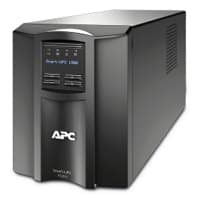
APC Smart-UPS SMT
Reads APC Smart-UPS status and battery data via Modbus RTU.
This ModbusCloud template reads APC Smart-UPS SMT series uninterruptible power supply status and battery data over Modbus RTU at 9600 baud. It covers battery voltage and charge state, remaining runtime, input and output voltage and frequency, battery temperature, UPS utilisation, and error flags. Useful for IT racks, industrial control cabinets, and any critical site where UPS health matters.
- Protocol
- Modbus RTU
- Connection
- RS485, 9600 baud
- Registers
- 10, read only
- Brand
- APC
- Key readings
- Battery Voltage · Battery Charge State · Remaining Run Time · Input Voltage · Output Voltage and Frequency · Battery Temperature
- Compatible models
- APC Smart-UPS SMT
- Last updated
Registers (10)
10 read, 0 write
| Name | Unit | Access | Address (Hidden until you enter your email) | Function (hidden) | Type (hidden) |
|---|---|---|---|---|---|
| Battery Voltage | VDC | Read | |||
| Output Frequency | Hz | Read | |||
| Battery Charge State | % | Read | |||
| Input Voltage | VAC | Read | |||
| UPS Status Display (0-OK >0 Error) | Read | ||||
| Remaining Run Time | min | Read | |||
| Battery Temperature | °C | Read | |||
| Utilisation | % | Read | |||
| Output Voltage | V | Read | |||
| Supply Drop Out | Read |
Loading registers…
Send your device list
If a device is not in the library yet, we build the template for free as soon as we have the register data.
Use cases
- Alert the facility team when remaining runtime drops below a threshold, which usually means the battery is degrading or the load has grown.
- Log input voltage and frequency over weeks to document power quality issues for the utility.
- Monitor battery temperature to spot HVAC failures in the server room before the UPS reports over-temperature.
- Aggregate on-battery events across multiple sites to spot patterns tied to weather or grid events.
- Track battery age by recording the first time each UPS reports battery replacement warning.
Installation
Connect a Modbus RTU cable from the APC SMT front panel port to the ModbusCloud gateway RS485 channel. Refer to APC wiring documentation for the correct pinout.
Enable Modbus RTU in the APC front panel menu, set address 1, baudrate 9600.
In ModbusCloud, add a Modbus RTU device matching those settings and import the APC Smart-UPS SMT template.
Verify battery voltage and remaining runtime show plausible values.
Things to watch for
Remaining runtime register is always 0 or a huge number. What is wrong?
Remaining Run Time is uint32 spanning two consecutive registers (address 128 and 129). If the ModbusCloud template is reading it as uint16, you see only half the value. Confirm the data type is uint32 in the template registers.
Why is the value 18000 when I expect seconds?
18000 seconds equals 5 hours, which is plausible for a lightly loaded SMT. The UPS exposes seconds, not minutes. Divide by 60 on the dashboard if you prefer minutes.
More APC templates
Want to see how it works?
