








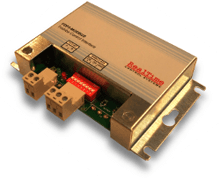
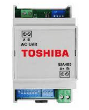
FDP3-MODBUS Interface
Controls and monitors Toshiba VRF and split air conditioning units via Modbus
The Toshiba FDP3-MODBUS interface provides Modbus RTU monitoring and control for Toshiba SMMS, SHRM, and Digital Inverter air conditioning systems. This template reads setpoint temperatures and allows control of on/off state, operating mode, and setpoint adjustments via the ModbusCloud platform.
- Protocol
- Modbus RTU
- Connection
- RS485, 9600 baud
- Registers
- 5, read and write
- Brand
- Toshiba
- Key readings
- Setpoint · Setpoint Min · Setpoint Max
- Available commands
- Setpoint · On/Off · Mode
- Compatible models
- FDP3-MODBUS
- Last updated
Registers (5)
3 read, 3 write
| Name | Unit | Access | Address (Hidden until you enter your email) | Function (hidden) | Type (hidden) |
|---|---|---|---|---|---|
| Setpoint Min | Read | ||||
| Setpoint Max | Read | ||||
| Setpoint | Read and write | ||||
| OnOff | Write | ||||
| Mode | Write |
Loading registers…
Send your device list
If a device is not in the library yet, we build the template for free as soon as we have the register data.
Use cases
- Monitor current setpoint, minimum setpoint, and maximum setpoint of Toshiba VRF units on a live cloud dashboard.
- Control on/off state and operating mode of Toshiba SMMS or SHRM systems remotely from the ModbusCloud platform.
- Create an alert when a room setpoint deviates from the desired range for more than a configurable time period.
- Adjust temperature setpoints for multiple Toshiba split units across a building from a single dashboard view.
- Generate historical reports on HVAC operating modes and setpoint changes for energy auditing purposes.
- Verify that air conditioning units are switched off outside business hours to reduce energy consumption.
Installation
Connect the FDP3-MODBUS interface to the TCC-NET A,B terminals on the Toshiba indoor unit or VRF controller, following the wiring diagram in the FDP3 manual.
Wire the RS-485 A and B lines from the FDP3-MODBUS to the Modbus RTU port on the ModbusCloud Gateway, ensuring correct polarity and termination.
Set the Modbus slave address on the FDP3-MODBUS using the DIP switches or configuration method described in the FDP3 documentation, and confirm the baud rate is 9600.
Log in to the ModbusCloud platform, add the gateway, and import the Toshiba FDP3-MODBUS template from the template library.
Assign the template to the correct Modbus slave address and verify that setpoint readings appear on the dashboard.
Test on/off control and setpoint writes from the dashboard to confirm bidirectional communication is working.
Things to watch for
What baud rate should I use for the FDP3-MODBUS interface?
The default baud rate is 9600. Make sure the ModbusCloud gateway serial port is also configured to 9600 baud, 8 data bits, no parity, 1 stop bit (8N1) unless the FDP3 documentation specifies otherwise.
Do I need an additional adapter card on the Toshiba indoor unit?
No. The FDP3-MODBUS connects directly to the TCC-NET A,B remote controller network. No other network adapter cards are required, even for split air conditioning units.
Can the FDP3-MODBUS coexist with a wired wall controller on the same indoor unit?
Yes. The FDP3-MODBUS sits on the TCC-NET bus alongside standard Toshiba wired remote controllers. Both can operate at the same time, though the last command received by the unit will take priority.
I can read setpoint values but writes are not working. What should I check?
Confirm that the Modbus slave address matches on the FDP3-MODBUS and in the ModbusCloud template. Also check that the gateway is sending the correct function code for write operations and that no other master device is conflicting on the RS-485 bus.
More Toshiba templates
Want to see how it works?
