









Fujitsu general Limited UTY-VMSX
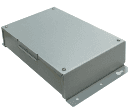
Controls Fujitsu air conditioners via the UTY-VMSX Modbus converter.
Template for the Fujitsu UTY-VMSX Modbus converter, which enables Modbus RTU communication with Fujitsu air conditioning units. It reads indoor temperature, operation status, and error codes while providing control over on/off, mode, temperature, and airflow settings.
- Protocol
- Modbus RTU
- Connection
- RS485, 9600 baud
- Registers
- 12, read and write
- Brand
- Fujitsu
- Key readings
- Indoor temperature · Operation mode status · Operation ON/OFF status · Set temperature status · Error monitoring · Economy mode operation
- Available commands
- Operation mode setting · Operation ON/OFF setting · Set temperature setting · Airflow setting
- Compatible models
- UTY-VMSX
- Last updated
Registers (12)
7 read, 5 write
| Name | Unit | Access | Address (Hidden until you enter your email) | Function (hidden) | Type (hidden) |
|---|---|---|---|---|---|
| 57 Indoor temperature status | °C | Read | |||
| 53 Operation mode status | Read | ||||
| 54 Operation ON_OFF status | Read | ||||
| 55 Set temperature status | Read | ||||
| 59 Error monitoring | Read | ||||
| 60 Horizontal air direction | Read | ||||
| 63 Economy mode operation | Read | ||||
| 01 Operation mode setting_ | Write | ||||
| 02 Operation ON_OFF setting | Write | ||||
| 03 Set temperature setting | Write | ||||
| 04 Airflow setting | Write | ||||
| 05 Vertical air direction position status | Write |
Loading registers…
Send your device list
If a device is not in the library yet, we build the template for free as soon as we have the register data.
Use cases
- Monitor indoor temperature and operation mode of Fujitsu air conditioners on a live cloud dashboard.
- Remotely switch air conditioning units on or off and adjust temperature setpoints from the ModbusCloud platform.
- Create alerts when error codes are reported by the Fujitsu indoor unit to reduce response time for service calls.
- Track economy mode usage across multiple sites to verify energy-saving policies are being followed.
- Log set temperature and operation mode changes over time to analyze occupant comfort and energy consumption.
- Control airflow speed and operation mode remotely for unoccupied commercial spaces on a scheduled basis.
Installation
Connect the UTY-VMSX converter to the Fujitsu indoor unit according to the converter's installation manual, then wire the RS-485 A and B terminals to the ModbusCloud Gateway.
Set the Modbus slave address on the UTY-VMSX using its DIP switches or configuration interface, and ensure no address conflicts exist on the RS-485 bus.
Configure the ModbusCloud gateway serial port for Modbus RTU at 9600 baud, 8 data bits, no parity, 1 stop bit (9600 8N1), matching the UTY-VMSX defaults.
Import the Fujitsu UTY-VMSX template from the ModbusCloud template library and assign it to the correct gateway and slave address.
Verify communication by checking that indoor temperature and operation status values appear on the ModbusCloud dashboard.
Review the template notes for register 3 (set temperature setting) and apply the required special logic before enabling temperature control outputs.
Things to watch for
Why does the set temperature control not work correctly when I write a value to register 3?
Register 3 requires special logic for writing temperature setpoints. The template configuration includes an example of the correct approach. Review the template notes and ensure your write command follows the documented format before commissioning.
What baud rate and serial settings should I use for the UTY-VMSX?
The UTY-VMSX uses 9600 baud with Modbus RTU. Configure your gateway serial port for 9600 baud, 8 data bits, no parity, and 1 stop bit (8N1).
Can I connect multiple UTY-VMSX converters on one RS-485 bus?
Yes, as long as each converter has a unique Modbus slave address. Use the DIP switches or configuration interface on each UTY-VMSX to assign distinct addresses, and ensure proper RS-485 bus termination.
The gateway shows no response from the UTY-VMSX. What should I check?
Verify the RS-485 wiring polarity (A and B terminals), confirm the slave address matches the gateway configuration, and ensure the UTY-VMSX is powered and properly connected to the Fujitsu indoor unit.
More Fujitsu templates
Want to see how it works?
