








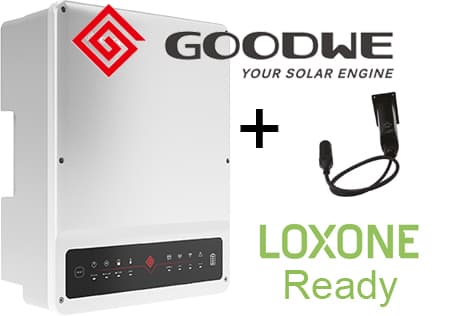
GoodWe inverter ET series
Monitors GoodWe ET series three-phase hybrid inverters via Modbus TCP
This ModbusCloud template reads thirty-five registers from GoodWe ET series three-phase hybrid inverters over Modbus TCP. It covers PV production per string, battery state and power, grid power per phase, backup load power, voltage and current per phase, and lifetime and daily energy totals. Connection requires the separate GoodWe LAN communication module (part number GA10081-37-00P).
- Protocol
- Modbus TCP
- Connection
- Ethernet, Modbus TCP
- Registers
- 35, read only
- Brand
- Goodwe
- Key readings
- Voltage L1 to L3 · Power L1 to L3 · Battery charge status · PV1/PV2/PV3 power · Total production and consumed energy · Network power L1 to L3
- Compatible models
- GoodWe ET series
- Last updated
Registers (35)
35 read, 0 write
| Name | Unit | Access | Address (Hidden until you enter your email) | Function (hidden) | Type (hidden) |
|---|---|---|---|---|---|
| Network frequency | Hz | Read | |||
| Battery charge status | % | Read | |||
| UPS load | % | Read | |||
| L1 - power | W | Read | |||
| L2 - power | W | Read | |||
| L3 - power | W | Read | |||
| L1 - voltage | V | Read | |||
| L2 - voltage | V | Read | |||
| L3 - voltage | V | Read | |||
| Total production | kWh | Read | |||
| Load on Back-Up | W | Read | |||
| Total converter power | W | Read | |||
| Network power | kW | Read | |||
| PV1 power | kW | Read | |||
| Consumed energy | kWh | Read | |||
| First group battery OUT power | kW | Read | |||
| L1 - power Back-Up | W | Read | |||
| L2 - power Back-Up | W | Read | |||
| L3 - power Back-Up | W | Read | |||
| PV Mode | Read | ||||
| L1 - network power | W | Read | |||
| L2 - network power | W | Read | |||
| L3 - network power | W | Read | |||
| Total network power | W | Read | |||
| Battery IN power today | kWh | Read | |||
| Battery OUT power today | kWh | Read | |||
| Battery IN power | kWh | Read | |||
| Battery OUT power | kWh | Read | |||
| Network status | Read | ||||
| Purchased energy | kWh | Read | |||
| Supplied energy | kWh | Read | |||
| Temperature driver | °C | Read | |||
| PV2 power | kW | Read | |||
| PV3 power | kW | Read | |||
| PV E-Total | V | Read |
Loading registers…
Send your device list
If a device is not in the library yet, we build the template for free as soon as we have the register data.
Use cases
- Build a complete PV plus battery dashboard showing per-string production, battery cycling, and grid behaviour.
- Compare PV1, PV2, and PV3 production over the day to identify underperforming strings from shading or panel issues.
- Track backup output power separately so you can prove the inverter correctly isolates and powers the backup circuit during an outage.
- Generate monthly and yearly energy reports for the customer using the lifetime total production register.
Installation
Install the GoodWe GA10081-37-00P LAN communication module into the inverter communication bay and connect it to a network switch.
Note the module IP address from your router or set a DHCP reservation to keep it stable.
In ModbusCloud, add a Modbus TCP device pointing at the module IP on port 502, slave ID 247.
Import the GoodWe inverter ET series template. Values start coming in within one polling cycle.
If two Total production values disagree, check which one matches the inverter front panel and use that register in your dashboards.
Things to watch for
Total production at register 35191 and 35192 show different numbers. Which is right?
Across firmware versions GoodWe has moved this counter between registers. Check which value matches the inverter front panel display and use that register consistently. Once chosen it stays correct across reboots.
Why do I need the separate LAN module? Can I just use the inverter WiFi?
The built-in WiFi connects only to the GoodWe cloud and does not expose a local Modbus TCP port. The LAN communication module (GA10081-37-00P) adds the local Modbus TCP server that ModbusCloud needs.
Battery power register is signed, can I tell charge from discharge?
Yes. Positive values indicate the battery is charging, negative values indicate it is discharging. Build a simple sign check in a ModbusCloud automation to create separate charge and discharge energy counters if you want them broken out.
More Goodwe templates

Want to see how it works?
