








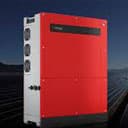
GoodWe inverter MT series
Reads power, energy, voltage, and current from GoodWe three-phase MT inverters.
This template reads live electrical data from GoodWe MT-series three-phase inverters via Modbus RTU over RS485. It provides per-phase voltage, current, frequency, feeding power, internal temperature, and total energy fed to the grid. No control registers are included.
- Protocol
- Modbus RTU
- Connection
- RS485, 9600 baud
- Registers
- 10, read only
- Brand
- Goodwe
- Key readings
- Voltage L1 to L3 · Current L1 to L3 · L1 Frequency · Internal Temperature · Feeding Power · Total Feed Power to Grid
- Compatible models
- GW50KN-MT
- Last updated
Registers (10)
10 read, 0 write
| Name | Unit | Access | Address (Hidden until you enter your email) | Function (hidden) | Type (hidden) |
|---|---|---|---|---|---|
| L1 - Voltage | V | Read | |||
| L2 - Voltage | V | Read | |||
| L3 - Voltage | V | Read | |||
| L1 - Current | A | Read | |||
| L2 - Current | A | Read | |||
| L3 - Current | A | Read | |||
| L1 - Frequency | Hz | Read | |||
| Internal Temperature | °C | Read | |||
| Feeding Power | kW | Read | |||
| Total Feed Power to Grid | kWh | Read |
Loading registers…
Send your device list
If a device is not in the library yet, we build the template for free as soon as we have the register data.
Use cases
- Monitor real-time PV feed-in power and per-phase voltages on a live dashboard for commercial solar installations.
- Track cumulative energy fed to the grid over time to verify production against projected yields.
- Create an alert when internal inverter temperature exceeds a threshold to detect ventilation or cooling issues.
- Compare per-phase currents across L1, L2, and L3 to identify potential phase imbalance in the system.
- Log feeding power data at regular intervals and export reports for energy audits or billing verification.
- Aggregate data from multiple GW50KN-MT inverters on a shared RS485 bus into a single cloud overview.
Installation
Connect an RS485 twisted-pair cable between the Modbus gateway and the GoodWe inverter RS485 terminal.
Terminate the RS485 line at both ends: use the termination resistor on the gateway side and set the DIP switch inside the inverter on the other end.
Set each inverter to a unique Modbus address (1 to 247) using the GoodWe SolarGo app if multiple inverters share the bus.
Configure the Modbus gateway serial port to 9600 baud, 8 data bits, 1 stop bit, no parity to match the inverter default settings.
Import the GoodWe MT series template in the ModbusCloud platform and assign it to the correct gateway and Modbus address.
Disable online status monitoring in the Modbus gateway extension settings to prevent error alerts when the inverter is offline at night.
Things to watch for
Why do all readings show zero even during the day?
Check your RS485 wiring polarity (A/B lines may be swapped) and verify that the Modbus address in the template matches the address configured on the inverter. The default address is 247.
Why do I get communication errors at night or on cloudy days?
The inverter shuts down when DC power is too low, making Modbus communication impossible. Disable the online status monitoring checkbox in the Modbus gateway extension settings to suppress these expected errors.
How do I connect multiple inverters on one RS485 bus?
Assign each inverter a unique Modbus address between 1 and 247 using the GoodWe SolarGo app. Only terminate the RS485 line at the two physical endpoints of the bus, not at intermediate devices.
Why does the energy counter still show a value after timeout while other readings reset to zero?
This is by design. The template resets instantaneous values like voltage, current, and power to zero after 15 minutes of no communication. The cumulative energy counter retains its last value because it represents a running total that should not be lost during overnight shutdowns.
More Goodwe templates

Want to see how it works?
