








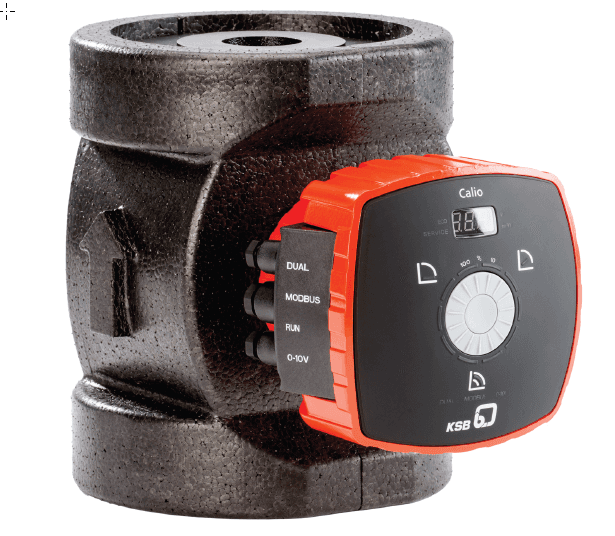
KSB Calio Circulation pump
Controls and monitors KSB Calio series circulation pumps via Modbus RTU
This template connects KSB Calio series circulation pumps via Modbus RTU to the ModbusCloud platform. It reads operational data such as flow, head, temperatures, power, energy, and error codes. It also allows writing operation mode and setpoint speed.
- Protocol
- Modbus RTU
- Connection
- RS485, 19200 baud
- Registers
- 18, read and write
- Brand
- KSB
- Key readings
- Calc Flow · Calc Head · Pump Power · Temperatures (PSU, Motor, Ambient, PFC, Fluid) · Energy Meter / Total Flow · Error Values 1 and 2
- Available commands
- Operation Mode · Setpoint Speed
- Compatible models
- Calio 25 · Calio 30 · Calio 32 · Calio 40 · Calio 50 · Calio 65 · Calio 80 · Calio 100
- Last updated
Registers (18)
18 read, 2 write
| Name | Unit | Access | Address (Hidden until you enter your email) | Function (hidden) | Type (hidden) |
|---|---|---|---|---|---|
| Speed | rpm | Read | |||
| Error1 | Read | ||||
| Error2 | Read | ||||
| Calc Head | m | Read | |||
| Calc Flow | l/t | Read | |||
| Pmp Status | Read | ||||
| Operating Hours | t | Read | |||
| Pmp power | W | Read | |||
| Temp PSU | °C | Read | |||
| Temp motor | °C | Read | |||
| Temp Ambient | °C | Read | |||
| Temp PFC | °C | Read | |||
| Temp Fluid | °C | Read | |||
| Energy meter | kWh | Read | |||
| Total flow | m³ | Read | |||
| Operational status | Read | ||||
| Mode-read | Read and write | ||||
| Setpoint speed read | % | Read and write |
Loading registers…
Send your device list
If a device is not in the library yet, we build the template for free as soon as we have the register data.
Use cases
- Monitor calculated flow and head values on a live dashboard to verify pump sizing and performance.
- Create an alert when error value 1 or error value 2 indicates a pump fault, enabling rapid response.
- Track energy consumption and total flow over time to generate efficiency reports for building owners.
- Remotely adjust setpoint speed to optimize pump performance without a site visit.
- Monitor motor and fluid temperatures to detect overheating conditions before they cause damage.
- Log operational hours per pump to schedule preventive maintenance at the right intervals.
Installation
Wire the Modbus RTU connection (A, B, GND) from the KSB Calio pump terminal to the RS485 port on your ModbusCloud Gateway.
Set the Modbus slave address on the KSB Calio pump according to the Installation and Operating Manual, ensuring it does not conflict with other devices on the bus.
Confirm the baud rate on the pump is set to 19200, matching the template configuration.
Import the KSB Calio template in the ModbusCloud platform and assign it to the correct gateway and slave address.
Verify that live readings such as calculated flow, pump power, and temperatures appear in the ModbusCloud dashboard.
Test write functionality by changing the operation mode or setpoint speed from the dashboard and confirming the pump responds.
Things to watch for
Which baud rate should I use for the KSB Calio Modbus RTU connection?
The template is configured for 19200 baud. Make sure the pump and the Modbus gateway are both set to 19200, 8 data bits, 1 stop bit, and even parity (unless the pump manual specifies otherwise).
Can I read and write the same registers for operation mode and setpoint speed?
Yes. Registers 2100 (operation mode) and 2101 (setpoint speed) support both reading and writing. The template handles this automatically.
Where can I find the full register map for the KSB Calio?
Refer to Table 26 on page 54 of the KSB Calio Installation and Operating Manual. This table lists all available Modbus registers, data types, and scaling factors.
Does this template work with all Calio pump sizes?
Yes. The template is compatible with KSB Calio 25, 30, 32, 40, 50, 65, 80, and 100. The register layout is the same across these models.
More KSB templates

Want to see how it works?
