









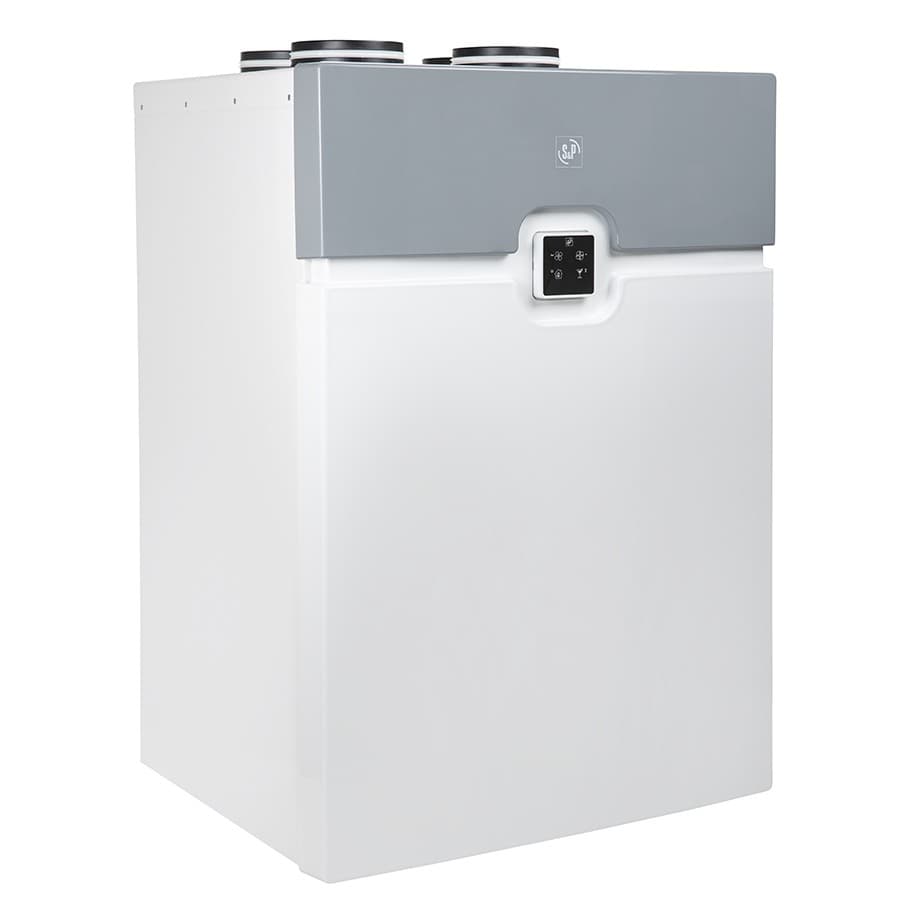
S & P DOMEO 210 RD
Controls S&P Domeo 210 RD heat recovery ventilation unit via Modbus RTU
This template connects to the S&P Domeo 210 RD heat recovery ventilation unit via Modbus RTU. It reads temperatures, fan speeds, bypass and battery status, and provides control over airflow, heating setpoints, and bypass operation. All registers use uint16 format.
- Protocol
- Modbus RTU
- Connection
- RS485, 19200 baud
- Registers
- 61, read and write
- Brand
- S&P
- Key readings
- Interior and exterior temperatures · Impulsion and discharge temperatures · Extraction and impulse engine RPM · Bypass state · Pre/post heating battery status · Dirty filter alarm status
- Available commands
- Bypass manual/automatic control · Post-heating battery control · Flow and free cooling selection · CLP control
- Compatible models
- Domeo 210 RD
- Last updated
Registers (61)
61 read, 15 write
| Name | Unit | Access | Address (Hidden until you enter your email) | Function (hidden) | Type (hidden) |
|---|---|---|---|---|---|
| 2 CLP CONTROL | Read and write | ||||
| 5 THAW MODE | Read | ||||
| 7 IMPULSION MOTOR STATUS | Read and write | ||||
| 10 INTERIOR TEMPERATURE PROBE STATUS | Read | ||||
| 11 DISCHARGE TEMPERATURE PROBE STATUS | Read | ||||
| 12 OUTDOOR TEMPERATURE PROBE STATUS R | Read and write | ||||
| 13 STATUS PROBE IMPULSION TEMPERATURE | Read | ||||
| 14 ALARM STATUS OF DIRTY FILTER | Read | ||||
| 6 ENGINE EXTRACTION STATUS | Read and write | ||||
| 2 BATTERY PRE-HEATING R_W 0 | Read | ||||
| 3 BATTERY POST-HEATING R_W 0 | Read and write | ||||
| 4 POTENTIAL FREE CONTACT CONTROL SELECTION R_W 0 | Read and write | ||||
| 6 VERSION SELECTOR R_W 0 | Read | ||||
| 7 MODE ACTIVATION R_W 0 | Read | ||||
| 8 AUTOMATIC CONTROL BYPASS R_W 0 | Read and write | ||||
| 9 BYPASS MANUAL R_W 0 | Read and write | ||||
| 12 DIRTY FILTER ALARM RESET (BY TIME) | Read | ||||
| 13 RESTORE FACTORY PARAMETERS W | Read | ||||
| 1 VERSION R | Read | ||||
| 6 SOFTWARE VERSION CENTRAL UNITY | Read | ||||
| 7 REMOTE SOFTWARE VERSION | Read | ||||
| 8 CONSOLE PROGRAMMING SOFTWARE VERSION | Read and write | ||||
| 9 TYPE OF DOUBLE FLOW | Read and write | ||||
| 10 TIPE OF REGULATION | Read and write | ||||
| 12 FLOW OFFSET | Read | ||||
| 13 MINIMUM FLOW | Read | ||||
| 14 TIMED HIGH FLOW 1_2H _ BOOST | Read | ||||
| 15 HIGH FLOW _ FREE COOLING | Read and write | ||||
| 16 ACTUAL FLOW | Read and write | ||||
| 17 MEASURED TENSION 0-10V | V | Read and write | |||
| 19 EXTRACTION ENGINE REVOLUTIONS | rpm | Read | |||
| 20 IMPULSE ENGINE REVOLUTIONS | rpm | Read | |||
| 21 TEMPERATURE INT | °C | Read | |||
| 22 TEMPERATURE EXT | °C | Read | |||
| 23 TEMPERATURE Tex | °C | Read | |||
| 24 IMPULSION TEMPERATURE | °C | Read | |||
| 25 BYPASS STATE | Read | ||||
| 26 BATTERY STATUS PREHEATING | Read | ||||
| 27 POST HEATING BATTERY STATUS | Read | ||||
| 37 ALARM TIME OF DIRTY FILTER | h | Read | |||
| 36 TEMPERATURE Tin BATTERY PREHEATING | °C | Read | |||
| 38 TEMPERATURE Tout PREHEATING BATTERY | °C | Read | |||
| 39 TEMPERATURE Tin POST HEATING BATTERY | °C | Read | |||
| 40 TEMPERATURE Tout POST HEATING BATTERY_ | °C | Read | |||
| 0 INTERFACE MODBUS NODE | Read | ||||
| 1 BAUDRATE MODBUS | Read | ||||
| 8 SELECTION OF FLOW OFFSET | Read | ||||
| 9 LOW FLOW SELECTION | Read | ||||
| 10 SELECTION OF TIMED HIGH FLOW 1_2 H _ BOOST | Read | ||||
| 11 HIGH FLOW RATE SELECTION _ FREECOOLING | Read and write | ||||
| 15 FLOW SETPOINT | Read | ||||
| 16 MINIMUM SETPOINT IN 0‐10V_ | V | Read | |||
| 17 MAXIMUM SETPOINT IN 0‐10V | V | Read | |||
| 22 BYPASS AUTO: Text MINIMUM | °C | Read | |||
| 23 BYPASS AUTO: MINIMUM Tint_ | °C | Read | |||
| 24 TIME BYPASS MANUAL | min | Read | |||
| 25 PRE-HEATING BATTERY Tº ON | °C | Read | |||
| 26 PRE-HEATING BATTERY Tº OFF | °C | Read | |||
| 27 PRE-HEATING BATTERY CONSTANT Tº | °C | Read | |||
| 28 POST-HEATING BATTERY CONSTANT Tº | °C | Read | |||
| 31 TIME SELECTION ALARM OF DIRTY FILTER | h | Read |
Loading registers…
Send your device list
If a device is not in the library yet, we build the template for free as soon as we have the register data.
Use cases
- Monitor interior and exterior temperatures on a live dashboard to verify heat recovery performance.
- Create an alert when the dirty filter alarm activates so maintenance can be scheduled promptly.
- Adjust post-heating battery setpoints remotely to optimize comfort without an on-site visit.
- Log extraction and impulse fan RPM over time to detect motor degradation or airflow imbalance.
- Switch bypass control between manual and automatic mode based on seasonal requirements.
- Track bypass state and free cooling operation to validate energy savings during mild weather.
Installation
Connect the ModbusCloud Gateway to the S&P Domeo 210 RD RS-485 terminals using a twisted pair cable with correct A/B polarity.
Set the Modbus RTU baud rate to 19200 and parity to odd on both the gateway and the Domeo 210 RD unit.
Assign a unique Modbus slave address on the Domeo 210 RD and note it for gateway configuration.
Import the S&P Domeo 210 RD template from the ModbusCloud template library into your project.
Enter the configured slave address in the template settings on the ModbusCloud platform.
Verify communication by checking that temperature readings and fan RPM values appear on the dashboard.
Things to watch for
I see no data after connecting. What should I check first?
Verify that the baud rate is set to 19200 and parity to odd (1 stop bit) on both the gateway and the Domeo 210 RD. Also confirm that the RS-485 A and B wires are not swapped.
Some registers seem to overlap. Is that normal?
Yes. Some register addresses appear in both read and write function code groups. The template handles this by using the correct function codes for each operation. Do not manually duplicate these registers.
Can I change heating setpoints remotely?
Yes. The template includes writable registers for pre-heating and post-heating battery temperature setpoints. You can adjust these values directly from the ModbusCloud dashboard.
How do I know if the filter needs replacing?
The template reads the dirty filter alarm register. You can set up an alert in ModbusCloud to notify you when this alarm activates, so you can schedule maintenance before airflow is significantly reduced.
More S&P templates
Want to see how it works?
