








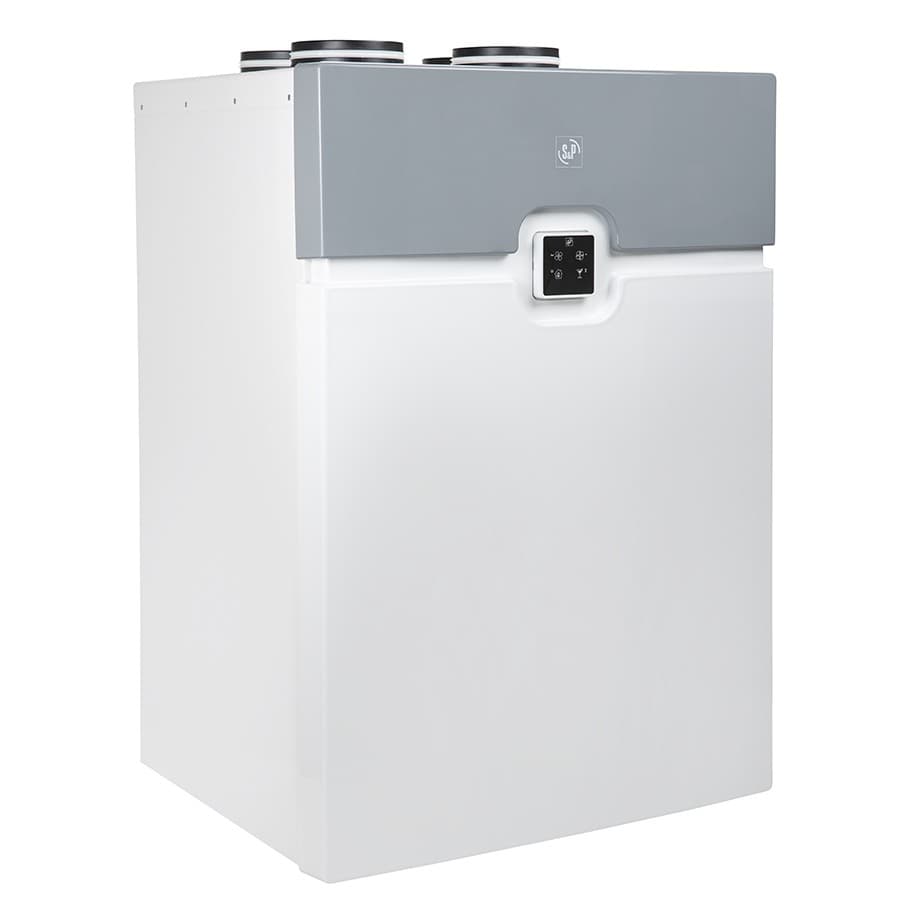
S & P Sabik
Controls S&P Sabik ventilation units via Modbus RTU
Modbus RTU template for the S&P Sabik 210, 350, and 500 ventilation units. It reads temperatures, humidity, fan speeds, and alarm statuses while providing full control over working mode, airflow selection, boost, snooze, and bypass parameters.
- Protocol
- Modbus RTU
- Connection
- RS485, 19200 baud
- Registers
- 48, read and write
- Brand
- S&P
- Key readings
- Supply/Extract/Exhaust/Outdoor Air Temperature · Relative Humidity (Extract, Exhaust, Outdoor, Supply) · RPM Extract and Supply Motor · Bypass Damper Position · Active Alarms and Filter Alarm · Actual Working Mode
- Available commands
- Working Mode · Manual Boost and Snooze Mode · Manual Bypass Timer and Bypass Parameters · Selected Airflow
- Compatible models
- Sabik 210 · Sabik 350 · Sabik 500
- Last updated
Registers (48)
48 read, 21 write
| Name | Unit | Access | Address (Hidden until you enter your email) | Function (hidden) | Type (hidden) |
|---|---|---|---|---|---|
| Buadrate | Read and write | ||||
| Actual Working Mode | Read | ||||
| Modbus Slave Adress | Read and write | ||||
| Outdoor Air Temperature | °C | Read | |||
| Communication Error | Read | ||||
| Defrost Status | Read | ||||
| Extract Air Temperature | °C | Read | |||
| Exhaust Air Temperature | °C | Read | |||
| Supply Air Temperature | °C | Read | |||
| Relative Humidity Extract Air | % | Read | |||
| Relative Humidity Exhaust Air | % | Read | |||
| Relative Humidity Outdoor Air | % | Read | |||
| Relative Humidity Supply Air | % | Read | |||
| Control Voltage Extract Motor | dV | Read | |||
| Control Voltage Supply Motor | dV | Read | |||
| RPM Extract Motor | rpm | Read | |||
| RPM Supply Motor | rpm | Read | |||
| Bypass Damper Position | Read and write | ||||
| Active Alarms | Read and write | ||||
| Filter Alarm | Read | ||||
| Temperature Sensor (Extract Air) Status | Read | ||||
| Temperature Sensor (Exhaust Air) Status | Read and write | ||||
| Temperature Sensor (Outdoor Air) Status | Read | ||||
| Temperature Sensor (Supply Air) Status | Read and write | ||||
| Extract Air Fan Status | Read | ||||
| Supply Air Fan Status | Read | ||||
| Automatic By-pass | Read | ||||
| Boost Contact Status | Read | ||||
| Boost Status | Read | ||||
| Reset Filter Alarm | Read | ||||
| Manual By-pass | Read | ||||
| Allow Automatic By-pass | Read | ||||
| Summer Mode Status | Read and write | ||||
| Manual Boost | Read and write | ||||
| Snooze Mode (unit stops for 1h) | Read and write | ||||
| Working Mode | Read and write | ||||
| Modbus Parity | Read and write | ||||
| Day | Read and write | ||||
| Month | Read and write | ||||
| Year | Read and write | ||||
| Hour | Read and write | ||||
| Minutes | Read and write | ||||
| Seconds | Read and write | ||||
| Manual By-pass Timer | h | Read and write | |||
| Min ODA For By-pass | °C | Read | |||
| Min ETA For By-pass | °C | Read and write | |||
| Min ETA-ODA for By-pass | °C | Read and write | |||
| Selected Airflow | Read and write |
Loading registers…
Send your device list
If a device is not in the library yet, we build the template for free as soon as we have the register data.
Use cases
- Monitor supply and extract air temperatures on a live dashboard to verify heat recovery efficiency.
- Create an alert when a filter alarm triggers so the end user receives a timely maintenance notification.
- Remotely switch the working mode between away, normal, and boost to match building occupancy schedules.
- Log indoor humidity trends over time to identify ventilation capacity issues during high-occupancy periods.
- Activate manual bypass mode in summer to allow free cooling when outdoor temperatures drop at night.
- Track extract and supply motor RPM to detect early signs of fan degradation or belt wear.
Installation
Connect the Modbus RTU wiring (A, B, and GND) from the ModbusCloud gateway to the RS-485 terminal on the S&P Sabik unit.
Verify the Sabik's default communication settings: slave address 1, baudrate 19200, parity Even, and adjust your gateway port settings to match.
If multiple devices share the same RS-485 bus, change the Sabik slave address using the onboard menu or the template's communication output registers to avoid conflicts.
Import the S&P Sabik template in the ModbusCloud platform and assign it to the correct gateway and port.
Confirm that register address offset of minus 1 is accounted for in coil and register writes, as documented in the template.
Test a control action such as toggling Manual Boost to verify bidirectional communication is working correctly.
Things to watch for
I cannot communicate with the Sabik even though the wiring looks correct. What should I check?
The Sabik defaults to baudrate 19200 with Even parity. Many gateways default to 9600 or no parity. Ensure your gateway port is set to 19200 baud, 8 data bits, Even parity, and 1 stop bit.
Why does writing to the documented register address not work?
S&P documentation uses 1-based register numbering. The template accounts for a minus 1 offset, so coil 17 becomes address 16. Verify you are not applying the offset twice.
What unit do the control voltage registers use?
Control voltage values are expressed in decivolts (dV). For example, a value of 100 corresponds to 10.0 V. Scale your setpoints accordingly.
Can I use this template for all three Sabik models without changes?
Yes. The Sabik 210, 350, and 500 share the same Modbus register map, so one template works for all three models.
More S&P templates

Want to see how it works?
