








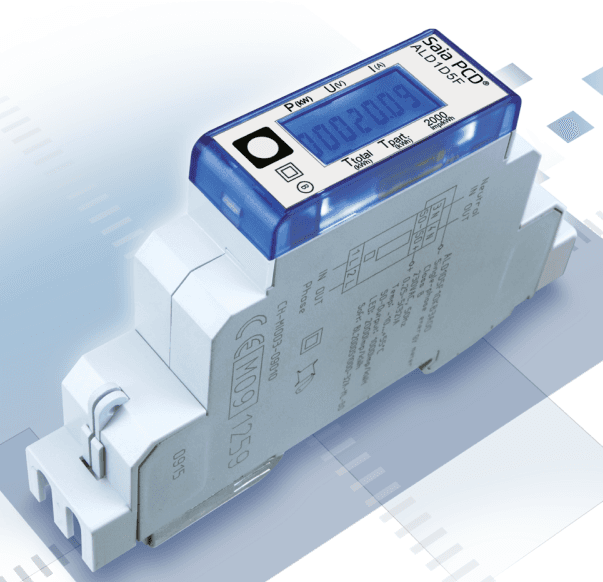
Saia-Burgess Energy Meter 1-Phase
Reads energy and power data from a Saia-Burgess 1-phase energy meter via Modbus RTU.
This template reads energy and power data from a Saia-Burgess 1-phase energy meter via Modbus RTU. It fetches active energy, active and reactive power, voltage, current, and power factor. All registers are read-only.
- Protocol
- Modbus RTU
- Connection
- RS485, 19200 baud
- Registers
- 6, read only
- Brand
- Saia-Burgess
- Key readings
- Active Energy 1st Phase · Active Power 1st Phase · Reactive Power 1st Phase · L1-N Voltage · Phase 1 Current · Power Factor cos phi
- Compatible models
- Energy Meter 1-Phase
- Last updated
Registers (6)
6 read, 0 write
| Name | Unit | Access | Address (Hidden until you enter your email) | Function (hidden) | Type (hidden) |
|---|---|---|---|---|---|
| Active Energy 1st phase | kWh | Read | |||
| Active Power 1st phase | kW | Read | |||
| Reactive Power 1st phase | kvar | Read | |||
| L1-N Voltage | V | Read | |||
| Phase1 Current | A | Read | |||
| Power Factor cos φ phase1 | Read |
Loading registers…
Send your device list
If a device is not in the library yet, we build the template for free as soon as we have the register data.
Use cases
- Monitor real-time voltage, current, and power factor on a live cloud dashboard for a customer site.
- Track cumulative active energy consumption per circuit to support tenant billing or sub-metering.
- Create an alert when power factor drops below 0.9 to detect potential capacitive or inductive load issues.
- Compare active and reactive power trends over time to identify inefficient equipment.
- Generate daily or monthly energy reports for facility managers or building owners.
Installation
Wire the ModbusCloud Gateway to the RS-485 terminals of the Saia-Burgess energy meter using a twisted pair cable with correct A/B polarity.
Set the Modbus slave address on the Saia-Burgess meter to a unique value that does not conflict with other devices on the same bus.
Configure the Modbus gateway serial port to 19200 baud, odd parity (1), and 8 data bits to match the meter defaults.
Import the Saia-Burgess Energy Meter 1-Phase template from the ModbusCloud template library into your project.
Assign the correct slave address in the template settings and verify that live readings appear on the ModbusCloud dashboard.
Things to watch for
I see zero or no values for active energy but the other registers work. What is wrong?
The active energy register at address 27 is a uint32 (two consecutive 16-bit registers). Make sure your gateway is configured to read a 32-bit unsigned integer at that address rather than a single 16-bit register.
Communication fails after wiring. What should I check?
Verify that the baud rate is set to 19200 and parity is set to odd on both the meter and the Modbus gateway. Also confirm the A and B RS-485 lines are not swapped.
Can I connect multiple Saia-Burgess meters on one RS-485 bus?
Yes. Assign a unique Modbus slave address to each meter and ensure the bus is properly terminated at both ends. Add a separate template instance in ModbusCloud for each meter with its corresponding address.
Are there firmware requirements for the meter to support Modbus RTU?
Saia-Burgess 1-phase energy meters with an RS-485 port generally support Modbus RTU out of the box. Consult the meter datasheet to confirm the register map matches addresses 27 and 35 through 39.
More Saia-Burgess templates
Want to see how it works?
