








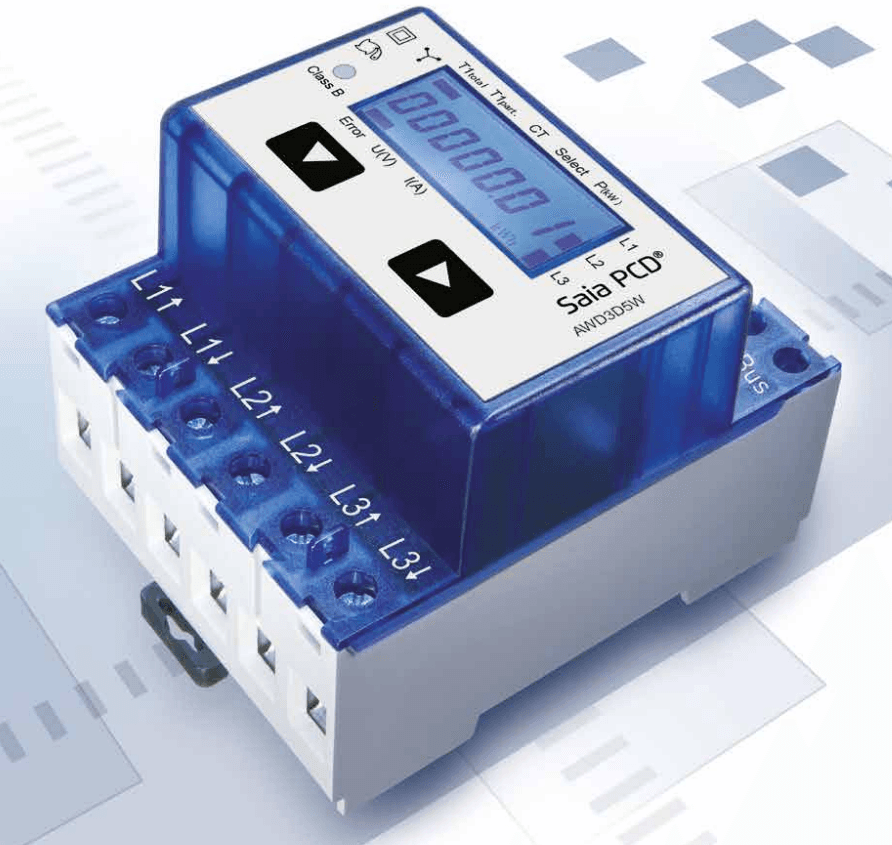
Saia-Burgess Energy Meter 3-Phase
Reads energy and power data from Saia-Burgess 3-phase energy meters via Modbus.
Template for the Saia-Burgess Energy Meter 3-Phase over Modbus RTU. It reads total active power and two tariff-based energy counters. No control registers are included.
- Protocol
- Modbus RTU
- Connection
- RS485, 19200 baud
- Registers
- 3, read only
- Brand
- Saia-Burgess
- Key readings
- Total effective active power · Energy total tariff 1 · Energy total tariff 2
- Compatible models
- Energy Meter 3-Phase
- Last updated
Registers (3)
3 read, 0 write
| Name | Unit | Access | Address (Hidden until you enter your email) | Function (hidden) | Type (hidden) |
|---|---|---|---|---|---|
| Total effective active Power | kW | Read | |||
| Counter Energy Total Tariff 1 | kWh | Read | |||
| Counter Energy Total Tariff 2 | kWh | Read |
Loading registers…
Send your device list
If a device is not in the library yet, we build the template for free as soon as we have the register data.
Use cases
- Monitor real-time total active power on a live dashboard to track three-phase electrical load.
- Log energy consumption per tariff to verify time-of-use billing accuracy for your customer.
- Create an alert when total active power exceeds a defined threshold to prevent demand charge penalties.
- Compare energy totals across multiple sub-meters in a building to identify high-consumption zones.
- Generate monthly energy reports from stored tariff data for facility management reviews.
Installation
Wire the Modbus RTU connection (A and B terminals) from the Saia-Burgess Energy Meter to the RS-485 port on the ModbusCloud Gateway.
Set the baud rate on the meter to 19200 and parity to odd (1 stop bit) to match the template defaults.
Assign a unique Modbus slave address on the Saia-Burgess meter and note it for configuration in the ModbusCloud platform.
Import the Saia-Burgess Energy Meter 3-Phase template in the ModbusCloud portal and enter the configured slave address.
Verify communication by checking the live readings for total active power and both energy tariff counters in the ModbusCloud dashboard.
Things to watch for
I am getting incorrect or very large values for the energy counters. What is wrong?
The energy total registers at addresses 27 and 31 are uint32 (32-bit), meaning they span two consecutive Modbus registers. Make sure the gateway is configured to read two registers for each energy counter, not just one.
The total active power reading shows zero or does not update. What should I check?
Confirm that the meter is wired with current transformers or direct connections on all three phases. Also verify the slave address and that the baud rate is set to 19200 with odd parity on both the meter and the gateway.
Can I use this template with Modbus TCP instead of Modbus RTU?
This template is designed for Modbus RTU over RS-485. If you need Modbus TCP, you would require a Modbus RTU to TCP converter between the meter and the gateway, ensuring register mapping remains the same.
What does odd parity mean and how do I configure it?
Odd parity adds a check bit to each byte for error detection. Set the meter communication settings to 19200 baud, 8 data bits, odd parity, and 1 stop bit. The ModbusCloud gateway must use matching settings.
More Saia-Burgess templates
Want to see how it works?
