








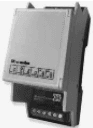
Siber Modbus Connect
Bridges RS485 Modbus to I2C interface for Siber ventilation products.
The Siber Modbus Connect is an RS485-to-I2C bridge that integrates Siber ventilation products into a Modbus RTU network. This template reads airflow, pressure, and temperature data while providing control over bypass valves, preset airflow values, and module resets.
- Protocol
- Modbus RTU
- Connection
- RS485, 9600 baud
- Registers
- 18, read and write
- Brand
- Siber
- Key readings
- Atmospheric temperature · Home temperature · Insufflation and extraction duct pressure · Insufflation and extraction airflow · Bypass state · Error code and filter message
- Available commands
- Preset air flow · Preset flow value · Bypass valve operation · Reset Siber application
- Compatible models
- Siber Modbus Connect
- Last updated
Registers (18)
14 read, 5 write
| Name | Unit | Access | Address (Hidden until you enter your email) | Function (hidden) | Type (hidden) |
|---|---|---|---|---|---|
| 4013 Preset air flow (m3_h) | m³/h | Read and write | |||
| 4029 Current extraction flow | m³/h | Read | |||
| 4012 Pressure in extraction duct (Pa) | Pa | Read | |||
| 4011 Insufflation line pressure (Pa) | Pa | Read | |||
| 4010 Temperature of Home (ºC) | °C | Read | |||
| 4009 Atmosferic Temperature (ºC) | °C | Read | |||
| 4030 Bypass State | Read | ||||
| 4039 Error Code | Read | ||||
| 4027 Preset unbalance parameter | m³/h | Read | |||
| 4028 Tidal insufflation flow (m3_h) | m³/h | Read | |||
| 4036 Parameter of Bypass | Read | ||||
| 4037 Estado del precalentador_ | Read | ||||
| 4040 Filter message | Read | ||||
| 4999 Error Message | Read | ||||
| 6001 Preset flow value | m³/h | Write | |||
| 6013 Command: control module configuration | Write | ||||
| 6006 Operation bypass valve | Write | ||||
| 6012 Command: Reset Siber application | Write |
Loading registers…
Send your device list
If a device is not in the library yet, we build the template for free as soon as we have the register data.
Use cases
- Monitor insufflation and extraction airflow rates on a live dashboard to verify balanced ventilation performance.
- Create an alert when the filter message register signals that maintenance is required on the ventilation unit.
- Remotely adjust preset airflow values for different occupancy scenarios without visiting the installation site.
- Track atmospheric and home temperatures over time to evaluate ventilation system impact on indoor climate.
- Set up an automatic notification when an error code appears, enabling faster troubleshooting for your customer.
- Control the bypass valve remotely to optimize free cooling during favorable outdoor temperature conditions.
Installation
Connect the Siber Modbus Connect module to the Siber ventilation unit via the I2C interface, ensuring the ventilation product supports I2C communication.
Wire the RS485 A and B terminals of the Siber Modbus Connect to the corresponding RS485 terminals on the ModbusCloud Gateway.
Configure the Modbus RTU settings on the gateway to 9600 baud, odd parity (1), and set the correct slave address matching the Siber Modbus Connect unit.
Import the Siber Modbus Connect template from the ModbusCloud template library and assign it to the configured gateway connection.
Verify communication by checking that airflow, temperature, and pressure readings appear correctly on the ModbusCloud dashboard.
Remember that register addresses are offset by 1 from the Siber documentation labels, so confirm register mapping if adding custom data points.
Things to watch for
Why am I not getting any data from the Siber Modbus Connect?
Verify that the connected Siber ventilation unit supports I2C communication. The Modbus Connect module only converts I2C signals to Modbus RTU, so devices without an I2C interface will not respond.
The register values do not match what I expect from the Siber documentation. What is wrong?
Register addresses on the Siber Modbus Connect are offset by 1. For example, register 4013 in the documentation corresponds to Modbus address 4012. Adjust your configuration accordingly.
What baud rate and parity settings should I use?
The Siber Modbus Connect uses 9600 baud with odd parity. Make sure these settings match on both the gateway and the device to establish stable communication.
Can I connect multiple Siber Modbus Connect modules on the same RS485 bus?
Yes, as long as each module has a unique Modbus slave address. Ensure proper RS485 bus termination and correct wiring to avoid communication conflicts.
More Siber templates
Want to see how it works?
