








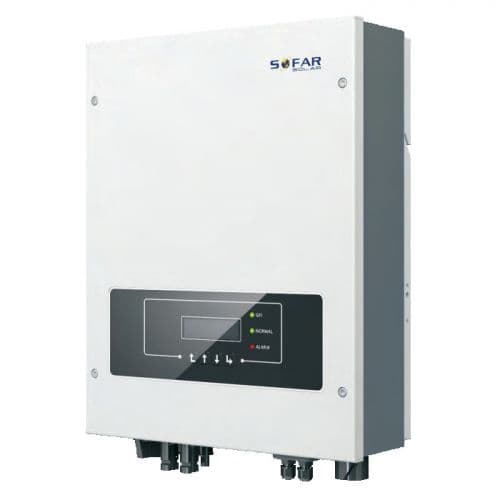
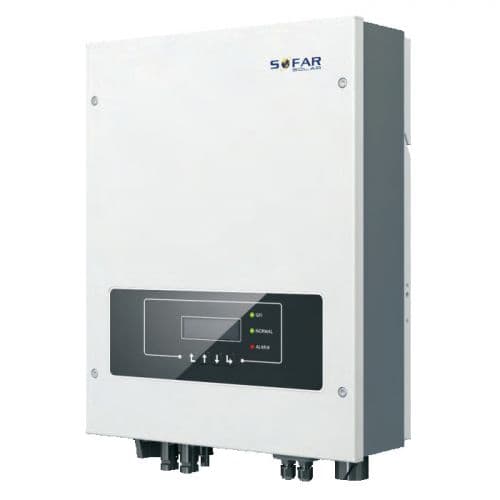
SOFAR Solar Hybrid Inverter
Reads PV production, grid, battery, and consumption data from SOFAR Solar hybrid inverters.
This template reads data from SOFAR Solar Hybrid Inverters via Modbus RTU at 9600 baud. It provides PV generation, grid import/export, battery state of charge, load consumption, and inverter status. No control registers are included.
- Protocol
- Modbus RTU
- Connection
- RS485, 9600 baud
- Registers
- 15, read only
- Brand
- SOFAR Solar
- Key readings
- Inverter status · Battery power and SOC · PV generation total and per string · Grid purchase and selling totals · Active power output L1 and L2 · Total load active power
- Last updated
Registers (15)
15 read, 0 write
| Name | Unit | Access | Address (Hidden until you enter your email) | Function (hidden) | Type (hidden) |
|---|---|---|---|---|---|
| Status | Read | ||||
| Power_Bat1 | kW | Read | |||
| SOC_Bat1 | % | Read | |||
| PV_Generation_Total | kWh | Read | |||
| Energy_Purchase_Total | kWh | Read | |||
| Energy_Selling_Total | kWh | Read | |||
| ActivePower_Output_Total | kW | Read | |||
| ActivePower_PV_Ext | W | Read | |||
| Power_PV_Total | W | Read | |||
| Power_PV1 | W | Read | |||
| Power_PV2 | W | Read | |||
| ActivePower_Load_Total | W | Read | |||
| ActivePower_Output_L1N | W | Read | |||
| ActivePower_Output_L2N | W | Read | |||
| ActivePower_PCC_Total | kW | Read |
Loading registers…
Send your device list
If a device is not in the library yet, we build the template for free as soon as we have the register data.
Use cases
- Monitor PV production per string and total generation on a live dashboard for your customer.
- Track battery state of charge over time to detect capacity degradation or charging issues.
- Create an alert when inverter status changes to a fault code so you can respond quickly.
- Compare grid purchase and selling totals to evaluate self-consumption ratios on a monthly basis.
- Log active power output on L1 and L2 to identify load imbalance across phases.
- Review total load active power to verify that consumption data matches utility billing.
Installation
Connect the ModbusCloud Gateway to the SOFAR Solar Hybrid Inverter RS-485 port using a twisted pair cable with correct A/B polarity.
Set the inverter Modbus slave address via the inverter display or configuration menu, and note the address for gateway configuration.
Confirm that the inverter serial communication is set to 9600 baud, 8 data bits, 1 stop bit, no parity, matching the template defaults.
Import the SOFAR Solar Hybrid Inverter template in the ModbusCloud platform and assign it to the correct gateway and slave address.
Power on the gateway and verify that live register values such as inverter status and battery SOC appear in the ModbusCloud dashboard.
If communication drops after extended operation, contact SOFAR support to obtain the firmware version that fixes the known buffer overflow issue.
Things to watch for
Modbus communication stops working after a few hours or days. What is wrong?
Some SOFAR firmware versions contain a buffer overflow bug that causes the Modbus interface to freeze. Contact SOFAR support and request the patched firmware. After updating, communication should remain stable.
What baud rate and serial settings should I use?
Use 9600 baud, 8 data bits, 1 stop bit, and no parity. These are the default settings for SOFAR Solar hybrid inverters and the template is configured accordingly.
Can I control the inverter or change battery charge modes with this template?
No. This template is read-only and does not include any write registers. It monitors values only and does not alter inverter operation.
How do I wire the RS-485 connection correctly?
Connect the A (positive) and B (negative) terminals from the inverter RS-485 port to the corresponding terminals on the ModbusCloud gateway. Use shielded twisted pair cable and keep the run under 1000 metres. A 120 ohm termination resistor may be needed if the cable length is long or communication errors occur.
More SOFAR Solar templates
Want to see how it works?
