

Weidmüller AC SMART
AC wallbox that reports charging state, phase values, power and energy, with current and phase control.
The Weidmüller AC SMART is an AC wallbox that charges electric vehicles in homes, car parks and company sites, with load management for several boxes. This Modbus TCP template reads charging state, phase values, power and energy, and lets you set current limits, phase switching and charge release from ModbusCloud.
- Protocol
- Modbus TCP
- Connection
- Ethernet, Modbus TCP
- Registers
- 362, read and write
- Brand
- Weidmüller
- Key readings
- Vehicle state · Charging state · Voltage per phase · Current per phase · Active power · Total energy · Energy of last charge · Error code
- Available commands
- Charging current limit · Phase switching · External charge release · Availability · Load management settings · RFID whitelist
- Compatible models
- AC SMART ECO · AC SMART VALUE · AC SMART ADVANCED
- Last updated
Registers (362)
362 read, 209 write
| Name | Unit | Access | Address (Hidden until you enter your email) | Function (hidden) | Type (hidden) |
|---|---|---|---|---|---|
| Actual Current Setting | A | Read | 300 | FC03 | uint16 |
| Vehicle State | Read | 301 | FC03 | uint16 | |
| EVSE State | Read | 302 | FC03 | uint16 | |
| Relay Active | Read | 303 | FC03 | uint16 | |
| PWM Active | Read | 304 | FC03 | uint16 | |
| Voltage L1 | V | Read | |||
| Voltage L2 | V | Read | |||
| Voltage L3 | V | Read | |||
| Current L1 | A | Read | |||
| Current L2 | A | Read | |||
| Current L3 | A | Read | |||
| Average Current L1 | A | Read | |||
| Average Current L2 | A | Read | |||
| Average Current L3 | A | Read | |||
| Active Power | W | Read | |||
| Reactive Power | var | Read | |||
| Apparent Power | VA | Read | |||
| Power Factor | Read | ||||
| Frequency | Hz | Read | |||
| Energy Last Charge Ws | kJ | Read | |||
| Energy Last Charge | kWh | Read | |||
| Total Energy | kWh | Read | |||
| Total Energy Ws | kJ | Read | |||
| Temperature | Read | ||||
| Measurement Type | Read | ||||
| Energy Meter Detected | Read | ||||
| House Voltage L1 | V | Read | |||
| House Voltage L2 | V | Read | |||
| House Voltage L3 | V | Read | |||
| House Current L1 | A | Read | |||
| House Current L2 | A | Read | |||
| House Current L3 | A | Read | |||
| House Active Power | W | Read | |||
| House Reactive Power | var | Read | |||
| House Apparent Power | VA | Read | |||
| House Power Factor | Read | ||||
| House Frequency | Hz | Read | |||
| House Total Energy | kWh | Read | |||
| Idle Current L1 | A | Read | |||
| Idle Current L2 | A | Read | |||
| Idle Current L3 | A | Read | |||
| Error Code | Read | ||||
| Charging Time | s | Read | |||
| Connection Duration | s | Read | |||
| Station Available | Read | ||||
| Cable Current Limit | A | Read | |||
| Locking Closed | Read | ||||
| Charging Enabled | Read | ||||
| Cable Type | Read | ||||
| Installed Phases | Read | ||||
| Relay Switch Counter | Read | ||||
| EVSE Current Limit | A | Read | |||
| Authorisation Method | Read | ||||
| OCPP Charge Release | Read | ||||
| Current Limit Reason | Read | ||||
| Lowest Current Limit | A | Read | |||
| Charging Session ID | Read | ||||
| Input Current Reduction | % | Read | |||
| Input Charging Enabled | Read | ||||
| Digital Input 1 Status | Read | ||||
| Digital Input 2 Status | Read | ||||
| Digital Input 3 Status | Read | ||||
| Digital Input 4 Status | Read | ||||
| Digital Input 5 Status | Read | ||||
| Current Charge Mode | Read | ||||
| User Current Limit | A | Read and write | |||
| LCM Current Limit | A | Read and write | |||
| LCM Timeout | Read and write | ||||
| LCM Fallback Current | A | Read and write | |||
| LCM Master Error | Read and write | ||||
| Phases Load Management | Read and write | ||||
| Phases | Read and write | ||||
| External Charge Release | Read and write | ||||
| Availability | Read and write | ||||
| Installation Current Limit | A | Read and write | |||
| Max Unbalanced Load | A | Read and write | |||
| Plug And Charge | Read and write | ||||
| RFID Release Allowed | Read and write | ||||
| External Release Allowed | Read and write | ||||
| Key Switch Release Allowed | Read and write | ||||
| PLC Release Allowed | Read and write | ||||
| Local Authorisation Tag | Read and write | ||||
| Digital Input 1 Function | Read and write | ||||
| Digital Input 2 Function | Read and write | ||||
| Digital Input 3 Function | Read and write | ||||
| Digital Input 4 Function | Read and write | ||||
| Digital Input 5 Function | Read and write | ||||
| Digital Input 1 Function Active | Read and write | ||||
| Digital Input 2 Function Active | Read and write | ||||
| Digital Input 3 Function Active | Read and write | ||||
| Digital Input 4 Function Active | Read and write | ||||
| Digital Input 5 Function Active | Read and write | ||||
| Digital Input Monitoring | Read and write | ||||
| Digital Output Function | Read and write | ||||
| LED Brightness | % | Read and write | |||
| LED Inactivity Time | min | Read and write | |||
| LED Inactivity Enable | Read and write | ||||
| External Measurement Selection | Read and write | ||||
| RS485 Slave Address | Read and write | ||||
| RS485 Baud Rate | Read and write | ||||
| RS485 Parity | Read and write | ||||
| RS485 Termination | Read and write | ||||
| LCM Satellite Box | Read and write | ||||
| LCM Control Box | Read and write | ||||
| LCM Global Current Limit | A | Read and write | |||
| LCM Dynamic | Read and write | ||||
| LCM PV Charging | Read and write | ||||
| LCM Charge Mode | Read and write | ||||
| LCM Switch Mode | Read and write | ||||
| LCM Switch Reason | Read and write | ||||
| LCM Booster Duration | min | Read and write | |||
| LCM Booster Energy | kWh | Read and write | |||
| LCM Minimum Current | A | Read and write | |||
| LCM Minimum Phases | Read and write | ||||
| IP Address Part 1 | Read and write | ||||
| IP Address Part 2 | Read and write | ||||
| IP Address Part 3 | Read and write | ||||
| IP Address Part 4 | Read and write | ||||
| Subnet Mask Part 1 | Read and write | ||||
| Subnet Mask Part 2 | Read and write | ||||
| Subnet Mask Part 3 | Read and write | ||||
| Subnet Mask Part 4 | Read and write | ||||
| Default Gateway Part 1 | Read and write | ||||
| Default Gateway Part 2 | Read and write | ||||
| Default Gateway Part 3 | Read and write | ||||
| Default Gateway Part 4 | Read and write | ||||
| DNS Server Part 1 | Read and write | ||||
| DNS Server Part 2 | Read and write | ||||
| DNS Server Part 3 | Read and write | ||||
| DNS Server Part 4 | Read and write | ||||
| DHCP Enabled | Read and write | ||||
| MAC Address | Read | ||||
| Device Name | Read and write | ||||
| Firmware Version | Read | ||||
| Hardware Version | Read | ||||
| Article Number | Read | ||||
| Serial Number | Read | ||||
| Hardware Revision | Read | ||||
| UTC Timestamp | s | Read and write | |||
| Local Timestamp | s | Read | |||
| Time Zone | Read and write | ||||
| Restart | Read and write | ||||
| Bootloader Version | Read | ||||
| Factory Reset | Read and write | ||||
| Power Cycle Counter | Read and write | ||||
| Debug Log | Read and write | ||||
| NTP Server | Read and write | ||||
| Certificate Name 1 | Read | ||||
| Certificate Name 2 | Read | ||||
| Certificate Name 3 | Read | ||||
| Product Line | Read | ||||
| Firmware Upload Status | Read and write | ||||
| Modbus TCP Interface | Read and write | ||||
| Delete Charge Data | Read and write | ||||
| Last RFID Tag UID | Read and write | ||||
| RFID Tag To Delete | Read and write | ||||
| RFID Learn Tag | Read and write | ||||
| RFID Unlearn Tag | Read and write | ||||
| RFID External Whitelist | Read and write | ||||
| RFID Power Option | Read and write | ||||
| Whitelist UID 0 | Read and write | ||||
| Whitelist Name 0 | Read and write | ||||
| Whitelist Status 0 | Read and write | ||||
| Whitelist UID 1 | Read and write | ||||
| Whitelist Name 1 | Read and write | ||||
| Whitelist Status 1 | Read and write | ||||
| Whitelist UID 2 | Read and write | ||||
| Whitelist Name 2 | Read and write | ||||
| Whitelist Status 2 | Read and write | ||||
| Whitelist UID 3 | Read and write | ||||
| Whitelist Name 3 | Read and write | ||||
| Whitelist Status 3 | Read and write | ||||
| Whitelist UID 4 | Read and write | ||||
| Whitelist Name 4 | Read and write | ||||
| Whitelist Status 4 | Read and write | ||||
| Whitelist UID 5 | Read and write | ||||
| Whitelist Name 5 | Read and write | ||||
| Whitelist Status 5 | Read and write | ||||
| Whitelist UID 6 | Read and write | ||||
| Whitelist Name 6 | Read and write | ||||
| Whitelist Status 6 | Read and write | ||||
| Whitelist UID 7 | Read and write | ||||
| Whitelist Name 7 | Read and write | ||||
| Whitelist Status 7 | Read and write | ||||
| Whitelist UID 8 | Read and write | ||||
| Whitelist Name 8 | Read and write | ||||
| Whitelist Status 8 | Read and write | ||||
| Whitelist UID 9 | Read and write | ||||
| Whitelist Name 9 | Read and write | ||||
| Whitelist Status 9 | Read and write | ||||
| Whitelist UID 10 | Read and write | ||||
| Whitelist Name 10 | Read and write | ||||
| Whitelist Status 10 | Read and write | ||||
| Whitelist UID 11 | Read and write | ||||
| Whitelist Name 11 | Read and write | ||||
| Whitelist Status 11 | Read and write | ||||
| Whitelist UID 12 | Read and write | ||||
| Whitelist Name 12 | Read and write | ||||
| Whitelist Status 12 | Read and write | ||||
| Whitelist UID 13 | Read and write | ||||
| Whitelist Name 13 | Read and write | ||||
| Whitelist Status 13 | Read and write | ||||
| Whitelist UID 14 | Read and write | ||||
| Whitelist Name 14 | Read and write | ||||
| Whitelist Status 14 | Read and write | ||||
| Whitelist UID 15 | Read and write | ||||
| Whitelist Name 15 | Read and write | ||||
| Whitelist Status 15 | Read and write | ||||
| Ext Meter TCP IP | Read and write | ||||
| Ext Meter TCP Port | Read and write | ||||
| Ext Meter Preselection | Read and write | ||||
| Ext Meter Slave ID | Read and write | ||||
| Ext Meter Register Type | Read and write | ||||
| Ext Meter Voltage L1 Address | Read and write | ||||
| Ext Meter Voltage L1 Length | Read and write | ||||
| Ext Meter Voltage L1 Power Of 10 | Read and write | ||||
| Ext Meter Voltage L1 Data Type | Read and write | ||||
| Ext Meter Voltage L2 Address | Read and write | ||||
| Ext Meter Voltage L2 Length | Read and write | ||||
| Ext Meter Voltage L2 Power Of 10 | Read and write | ||||
| Ext Meter Voltage L2 Data Type | Read and write | ||||
| Ext Meter Voltage L3 Address | Read and write | ||||
| Ext Meter Voltage L3 Length | Read and write | ||||
| Ext Meter Voltage L3 Power Of 10 | Read and write | ||||
| Ext Meter Voltage L3 Data Type | Read and write | ||||
| Ext Meter Current L1 Address | Read and write | ||||
| Ext Meter Current L1 Length | Read and write | ||||
| Ext Meter Current L1 Power Of 10 | Read and write | ||||
| Ext Meter Current L1 Data Type | Read and write | ||||
| Ext Meter Current L2 Address | Read and write | ||||
| Ext Meter Current L2 Length | Read and write | ||||
| Ext Meter Current L2 Power Of 10 | Read and write | ||||
| Ext Meter Current L2 Data Type | Read and write | ||||
| Ext Meter Current L3 Address | Read and write | ||||
| Ext Meter Current L3 Length | Read and write | ||||
| Ext Meter Current L3 Power Of 10 | Read and write | ||||
| Ext Meter Current L3 Data Type | Read and write | ||||
| Ext Meter Power Address | Read and write | ||||
| Ext Meter Power Length | Read and write | ||||
| Ext Meter Power Power Of 10 | Read and write | ||||
| Ext Meter Power Data Type | Read and write | ||||
| WiFi SSID | Read and write | ||||
| WiFi Password | Read and write | ||||
| Bluetooth Pairing Mode | Read and write | ||||
| WiFi Start Scan | Read and write | ||||
| WiFi Connect | Read and write | ||||
| WiFi Disconnect | Read and write | ||||
| Clear Bluetooth Bonding | Read and write | ||||
| WiFi Sleep | Read and write | ||||
| Scanned SSIDs Part 1 | Read | ||||
| Scanned SSIDs Part 2 | Read | ||||
| Scanned SSIDs Part 3 | Read | ||||
| WiFi MAC Address | Read | ||||
| Bluetooth MAC Address | Read | ||||
| WiFi IP Address | Read | ||||
| WiFi Subnet Mask | Read | ||||
| WiFi Default Gateway | Read | ||||
| WiFi Firmware Version | Read | ||||
| WiFi Connection Status | Read | ||||
| Bluetooth Connection Status | Read | ||||
| Bluetooth Pairing Active | Read | ||||
| WiFi RSSI | dB | Read | |||
| Bluetooth RSSI | dB | Read | |||
| Bluetooth Firmware Version | Read | ||||
| PLC Bootloader Version | Read | ||||
| PLC Firmware Version | Read | ||||
| Vehicle MAC Address | Read | ||||
| OCPP Server Address | Read and write | ||||
| OCPP Server Port | Read and write | ||||
| OCPP Server Path | Read and write | ||||
| OCPP HTTPS | Read and write | ||||
| OCPP Password | Read and write | ||||
| OCPP Enable | Read and write | ||||
| OCPP Check Certificate | Read and write | ||||
| OCPP Socket Interface | Read and write | ||||
| OCPP Reduced Logs | Read and write | ||||
| OCPP Ping Interval | s | Read and write | |||
| OCPP Connection Timeout | s | Read and write | |||
| OCPP Heartbeat Interval | s | Read and write | |||
| OCPP Meter Sample Interval | s | Read and write | |||
| OCPP Number Of Connectors | Read | ||||
| OCPP Message Attempts | Read and write | ||||
| OCPP Message Retry Interval | s | Read and write | |||
| OCPP Vendor | Read and write | ||||
| OCPP Model | Read and write | ||||
| OCPP Clock Aligned Interval | Read | ||||
| OCPP Get Config Max Keys | Read | ||||
| OCPP Local Authorize Offline | Read | ||||
| OCPP Local Pre Authorize | Read | ||||
| OCPP Meter Values Aligned | Read | ||||
| OCPP Meter Values Sampled | Read | ||||
| OCPP Reset Retries | Read | ||||
| OCPP Phase Rotation | Read | ||||
| OCPP Stop On EV Disconnect | Read | ||||
| OCPP Stop On Invalid ID | Read | ||||
| OCPP Stop Txn Aligned Data | Read | ||||
| OCPP Stop Txn Sampled Data | Read | ||||
| OCPP Feature Profiles | Read | ||||
| OCPP Unlock On EV Disconnect | Read | ||||
| OCPP Authorize Remote Tx | Read | ||||
| Mobile APN | Read and write | ||||
| Mobile User | Read and write | ||||
| Mobile Password | Read and write | ||||
| SIM PIN | Read and write | ||||
| Mobile Connection Mode | Read and write | ||||
| SIM ICCID | Read | ||||
| Modem IMEI | Read | ||||
| Mobile Carrier | Read | ||||
| Modem Firmware Version | Read | ||||
| Mobile RSSI | Read | ||||
| Mobile Status | Read | ||||
| Mobile Network Type | Read | ||||
| Error List Entry 0 | Read | ||||
| Error List Entry 1 | Read | ||||
| Error List Entry 2 | Read | ||||
| Error List Entry 3 | Read | ||||
| Error List Entry 4 | Read | ||||
| Error List Entry 5 | Read | ||||
| Error List Entry 6 | Read | ||||
| Error List Entry 7 | Read | ||||
| Error List Entry 8 | Read | ||||
| Error List Entry 9 | Read | ||||
| Error List Entry 10 | Read | ||||
| Error List Entry 11 | Read | ||||
| Error List Entry 12 | Read | ||||
| Error List Entry 13 | Read | ||||
| Error List Entry 14 | Read | ||||
| Error List Entry 15 | Read | ||||
| Error List Entry 16 | Read | ||||
| Error List Entry 17 | Read | ||||
| Error List Entry 18 | Read | ||||
| Error List Entry 19 | Read | ||||
| Satellite Box 1 IP | Read and write | ||||
| Satellite Box 2 IP | Read and write | ||||
| Satellite Box 3 IP | Read and write | ||||
| Satellite Box 4 IP | Read and write | ||||
| Satellite Box 5 IP | Read and write | ||||
| Satellite Box 6 IP | Read and write | ||||
| Satellite Box 7 IP | Read and write | ||||
| Satellite Box 8 IP | Read and write | ||||
| Satellite Box 9 IP | Read and write | ||||
| Satellite Box 10 IP | Read and write | ||||
| Satellite Box 11 IP | Read and write | ||||
| Satellite Box 12 IP | Read and write | ||||
| Satellite Box 13 IP | Read and write | ||||
| Satellite Box 14 IP | Read and write | ||||
| Satellite Box 15 IP | Read and write | ||||
| Satellite Box 1 Connected | Read | ||||
| Satellite Box 2 Connected | Read | ||||
| Satellite Box 3 Connected | Read | ||||
| Satellite Box 4 Connected | Read | ||||
| Satellite Box 5 Connected | Read | ||||
| Satellite Box 6 Connected | Read | ||||
| Satellite Box 7 Connected | Read | ||||
| Satellite Box 8 Connected | Read | ||||
| Satellite Box 9 Connected | Read | ||||
| Satellite Box 10 Connected | Read | ||||
| Satellite Box 11 Connected | Read | ||||
| Satellite Box 12 Connected | Read | ||||
| Satellite Box 13 Connected | Read | ||||
| Satellite Box 14 Connected | Read | ||||
| Satellite Box 15 Connected | Read |
Loading registers…
Send your device list
If a device is not in the library yet, we build the template for free as soon as we have the register data.
Use cases
- Show vehicle state, phase currents and power of every AC SMART on one dashboard.
- Get an email alert when the error code is not 0 or the charge state machine reports an error.
- Keep a year of energy history per wallbox to report charging per parking space or tenant.
- Lower the load management current limit from ModbusCloud when the building connection gets close to its limit.
- Track house connection current and power next to the charging power to see how much headroom is left.
- Switch a wallbox to maintenance mode or back to available from ModbusCloud.
Installation
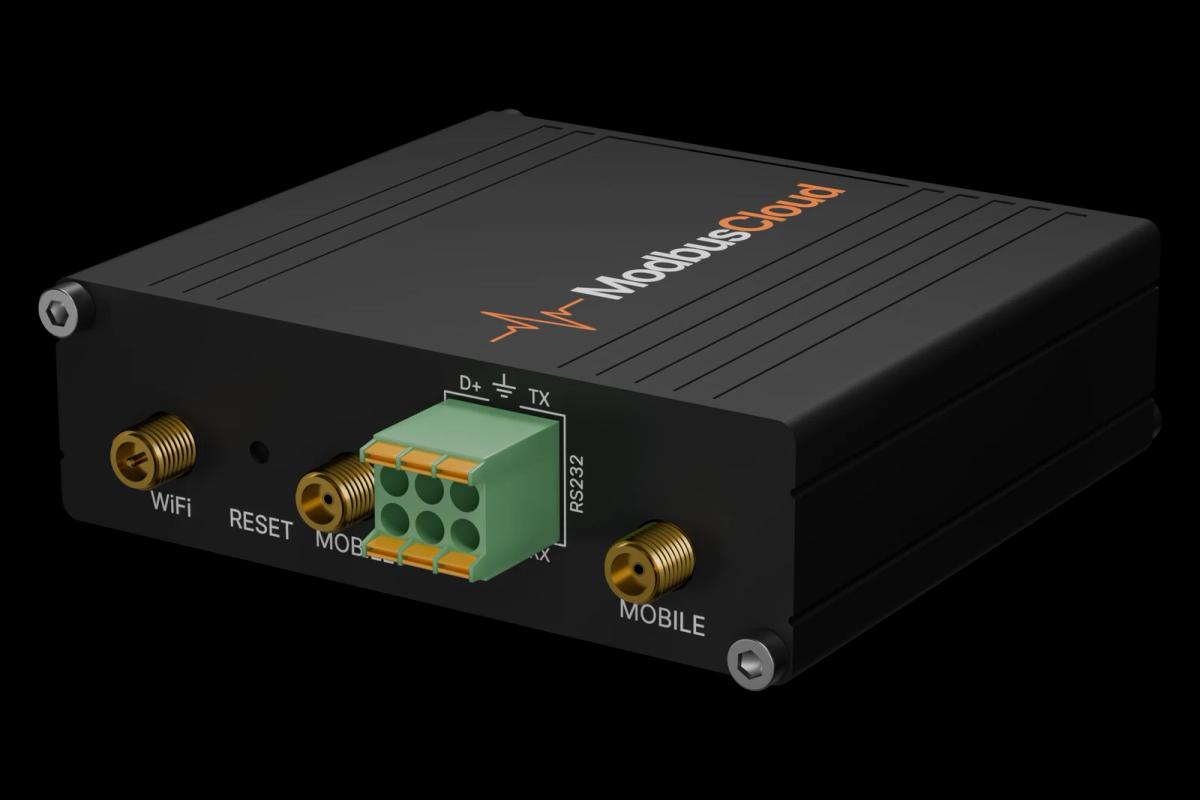
Connect the wallbox to the same network as the ModbusCloud Gateway, by cable to the LAN port or through the local switch.
Enable Modbus TCP in the web interface or app of the wallbox and note its IP address and unit ID.
In ModbusCloud, add a Modbus TCP device with that IP address, port 502 and the unit ID, and import this template.
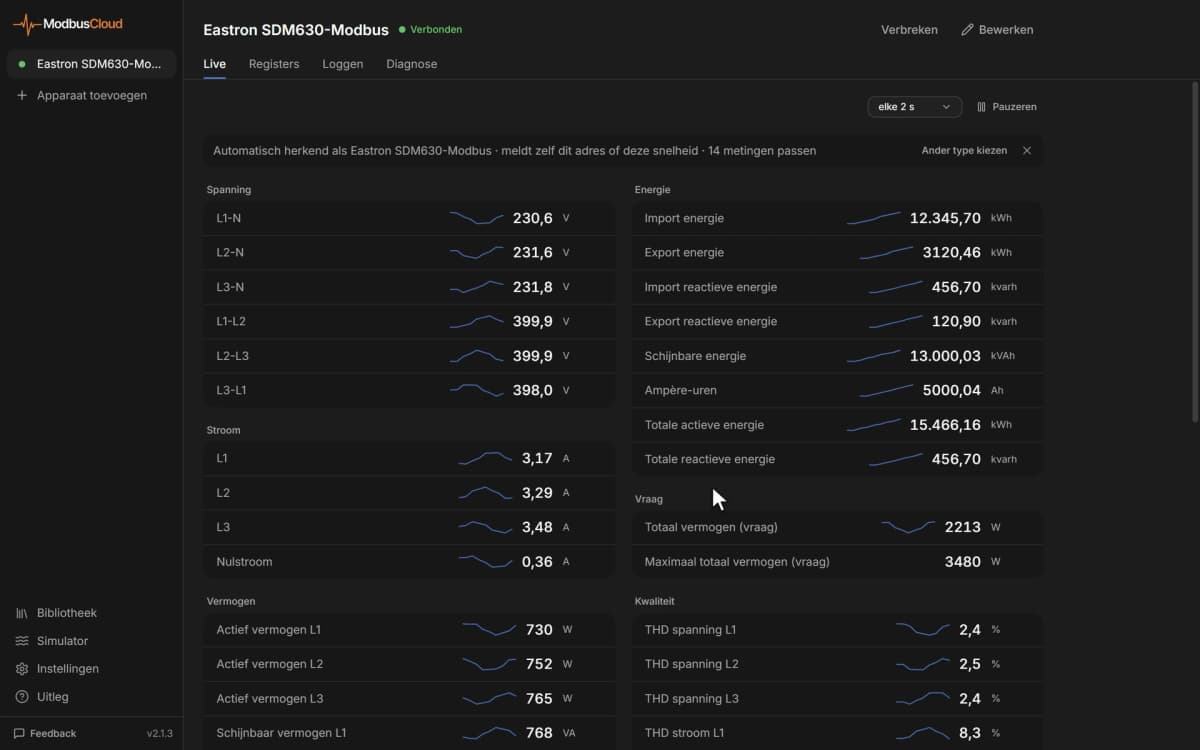
Check that Vehicle State, EVSE State and the phase voltages come in; plug in a car to see currents and power change.
Things to watch for
The wallbox does not answer over Modbus TCP. What should I check?
Check that Modbus TCP is enabled and runs on the interface you use: Modbus TCP Interface is 0 for Ethernet and 1 for WLAN. Make sure the Gateway and wallbox are in the same subnet and that the unit ID matches the one in the web interface.
Voltages and currents show very large or strange numbers. Why?
The 32-bit values are sent with the low word first. This template reads them that way. If you build your own registers, use the same word order, and keep the scaling: voltages come in mV, currents in mA and power in mW.
Which register should I write to control the charging current?
Use LCM Current Limit for repeated control; it is volatile and meant for that. User Current Limit and the other non-volatile settings are stored in memory with limited write cycles, so write them only when a setting really changes, never every minute.
What should I know before writing settings?
Every writable register changes the wallbox directly. Restart and Factory Reset act as soon as you write them, and network, WLAN and OCPP settings can cut off the connection. Read the current value first, change one setting at a time and keep a note of the original values.
Several boxes are linked with load management. Which one do I read?
Each AC SMART answers on its own IP address, so add every box as its own Modbus device. The control box also shows which satellite boxes are connected and holds the global current limit for the whole group.
More Weidmüller templates

Want to see how it works?