








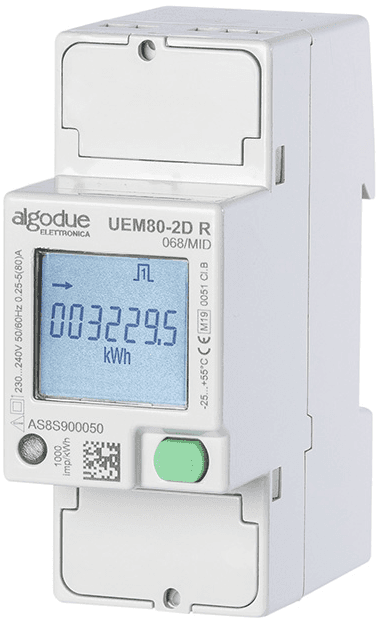
Algodue Energy meter UEM80-2D E
Measures single-phase energy consumption and production via Modbus TCP.
The Algodue UEM80-2D E is a single-phase 80A direct connection energy meter communicating over Modbus TCP. This template reads voltage, current, active/apparent/reactive power, energy consumption, energy production, frequency, and power factor. It supports MID-certified metering for billing applications.
- Protocol
- Modbus TCP
- Connection
- Ethernet, Modbus TCP
- Registers
- 12, read only
- Key readings
- Voltage · Current · Total Active Power · Total Apparent Power · Total Reactive Power · Energy Consumption and Production
- Compatible models
- UEM80-2D
- Last updated
Registers (12)
12 read, 0 write
| Name | Unit | Access | Address (Hidden until you enter your email) | Function (hidden) | Type (hidden) |
|---|---|---|---|---|---|
| Total Active Power (P∑) | W | Read | |||
| Energy Consumption (+kWh∑) | kWh | Read | |||
| Energy Production (-kWh∑) | kWh | Read | |||
| Frequency (F) | Hz | Read | |||
| Energy-Meter FW 2 (User) | Read | ||||
| Total Apparent Power (S∑) | VA | Read | |||
| Total Reactive Power (Q∑) | var | Read | |||
| Voltage (V∑) | V | Read | |||
| Current (A∑) | A | Read | |||
| Energy-Meter Model | Read | ||||
| Power Factor (PF∑) | Read | ||||
| Energy-Meter FW (Metrology) | Read |
Loading registers…
Send your device list
If a device is not in the library yet, we build the template for free as soon as we have the register data.
Use cases
- Monitor real-time voltage, current, and power consumption of a single-phase circuit on a live dashboard.
- Track energy consumption and production counters over time to verify solar self-consumption rates.
- Set up threshold alerts when current exceeds a defined limit to prevent overload conditions.
- Generate monthly energy reports for tenant billing in multi-unit commercial buildings.
- Compare power factor readings across multiple meters to identify circuits that need correction.
- Log frequency deviations for power quality analysis in sensitive industrial environments.
Installation
Mount the Algodue UEM80-2D in the DIN rail enclosure and wire the single-phase load conductors through the direct connection terminals according to the manufacturer's wiring diagram.
Connect the UEM80-2D E to your local network using an Ethernet cable and configure its IP address, subnet mask, and Modbus TCP port via the meter's front panel or configuration tool.
Note the Modbus unit ID (slave address) configured on the meter, as you will need it when setting up the gateway.
Connect your ModbusCloud Gateway to the same IP network and ensure it can reach the meter's IP address.
In the ModbusCloud platform, create a new device, select the Algodue UEM80-2D E template, and enter the meter's IP address and unit ID.
Verify that live readings for voltage, current, and power appear on the dashboard to confirm correct communication.
Things to watch for
I see strange or very large values for voltage and power readings. What is wrong?
The UEM80-2D uses float32 (IEEE 754) encoding across two consecutive registers. Make sure the template's word order matches the meter's byte order setting. If values still look wrong, check whether the register start addresses in the template match your firmware version.
Which Modbus TCP port does the UEM80-2D E use by default?
The default Modbus TCP port is 502. If you have changed this in the meter's network configuration, update the port setting in your ModbusCloud gateway accordingly.
Can I read multiple UEM80-2D meters through a single gateway?
Yes. Each meter needs a unique IP address on the network. Add a separate device entry in ModbusCloud for each meter, using the same template but specifying the correct IP address and unit ID for each one.
Does the template support MID-certified energy counters?
The template reads the same energy registers regardless of MID certification status. MID certification is a hardware and calibration property of the meter itself. The counters for consumption and production are read identically on both MID and non-MID variants.
More Algodue Elettronica S.r.l. templates
Want to see how it works?
