








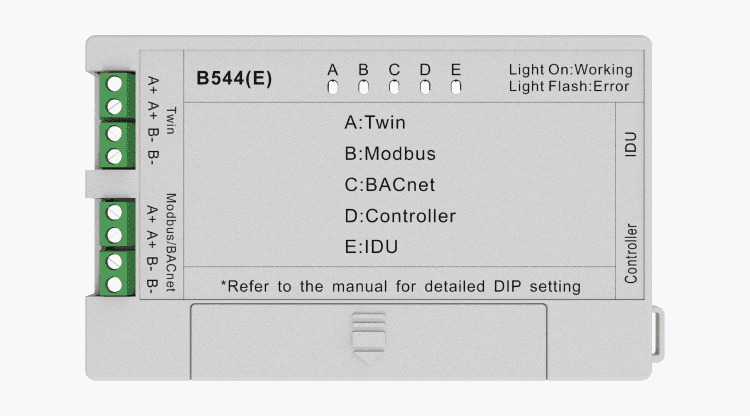
Control Box B544 E
Controls Acond ASA and Hisense air conditioning units via Modbus TCP adapter.
The Hisense Control Box B544 E is a Modbus TCP adapter for controlling Acond ASA and Hisense indoor air conditioning units. This template reads operational statuses, temperatures, and fault codes, and allows writing setpoints such as on/off, temperature, fan speed, and swing mode.
- Protocol
- Modbus TCP
- Connection
- Ethernet, Modbus TCP
- Registers
- 19, read and write
- Brand
- Hisense
- Key readings
- ON/OFF and compressor status · Indoor temperature · Outlet air temperature · Mode and fan speed · Defrost and energy-saving status · Fault code
- Available commands
- ON/OFF and temperature setting · Fan speed setting · Swing setting · Super mode and sleep
- Compatible models
- B544 E · B544E · 8B542E · 8B543E
- Last updated
Registers (19)
15 read, 10 write
| Name | Unit | Access | Address (Hidden until you enter your email) | Function (hidden) | Type (hidden) |
|---|---|---|---|---|---|
| ON/OFF status | Read and write | ||||
| Sleep status | Read and write | ||||
| Electric heater status | Read and write | ||||
| Energy-saving status | Read and write | ||||
| Defrost status | Read | ||||
| Compressor status | Read | ||||
| Super mode | Read and write | ||||
| Mute mode | Read | ||||
| Indoor temperature | °C | Read | |||
| The setting temperature | °C | Read and write | |||
| Mode | Read | ||||
| Fan speed | Read | ||||
| Swing | Read | ||||
| Fault | Read | ||||
| Outlet air temperature | °C | Read | |||
| Swing setting | Write | ||||
| Temperature setting | °C | Write | |||
| Fan speed setting | Write | ||||
| Super mode | Write |
Loading registers…
Send your device list
If a device is not in the library yet, we build the template for free as soon as we have the register data.
Use cases
- Monitor indoor and outlet air temperatures of Hisense or Acond units on a live cloud dashboard.
- Create an alert when a fault code is reported by an indoor air conditioning unit.
- Remotely adjust temperature setpoints and fan speed for individual indoor units from the ModbusCloud platform.
- Track compressor and defrost status to identify units that cycle excessively or remain in defrost mode.
- Enable or disable sleep mode and energy-saving mode remotely for after-hours energy management.
- Verify on/off status of all connected indoor units across a building from a single overview.
Installation
Connect the B544 E adapter to the indoor unit according to the Hisense wiring instructions, and assemble the adapter combination with 8B542(E) and 8B543(E) modules as required.
Connect the B544 E adapter to your local network via Ethernet and ensure it is reachable from the ModbusCloud Gateway on the same subnet or routed network.
Configure the Modbus TCP IP address and port on the B544 E adapter, and assign a unique unit ID if multiple adapters share the same network.
In the ModbusCloud portal, add a new Modbus TCP device and import the Hisense Control Box B544 E template.
Verify communication by checking that live values such as indoor temperature, on/off status, and mode appear on the dashboard.
Pay attention to registers that share the same address for read and write operations, and confirm that function codes are correctly assigned in the gateway configuration.
Things to watch for
Why do some registers show unexpected values when reading and writing to the same address?
The B544 E uses overlapping addresses for certain read and write registers (e.g., addresses 0, 3, 4, 9). Ensure that your gateway uses the correct Modbus function codes for read (FC03) versus write (FC06 or FC16) operations. Misconfigured function codes can cause incorrect data.
Do I need one B544 E adapter per indoor unit?
Yes. Each indoor unit requires its own B544 E adapter. The full adapter set consists of a B544(E), 8B542(E), and 8B543(E).
What IP settings does the B544 E require?
The B544 E communicates over Modbus TCP, so it needs a valid IP address on the same network as the ModbusCloud gateway. Refer to the Hisense installation manual for instructions on setting the IP address and TCP port.
Can I use this template for both Acond ASA and Hisense branded units?
Yes. The B544 E adapter is compatible with both Acond ASA and Hisense indoor air conditioning units. The same template and register map applies to both brands.






Want to see how it works?
