








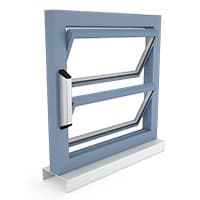
D+H ACB louvre window drive Modbus RTU based for natural ventilation
Controls ACB louvre window drives for natural ventilation via Modbus RTU
Template for D+H ACB louvre window drives communicating via Modbus RTU at 19200 baud. It reads actual position, end positions, current, voltage, and fault states, and writes target position and speed commands for natural ventilation control.
- Protocol
- Modbus RTU
- Connection
- RS485, 19200 baud
- Registers
- 10, read and write
- Brand
- D+H Mechatronic AG
- Key readings
- Actual position (%) · End position OPEN · End position CLOSED · Condition code · Failure · Current and voltage
- Available commands
- Nominal control command · Nominal position (%) · Target speed (mm/s)
- Compatible models
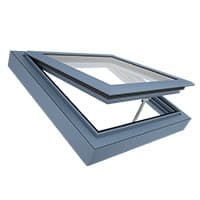
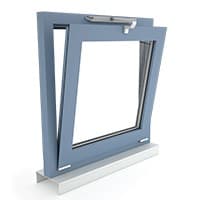
- CDC-ACB · VCD-ACB · ZA-ACB · LD-ACB
- Last updated
Registers (10)
7 read, 3 write
| Name | Unit | Access | Address (Hidden until you enter your email) | Function (hidden) | Type (hidden) |
|---|---|---|---|---|---|
| Actual position | % | Read | |||
| Condition code | Read | ||||
| Current | mA | Read | |||
| Voltage | V | Read | |||
| End position CLOSED | Read | ||||
| Failure | Read | ||||
| End position OPEN | Read | ||||
| Nominal control command | Write | ||||
| Nominal position | % | Write | |||
| Target speed | mm/s | Write |
Loading registers…
Send your device list
If a device is not in the library yet, we build the template for free as soon as we have the register data.
Use cases
- Monitor actual louvre window positions in real time on a cloud dashboard to verify ventilation schedules.
- Create an alert when a drive reports a fault state so you can respond before the window becomes inoperable.
- Log opening percentages and electrical parameters over time to analyse ventilation patterns and energy usage.
- Send target position commands remotely to adjust natural ventilation without on-site intervention.
- Track current and voltage readings per drive to detect mechanical obstructions or ageing components early.
Installation
Wire the Modbus RTU cable (A, B, GND) from the ModbusCloud Gateway to the D+H ACB Modbus extension, observing correct polarity.
Set each D+H ACB drive or synchronous group to a unique Modbus slave address using the drive configuration tool or DIP switches as described in the D+H documentation.
Configure the gateway serial port to 19200 baud, odd parity, and 1 stop bit to match the D+H ACB default communication settings.
Import the D+H ACB louvre window drive template from the ModbusCloud template library and assign the correct slave addresses to each drive or group.
Verify communication by checking that actual position and condition code values appear on the ModbusCloud dashboard for each configured drive.
Optionally add a 120 ohm termination resistor at the last device on the Modbus RTU bus if the cable run exceeds a few metres.
Things to watch for
The gateway cannot communicate with the D+H ACB drives. What should I check first?
Verify that the baud rate is set to 19200 with odd parity on both the gateway and the drives. Also confirm correct A/B wiring polarity and that each drive has a unique slave address.
Can I control multiple synchronous window groups over one Modbus cable?
Yes. Each synchronous group can have its own Modbus slave address. Up to 32 drives can share one Modbus RTU bus, and the template supports addressing each group individually.
Position values seem stuck or do not update. What could cause this?
Check that the drive has completed its calibration run so it knows its end positions. Also verify the polling interval on the gateway is not too aggressive, which can cause bus collisions with many devices.
Do I need a termination resistor on the Modbus RTU bus?
A 120 ohm termination resistor at each end of the bus is recommended for cable runs longer than a few metres. Without termination, signal reflections may cause intermittent communication errors.
Want to see how it works?
