








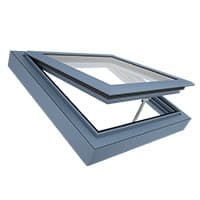
D+H ACB roof window drive Modbus RTU based for natural ventilation
Controls D+H ACB roof window drives for automated natural ventilation via Modbus RTU.
This template integrates D+H ACB roof window drives via Modbus RTU for automated natural ventilation. It reads actual position, end positions, current, voltage, condition codes, and failure states, and writes target position and speed commands.
- Protocol
- Modbus RTU
- Connection
- RS485, 19200 baud
- Registers
- 10, read and write
- Brand
- D+H Mechatronic AG
- Key readings
- Actual position (%) · End position OPEN · End position CLOSED · Condition code · Failure · Current and Voltage
- Available commands
- Nominal control command · Nominal position (%) · Target speed (mm/s)
- Compatible models
- CDC-ACB · ZA-ACB · KA-ACB · CDM-ACB · CDP + ACB-BSY+-GW · DXD + ACB-BSY+-GW
- Last updated
Registers (10)
7 read, 3 write
| Name | Unit | Access | Address (Hidden until you enter your email) | Function (hidden) | Type (hidden) |
|---|---|---|---|---|---|
| Actual position | % | Read | |||
| Condition code | Read | ||||
| Current | mA | Read | |||
| Voltage | V | Read | |||
| End position CLOSED | Read | ||||
| Failure | Read | ||||
| End position OPEN | Read | ||||
| Nominal control command | Write | ||||
| Nominal position | % | Write | |||
| Target speed | mm/s | Write |
Loading registers…
Send your device list
If a device is not in the library yet, we build the template for free as soon as we have the register data.
Use cases
- Monitor actual window position and end position flags on a live dashboard for each ventilation zone.
- Create an alert when a drive reports a failure state or abnormal condition code.
- Schedule automatic night-cooling by writing target positions at predefined times via the cloud platform.
- Log current and voltage readings over time to detect mechanical wear or electrical anomalies early.
- Control multiple synchronous window groups individually from a single remote interface.
- Verify percent-accurate positioning after commissioning by comparing nominal and actual position values.
Installation
Connect the Modbus RTU A and B lines from the D+H ACB drive bus to the RS-485 port on your ModbusCloud Gateway.
Set each ACB drive to a unique Modbus slave address (the bus supports up to 32 drives per extension).
Configure the gateway serial port to 19200 baud, odd parity, and 1 stop bit to match the ACB default settings.
Import the D+H ACB roof window drive template from the ModbusCloud template library into your project.
Assign the correct slave addresses in the template to match the physical drives on the bus.
Verify communication by checking that actual position and condition code values appear on the ModbusCloud dashboard.
Things to watch for
The gateway cannot communicate with the ACB drives. What should I check first?
Verify that the baud rate is set to 19200 with odd parity and 1 stop bit on both the gateway and the drives. Also confirm that the A and B lines are not swapped and that a 120 ohm termination resistor is placed at the end of the bus.
Can I control multiple window groups independently over one cable?
Yes. Each synchronous group uses its own Modbus slave address or address range. The template allows you to assign different addresses per group so they can be controlled individually on the same RTU bus.
Position readings show 0% even though the window is open. What is wrong?
Check that the drive has completed its calibration run to learn the full stroke. Without a successful end position calibration, the drive cannot report accurate percentage values.
How many drives can I connect to one ModbusCloud gateway?
The D+H ACB bus supports up to 32 drives per Modbus extension. Ensure each drive has a unique slave address and that cable length stays within RS-485 limits (typically 1200 m).
Want to see how it works?
