








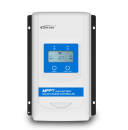
EPEVER DuoRacer
Monitors EPEVER XTRA and DuoRacer MPPT charge controllers via Modbus TCP.
This template reads solar charge controller data from EPEVER XTRA and DuoRacer MPPT controllers via Modbus TCP. It provides battery status, PV input values, load output, and energy consumption. Connection requires the EPEVER-TCP-RJ45 converter.
- Protocol
- Modbus TCP
- Connection
- Ethernet, Modbus TCP
- Registers
- 15, read only
- Brand
- EPEVER
- Key readings
- Battery voltage and SOC · Battery temperature · PV array input power and voltage · Load voltage, current, and power · Consumed energy today · Min/Max battery voltage today
- Compatible models
- XTRA series · DuoRacer series
- Last updated
Registers (15)
15 read, 0 write
| Name | Unit | Access | Address (Hidden until you enter your email) | Function (hidden) | Type (hidden) |
|---|---|---|---|---|---|
| Battery temperature | °C | Read | |||
| Device temperature | °C | Read | |||
| Battery voltage | V | Read | |||
| Battery's real rated voltage | V | Read | |||
| Battery SOC | % | Read | |||
| Consumed energy today | Wh | Read | |||
| PV array input power | W | Read | |||
| PV array input voltage | V | Read | |||
| PV array input current | A | Read | |||
| Load voltage | V | Read | |||
| Load current | A | Read | |||
| Load power | W | Read | |||
| Battery current | A | Read | |||
| Maximum battery voltage today | V | Read | |||
| Minimum battery voltage today | V | Read |
Loading registers…
Send your device list
If a device is not in the library yet, we build the template for free as soon as we have the register data.
Use cases
- Monitor battery voltage and state of charge on a live cloud dashboard for off-grid solar sites.
- Track daily consumed energy to identify load patterns and optimize battery sizing.
- Create an alert when battery voltage drops below a critical threshold to prevent deep discharge.
- Compare PV array input power across multiple sites to detect panel degradation or shading issues.
- Log minimum and maximum battery voltage each day to assess charging performance over time.
- Review battery temperature remotely to ensure the charge controller operates within safe limits.
Installation
Connect the EPEVER-TCP-RJ45 converter to the RS-485 port on the XTRA or DuoRacer charge controller using the supplied RJ45 cable.
Connect the EPEVER-TCP-RJ45 converter to your local network via Ethernet, ensuring it is on the same subnet as the ModbusCloud gateway.
Set a unique Modbus slave address on the charge controller if multiple devices share the same network.
Connect and power on the ModbusCloud Gateway and verify it can reach the converter's IP address.
Import the EPEVER DuoRacer template in the ModbusCloud platform, enter the converter's IP address and the correct Modbus slave ID, and confirm data appears on the dashboard.
Things to watch for
Do I need the EPEVER-TCP-RJ45 converter or can I use any RS-485 to TCP adapter?
The template is designed for use with the official EPEVER-TCP-RJ45 converter. Third-party RS-485 to TCP adapters may work but can differ in default port settings or framing, which could cause communication errors.
Why do some values like PV input power show incorrect or very large numbers?
PV array input power, load power, battery current, and consumed energy today use uint32 registers spanning two consecutive addresses. The template handles this automatically, but if registers were manually reconfigured, verify the data type is set to uint32.
What baud rate and communication settings does the EPEVER controller use?
EPEVER controllers typically default to 115200 baud, 8 data bits, 1 stop bit, no parity on the RS-485 side. The TCP converter handles serial framing, so you only need to confirm the IP address and Modbus TCP port (default 502) on the gateway side.
Can I control the load output or change charge parameters through this template?
No. This template is read-only and does not include write commands. All control of the charge controller must be done locally on the device or through EPEVER's own configuration tools.





Want to see how it works?
