








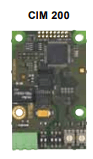
Grundfos CIM 200
Monitors Grundfos E-pumps via internal CIM 200 Modbus interface
Template for the Grundfos CIM 200, a Modbus RTU communication interface module installed inside Grundfos E-pumps. It reads operational data such as liquid temperature, volume flow, RPM, motor current, alarms, and operation hours from a wide range of compatible pump models.
- Protocol
- Modbus RTU
- Connection
- RS485, 19200 baud
- Registers
- 10, read only
- Brand
- Grundfos
- Key readings
- Pump Liquid Temperature · Electronic Temperature · Volume Flow · RPM · Motor Current · Alarm
- Compatible models
- CIM 200 · CRE · CRNE · CRIE · MTRE · CHIE · CME · TPE · TPE Series 2000 · NBE · NKE · CUE · MAGNA3
- Last updated
Registers (10)
10 read, 0 write
| Name | Unit | Access | Address (Hidden until you enter your email) | Function (hidden) | Type (hidden) |
|---|---|---|---|---|---|
| PumpLiquidTemp | °C | Read | |||
| ElectronicTemp | °C | Read | |||
| VolumeFlow m3 | m³ | Read | |||
| Alarm | Read | ||||
| RPM | rpm | Read | |||
| Frequency | Hz | Read | |||
| MotorCurrent | A | Read | |||
| RelativePerformance | % | Read | |||
| OperationTimeHI | Hr | Read | |||
| OperationTimeLo | Hr. | Read |
Loading registers…
Send your device list
If a device is not in the library yet, we build the template for free as soon as we have the register data.
Use cases
- Monitor pump liquid temperature and volume flow on a live cloud dashboard for remote HVAC oversight.
- Create an alert when the CIM 200 reports an alarm condition so the installer can respond quickly.
- Log motor current and RPM trends over time to detect early signs of pump wear or blockage.
- Track cumulative operation hours across multiple Grundfos E-pumps to plan preventive maintenance schedules.
- Compare electronic temperature readings across pump installations to identify units at risk of overheating.
Installation
Install the CIM 200 module inside the Grundfos E-pump using the internal 10-pin connector, following the Grundfos installation manual.
Wire the RS-485 Modbus RTU bus (A, B, and GND) from the CIM 200 terminal to the ModbusCloud Gateway.
Set the Modbus slave address on the CIM 200 to a unique value that does not conflict with other devices on the bus.
Confirm the baud rate is set to 19200 on both the CIM 200 and the ModbusCloud gateway.
Import the Grundfos CIM 200 template in the ModbusCloud platform and assign it to the correct gateway and slave address.
Verify that live readings such as pump liquid temperature, RPM, and motor current appear on the ModbusCloud dashboard.
Things to watch for
What baud rate should I use for the CIM 200?
The default baud rate is 19200. Make sure this matches the setting on the ModbusCloud gateway. If communication fails, double-check the parity and stop bit settings as well.
Why does the operation time value look incorrect?
Operation time is split across two 32-bit registers: OperationTimeHI at address 326 and OperationTimeLo at address 328. The template combines these automatically, but if registers are read out of order or partially, the value may appear wrong. Ensure both registers are polled in the same read cycle.
Can I control the pump speed or setpoint through this template?
No. The Grundfos CIM 200 template is read-only and does not include control registers. It is designed for monitoring pump status and operational data only.
Which Grundfos pump models are supported?
The template supports all Grundfos E-pumps that accept the CIM 200 module. This includes CRE, CRNE, CRIE, MTRE, CHIE, CME, TPE, TPE Series 2000, NBE, NKE, CUE drives, and MAGNA3 pumps.
Want to see how it works?
