








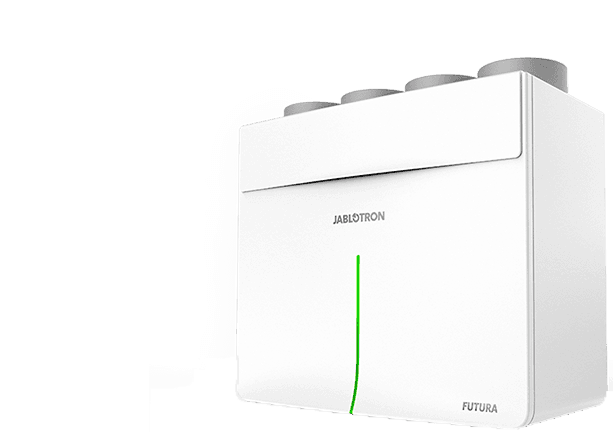
Jablotron Futura - heat recovery unit
Controls ventilation, heat recovery, and indoor climate functions for residential premises
Template for the Jablotron Futura heat recovery ventilation unit via Modbus TCP. Reads temperatures, humidity, CO2, air flow, filter wear, and power consumption. Controls ventilation power, operating modes, setpoints, and bypass.
- Protocol
- Modbus TCP
- Connection
- Ethernet, Modbus TCP
- Registers
- 37, read and write
- Key readings
- Temperatures (ambient, fresh, indoor, waste, outlet) · Ambient and indoor humidity · CO2 level · Air flow · Filter wear level · Power consumption
- Available commands
- Ventilation power · Mode timers (boost, night, party, overpressure) · Temperature and humidity setpoints · Bypass enable
- Compatible models
- Jablotron Futura
- Last updated
Registers (37)
30 read, 18 write
| Name | Unit | Access | Address (Hidden until you enter your email) | Function (hidden) | Type (hidden) |
|---|---|---|---|---|---|
| fact_device_id | Read and write | ||||
| sys_options | Read and write | ||||
| fut_config | Read and write | ||||
| fut_mode0 | s | Read and write | |||
| fut_mode1 | Read and write | ||||
| fut_error0 | Read | ||||
| fut_error1 | Read | ||||
| fut_warning0 | Read | ||||
| fut_warning1 | Read | ||||
| fut_temp_ambient | °C | Read | |||
| fut_temp_fresh | °C | Read | |||
| fut_temp_indoor | °C | Read | |||
| fut_temp_waste | °C | Read | |||
| fut_humi_ambient | % | Read | |||
| fut_t_out | °C | Read | |||
| fut_filter_wear_level | % | Read | |||
| fut_power_consumption | W | Read | |||
| fut_air_flow | m3_h | Read | |||
| fut_dig_inputs | Read | ||||
| ui_co21 | ppm | Read | |||
| ui_temp1 | °C | Read | |||
| ui_humi1 | % | Read | |||
| func_ventilation | Read | ||||
| func_boost_tm | s | Read and write | |||
| func_circulation_tm | s | Read and write | |||
| func_overpressure_tm | s | Read and write | |||
| func_night_tm | s | Read and write | |||
| func_party_tm | s | Read and write | |||
| func_time_prog | Read and write | ||||
| cfg_bypass_enable | Read | ||||
| func_away_begin0 | Write | ||||
| func_away_begin1 | Write | ||||
| func_away_end0 | Write | ||||
| func_away_end1 | Write | ||||
| cfg_temp_set | °C | Write | |||
| cfg_humi_set | % | Write | |||
| func_antiradon | Write |
Loading registers…
Send your device list
If a device is not in the library yet, we build the template for free as soon as we have the register data.
Use cases
- Monitor indoor temperature, humidity, and CO2 levels on a live cloud dashboard for each residence.
- Create an alert when filter wear exceeds a threshold so you can schedule maintenance proactively.
- Adjust ventilation power and mode timers remotely without a site visit.
- Set up notifications for warning and error states to reduce response time on service calls.
- Track power consumption over time to verify energy efficiency of the heat recovery system.
- Switch between boost, night, and party modes based on occupancy schedules or customer requests.
Installation
Connect the Jablotron Futura to your local network and confirm its IP address and Modbus TCP port (default 502).
Wire the chimney sensor to the Futura unit to enable the overpressure mode before commissioning.
Connect your ModbusCloud Gateway to the same local network as the Futura unit.
In the ModbusCloud portal, add a new device and import the Jablotron Futura template from the library.
Set the correct IP address and Modbus unit ID for the Futura in the device configuration.
Verify that temperature, humidity, and status registers are reading correctly on the dashboard before handing over to the customer.
Things to watch for
The overpressure mode does not activate. What is wrong?
The overpressure mode requires a chimney sensor to be physically connected to the Jablotron Futura. Verify that the sensor is wired correctly and recognized by the unit before enabling overpressure via Modbus.
What Modbus TCP port and unit ID does the Futura use?
The default Modbus TCP port is typically 502. Consult the Jablotron Futura installation manual for the correct unit ID, as it may vary depending on firmware version and configuration.
Temperature or humidity values appear incorrect or scaled wrongly. How do I fix this?
Check the register scaling factors defined in the template. Some registers may use a factor of 10 or 100. Confirm the expected data format in the Futura Modbus documentation and adjust the template scaling if needed.
Warning and error registers show unexpected values. How should I interpret them?
Warning and error states are split across two registers each. Refer to the Jablotron Futura technical documentation for the bitmask definitions that map individual bits to specific warning or error conditions.






Want to see how it works?
