









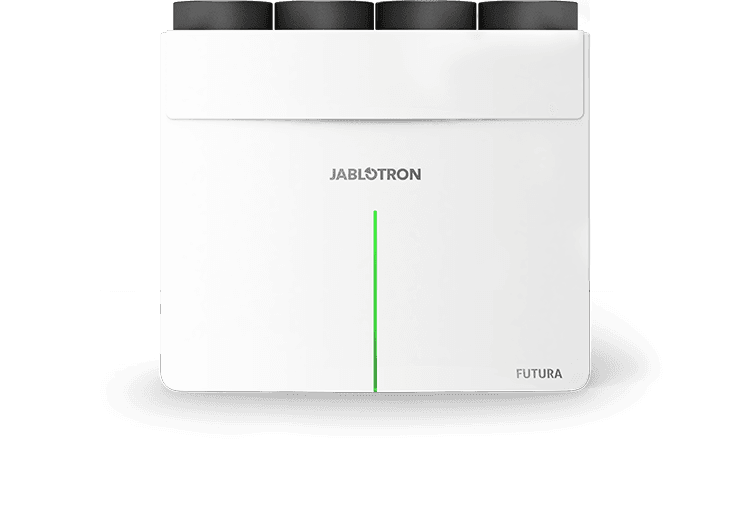
JABLOTRON FUTURA L+ Ventilation with energy recovery
Monitors and controls Jablotron FUTURA L+ ventilation with energy recovery across up to 16 zones.
Jablotron FUTURA L+ is a ventilation unit with energy recovery and moisture recovery, supporting room-by-room ventilation for up to 16 individual zones. This Modbus TCP template reads air temperatures, humidity, CO2 levels, filter status, and errors, while allowing control of ventilation level, preferred temperature, bypass, and cooling.
- Protocol
- Modbus TCP
- Connection
- Ethernet, Modbus TCP
- Registers
- 101, read and write
- Brand
- Jablotron
- Key readings
- Air temperatures (ambient, fresh, indoor, waste) · Air relative humidity (ambient, fresh, indoor, waste) · Zone CO2 values (zones 1-8) · Zone temperature and humidity (zones 1-8) · Filter clogged percentage · Errors and warnings
- Available commands
- Ventilation level · Preferred temperature · Bypass enabled · Cooling enabled
- Compatible models
- FUTURA L+ · VarioBreeze · CoolBreeze · Alfa
- Last updated
Registers (101)
50 read, 88 write
| Name | Unit | Access | Address (Hidden until you enter your email) | Function (hidden) | Type (hidden) |
|---|---|---|---|---|---|
| Futura - Mode | Read | ||||
| Futura - Errors | Read and write | ||||
| Futura - Warnings | Read | ||||
| Futura - Air temperature - ambient | °C | Read | |||
| Futura - Air temperature - fresh | °C | Read | |||
| Futura - Air temperature - indoor | °C | Read | |||
| Futura - Air temperature - waste | °C | Read | |||
| Futura - Air relative humidity - ambient | % | Read | |||
| Futura - Air relative humidity - fresh | % | Read | |||
| Futura - Air relative humidity - indoor | % | Read | |||
| Futura - Air relative humidity - waste | % | Read | |||
| Futura - Filter clogged | % | Read | |||
| Futura - Ventilation level | % | Read and write | |||
| Futura - Preffered temperature | °C | Read and write | |||
| Futura - Bypass enabled | Read and write | ||||
| Futura - Heating enabled | Read | ||||
| Futura - Cooling enabled | Read and write | ||||
| Zone 1 - CO2 Value | ppm | Read and write | |||
| Zone 1 - Temperature | °C | Read and write | |||
| Zone 1 - Relative humidity | % | Read and write | |||
| Zone 1 - NTC Temperature | °C | Read and write | |||
| Zone 2 - CO2 Value | ppm | Read and write | |||
| Zone 2 - Temperature | °C | Read and write | |||
| Zone 2 - Relative humidity | % | Read and write | |||
| Zone 2 - NTC Temperature | °C | Read and write | |||
| Zone 3 - CO2 Value | ppm | Read and write | |||
| Zone 3 - Temperature | °C | Read and write | |||
| Zone 3 - Relative humidity | % | Read and write | |||
| Zone 3 - NTC Temperature | °C | Read and write | |||
| Zone 4 - CO2 Value | ppm | Read and write | |||
| Zone 4 - Temperature | °C | Read and write | |||
| Zone 4 - Relative humidity | % | Read and write | |||
| Zone 4 - NTC Temperature | °C | Read and write | |||
| Zone 5 - CO2 Value | ppm | Read and write | |||
| Zone 5 - Temperature | °C | Read and write | |||
| Zone 5 - Relative humidity | % | Read and write | |||
| Zone 5 - NTC Temperature | °C | Read and write | |||
| Zone 6 - CO2 Value | ppm | Read and write | |||
| Zone 6 - Temperature | °C | Read and write | |||
| Zone 6 - Relative humidity | % | Read and write | |||
| Zone 6 - NTC Temperature | °C | Read and write | |||
| Zone 7 - CO2 Value | ppm | Read and write | |||
| Zone 7 - Temperature | °C | Read and write | |||
| Zone 7 - Relative humidity | % | Read and write | |||
| Zone 7 - NTC Temperature | °C | Read and write | |||
| Zone 8 - CO2 Value | ppm | Read and write | |||
| Zone 8 - Temperature | °C | Read and write | |||
| Zone 8 - Relative humidity | % | Read and write | |||
| Zone 8 - NTC Temperature | °C | Read and write | |||
| Futura - Heat Cool status | Read | ||||
| Futura - Boost - remaining time | s | Write | |||
| Futura - Circulation function | s | Write | |||
| Futura - Overpressure function | s | Write | |||
| Ext. sensor 1 - CO2 value | ppm | Write | |||
| Ext. sensor 1 - Floor temperature value | °C | Write | |||
| Ext. sensor 2 - CO2 value | ppm | Write | |||
| Ext. sensor 2 - Floor temperature value | °C | Write | |||
| Ext. sensor 3 - CO2 value | ppm | Write | |||
| Ext. sensor 3 - Floor temperature value | °C | Write | |||
| Ext. sensor 4 - CO2 value | ppm | Write | |||
| Ext. sensor 4 - Floor temperature value | °C | Write | |||
| Ext. sensor 5 - CO2 value | ppm | Write | |||
| Ext. sensor 5 - Floor temperature value | °C | Write | |||
| Ext. sensor 6 - CO2 value | ppm | Write | |||
| Ext. sensor 6 - Floor temperature value | °C | Write | |||
| Ext. sensor 7 - CO2 value | ppm | Write | |||
| Ext. sensor 7 - Floor temperature value | °C | Write | |||
| Ext. sensor 8 - CO2 value | ppm | Write | |||
| Ext. sensor 8 - Floor temperature value | °C | Write | |||
| Ext. button 1 - Button availability | Write | ||||
| Ext. button 1 - Button mode | Write | ||||
| Ext. button 1 - Button timer | s | Write | |||
| Ext. button 1 - Button activation | Write | ||||
| Ext. button 2 - Button availability | Write | ||||
| Ext. button 2 - Button mode | Write | ||||
| Ext. button 2 - Button timer | s | Write | |||
| Ext. button 2 - Button activation | Write | ||||
| Ext. button 3 - Button availability | Write | ||||
| Ext. button 3 - Button mode | Write | ||||
| Ext. button 3 - Button timer | s | Write | |||
| Ext. button 3 - Button activation | Write | ||||
| Ext. button 4 - Button availability | Write | ||||
| Ext. button 4 - Button mode | Write | ||||
| Ext. button 4 - Button timer | s | Write | |||
| Ext. button 4 - Button activation | Write | ||||
| Ext. button 5 - Button availability | Write | ||||
| Ext. button 5 - Button mode | Write | ||||
| Ext. button 5 - Button timer | s | Write | |||
| Ext. button 5 - Button activation | Write | ||||
| Ext. button 6 - Button availability | Write | ||||
| Ext. button 6 - Button mode | Write | ||||
| Ext. button 6 - Button timer | s | Write | |||
| Ext. button 6 - Button activation | Write | ||||
| Ext. button 7 - Button availability | Write | ||||
| Ext. button 7 - Button mode | Write | ||||
| Ext. button 7 - Button timer | s | Write | |||
| Ext. button 7 - Button activation | Write | ||||
| Ext. button 8 - Button availability | Write | ||||
| Ext. button 8 - Button mode | Write | ||||
| Ext. button 8 - Button timer | s | Write | |||
| Ext. button 8 - Button activation | Write |
Loading registers…
Send your device list
If a device is not in the library yet, we build the template for free as soon as we have the register data.
Use cases
- Monitor indoor air quality by tracking CO2, temperature, and humidity per zone on a cloud dashboard.
- Set ventilation levels and preferred temperatures remotely without visiting the customer site.
- Create alerts when filter clogging exceeds a threshold to schedule timely maintenance.
- Track ambient and waste air temperatures to verify energy recovery performance over time.
- Enable or disable bypass and cooling modes remotely in response to seasonal weather changes.
- Detect system errors and warnings in real time and notify the responsible technician automatically.
Installation
Connect the ModbusCloud Gateway to the same IP network as the Jablotron FUTURA L+ unit.
Ensure Modbus TCP is enabled on the FUTURA L+ controller and note its IP address and port number.
Configure the gateway with the correct IP address and Modbus TCP port of the ventilation unit.
Import the Jablotron FUTURA L+ 2025 template from the ModbusCloud template library into your project.
Verify that readings such as air temperatures, humidity, and filter status appear on the cloud dashboard after the first poll cycle.
If using zoned ventilation, confirm that zone-specific CO2, temperature, and humidity values are populated for each active zone.
Things to watch for
Can I use this template with the original FUTURA L unit?
No. This template is designed for the 2025 version of FUTURA L+. The register addresses differ from the original FUTURA L template, and the two are not compatible.
Why do mode and error values appear incorrect or out of range?
Mode and error registers use uint32 format, which spans two consecutive Modbus addresses. Make sure your gateway is configured to read 32-bit unsigned integers for these registers, not 16-bit.
Which Jablotron models are supported by this template?
The template supports the FUTURA L+, VarioBreeze, CoolBreeze, and Alfa models running the 2025 firmware with the updated register map.
Zone readings for zones 9 to 16 are not showing. Is this expected?
The template currently reads zone-specific CO2, temperature, and humidity for zones 1 through 8. If your installation uses more than 8 zones, additional register mappings may need to be configured manually.
Want to see how it works?
