








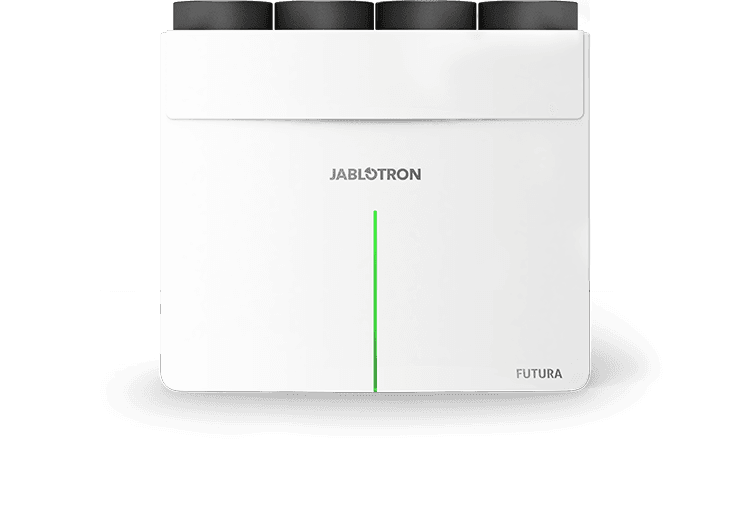
JABLOTRON FUTURA ventilation with energy recovery
Monitors and controls Jablotron Futura ventilation with heat and moisture recovery for up to 16 zones.
This template connects Jablotron Futura ventilation units with heat and moisture recovery to ModbusCloud via Modbus TCP. It reads sensor data (temperature, humidity, CO2), unit status, filter condition, errors and warnings, and provides control over ventilation mode, boost, bypass, heating/cooling and per-zone airflow for up to 16 zones.
- Protocol
- Modbus TCP
- Connection
- Ethernet, Modbus TCP
- Registers
- 176, read and write
- Brand
- Jablotron
- Key readings
- Air temperatures (ambient, fresh, indoor, waste) · Air relative humidity (ambient, fresh, indoor, waste) · Room sensor CO2, temperature, humidity · Filter clogged percentage · Errors and warnings · Current mode and ventilation level
- Available commands
- Mode and ventilation level · Preferred temperature and humidity · Boost, circulation, overpressure timers · Bypass and heating enable
- Compatible models
- Jablotron Futura L · Jablotron Futura M · Jablotron CoolBreeze · Jablotron VarioBreeze
- Last updated
Registers (176)
74 read, 117 write
| Name | Unit | Access | Address (Hidden until you enter your email) | Function (hidden) | Type (hidden) |
|---|---|---|---|---|---|
| Futura - Mode | Read and write | ||||
| Futura - Errors | Read | ||||
| Futura - Warnings | Read and write | ||||
| Futura - Air temperature - ambient | °C | Read | |||
| Futura - Air temperature - fresh | °C | Read | |||
| Futura - Air temperature - indoor | °C | Read | |||
| Futura - Air temperature - waste | °C | Read | |||
| Futura - Air relative humidity - ambient | % | Read | |||
| Futura - Air relative humidity - fresh | % | Read | |||
| Futura - Air relative humidity - indoor | % | Read | |||
| Futura - Air relative humidity - waste | % | Read | |||
| Futura - Filter clogged | % | Read | |||
| Futura - Ventilation level | Read and write | ||||
| Futura - Preffered humidity | % | Read and write | |||
| Futura - Preffered temperature | °C | Read and write | |||
| Futura - Bypass enabled | Read and write | ||||
| Futura - Heating enabled | Read and write | ||||
| Futura - Cooling enabled | Read | ||||
| Alfa 1 - CO2 Value | ppm | Read and write | |||
| Alfa 1 - Temperature | °C | Read | |||
| Alfa 1 - Relative humidity | % | Read | |||
| Alfa 1 - NTC Temperature | °C | Read and write | |||
| Alfa 2 - CO2 Value | ppm | Read and write | |||
| Alfa 2 - Temperature | °C | Read | |||
| Alfa 2 - Relative humidity | % | Read | |||
| Alfa 2 - NTC Temperature | °C | Read and write | |||
| Alfa 3 - CO2 Value | ppm | Read and write | |||
| Alfa 3 - Temperature | °C | Read | |||
| Alfa 3 - Relative humidity | % | Read | |||
| Alfa 3 - NTC Temperature | °C | Read and write | |||
| Alfa 4 - CO2 Value | ppm | Read and write | |||
| Alfa 4 - Temperature | °C | Read | |||
| Alfa 4 - Relative humidity | % | Read | |||
| Alfa 4 - NTC Temperature | °C | Read and write | |||
| Alfa 5 - CO2 Value | ppm | Read | |||
| Alfa 5 - Temperature | °C | Read | |||
| Alfa 5 - Relative humidity | % | Read | |||
| Alfa 5 - NTC Temperature | °C | Read | |||
| Alfa 6 - CO2 Value | ppm | Read | |||
| Alfa 6 - Temperature | °C | Read | |||
| Alfa 6 - Relative humidity | % | Read | |||
| Alfa 6 - NTC Temperature | °C | Read | |||
| Alfa 7 - CO2 Value | ppm | Read | |||
| Alfa 7 - Temperature | °C | Read | |||
| Alfa 7 - Relative humidity | % | Read | |||
| Alfa 7 - NTC Temperature | °C | Read | |||
| Alfa 8 - CO2 Value | ppm | Read | |||
| Alfa 8 - Temperature | °C | Read | |||
| Alfa 8 - Relative humidity | % | Read | |||
| Alfa 8 - NTC Temperature | °C | Read | |||
| CO2 Sensor 1 - CO2 Value | ppm | Read | |||
| CO2 Sensor 1 - Temperature | °C | Read | |||
| CO2 Sensor 1 - Relative humidity | % | Read | |||
| CO2 Sensor 2 - CO2 Value | ppm | Read | |||
| CO2 Sensor 2 - Temperature | °C | Read | |||
| CO2 Sensor 2 - Relative humidity | % | Read | |||
| CO2 Sensor 3 - CO2 Value | ppm | Read | |||
| CO2 Sensor 3 - Temperature | °C | Read | |||
| CO2 Sensor 3 - Relative humidity | % | Read | |||
| CO2 Sensor 4 - CO2 Value | ppm | Read | |||
| CO2 Sensor 4 - Temperature | °C | Read | |||
| CO2 Sensor 4 - Relative humidity | % | Read | |||
| CO2 Sensor 5 - CO2 Value | ppm | Read | |||
| CO2 Sensor 5 - Temperature | °C | Read | |||
| CO2 Sensor 5 - Relative humidity | % | Read | |||
| CO2 Sensor 6 - CO2 Value | ppm | Read | |||
| CO2 Sensor 6 - Temperature | °C | Read | |||
| CO2 Sensor 6 - Relative humidity | % | Read | |||
| CO2 Sensor 7 - CO2 Value | ppm | Read | |||
| CO2 Sensor 7 - Temperature | °C | Read | |||
| CO2 Sensor 7 - Relative humidity | % | Read | |||
| CO2 Sensor 8 - CO2 Value | ppm | Read | |||
| CO2 Sensor 8 - Temperature | °C | Read | |||
| CO2 Sensor 8 - Relative humidity | % | Read | |||
| Futura - Boost - remaining time | s | Write | |||
| Futura - Circulation function | s | Write | |||
| Futura - Overpressure function | s | Write | |||
| VarioBreeze - Boost - Air volume increase | m³/h | Write | |||
| VarioBreeze - Kitchen Hood - NO_NC option | Write | ||||
| VarioBreeze - Kitchen Hood - Air volume increase | m³/h | Write | |||
| Alfa 1 - Temperature sensor correction | °C | Write | |||
| Alfa 2 - NTC sensor correction | °C | Write | |||
| Alfa 3 - Temperature sensor correction | °C | Write | |||
| Alfa 4 - NTC sensor correction | °C | Write | |||
| Alfa 5 - Temperature sensor correction | °C | Write | |||
| Alfa 6 - NTC sensor correction | °C | Write | |||
| Alfa 7 - Temperature sensor correction | °C | Write | |||
| Alfa 8 - NTC sensor correction | °C | Write | |||
| CO2 Sensor 1 - Temperature correction | °C | Write | |||
| CO2 Sensor 2 - Temperature correction | °C | Write | |||
| CO2 Sensor 3 - Temperature correction | °C | Write | |||
| CO2 Sensor 4 - Temperature correction | °C | Write | |||
| CO2 Sensor 5 - Temperature correction | °C | Write | |||
| CO2 Sensor 6 - Temperature correction | °C | Write | |||
| CO2 Sensor 7 - Temperature correction | °C | Write | |||
| CO2 Sensor 8 - Temperature correction | °C | Write | |||
| Ext. sensor 1 - Sensor availability | Write | ||||
| Ext. sensor 1 - Sensor invalid | Write | ||||
| Ext. sensor 1 - Temperature value | °C | Write | |||
| Ext. sensor 1 - Humidity value | % | Write | |||
| Ext. sensor 1 - CO2 value | ppm | Write | |||
| Ext. sensor 1 - Floor temperature value | °C | Write | |||
| Ext. sensor 2 - Sensor availability | Write | ||||
| Ext. sensor 2 - Sensor invalid | Write | ||||
| Ext. sensor 2 - Temperature value | °C | Write | |||
| Ext. sensor 2 - Humidity value | % | Write | |||
| Ext. sensor 2 - CO2 value | ppm | Write | |||
| Ext. sensor 2 - Floor temperature value | °C | Write | |||
| Ext. sensor 3 - Sensor availability | Write | ||||
| Ext. sensor 3 - Sensor invalid | Write | ||||
| Ext. sensor 3 - Temperature value | °C | Write | |||
| Ext. sensor 3 - Humidity value | % | Write | |||
| Ext. sensor 3 - CO2 value | ppm | Write | |||
| Ext. sensor 3 - Floor temperature value | °C | Write | |||
| Ext. sensor 4 - Sensor availability | Write | ||||
| Ext. sensor 4 - Sensor invalid | Write | ||||
| Ext. sensor 4 - Temperature value | °C | Write | |||
| Ext. sensor 4 - Humidity value | % | Write | |||
| Ext. sensor 4 - CO2 value | ppm | Write | |||
| Ext. sensor 4 - Floor temperature value | °C | Write | |||
| Ext. sensor 5 - Sensor availability | Write | ||||
| Ext. sensor 5 - Sensor invalid | Write | ||||
| Ext. sensor 5 - Temperature value | °C | Write | |||
| Ext. sensor 5 - Humidity value | % | Write | |||
| Ext. sensor 5 - CO2 value | ppm | Write | |||
| Ext. sensor 5 - Floor temperature value | °C | Write | |||
| Ext. sensor 6 - Sensor availability | Write | ||||
| Ext. sensor 6 - Sensor invalid | Write | ||||
| Ext. sensor 6 - Temperature value | °C | Write | |||
| Ext. sensor 6 - Humidity value | % | Write | |||
| Ext. sensor 6 - CO2 value | ppm | Write | |||
| Ext. sensor 6 - Floor temperature value | °C | Write | |||
| Ext. sensor 7 - Sensor availability | Write | ||||
| Ext. sensor 7 - Sensor invalid | Write | ||||
| Ext. sensor 7 - Temperature value | °C | Write | |||
| Ext. sensor 7 - Humidity value | % | Write | |||
| Ext. sensor 7 - CO2 value | ppm | Write | |||
| Ext. sensor 7 - Floor temperature value | °C | Write | |||
| Ext. sensor 8 - Sensor availability | Write | ||||
| Ext. sensor 8 - Sensor invalid | Write | ||||
| Ext. sensor 8 - Temperature value | °C | Write | |||
| Ext. sensor 8 - Humidity value | % | Write | |||
| Ext. sensor 8 - CO2 value | ppm | Write | |||
| Ext. sensor 8 - Floor temperature value | °C | Write | |||
| Ext. button 1 - Button availability | Write | ||||
| Ext. button 1 - Button mode | Write | ||||
| Ext. button 1 - Button timer | Write | ||||
| Ext. button 1 - Button activation | Write | ||||
| Ext. button 2 - Button availability | Write | ||||
| Ext. button 2 - Button mode | Write | ||||
| Ext. button 2 - Button timer | Write | ||||
| Ext. button 2 - Button activation | Write | ||||
| Ext. button 3 - Button availability | Write | ||||
| Ext. button 3 - Button mode | Write | ||||
| Ext. button 3 - Button timer | Write | ||||
| Ext. button 3 - Button activation | Write | ||||
| Ext. button 4 - Button availability | Write | ||||
| Ext. button 4 - Button mode | Write | ||||
| Ext. button 4 - Button timer | Write | ||||
| Ext. button 4 - Button activation | Write | ||||
| Ext. button 5 - Button availability | Write | ||||
| Ext. button 5 - Button mode | Write | ||||
| Ext. button 5 - Button timer | Write | ||||
| Ext. button 5 - Button activation | Write | ||||
| Ext. button 6 - Button availability | Write | ||||
| Ext. button 6 - Button mode | Write | ||||
| Ext. button 6 - Button timer | Write | ||||
| Ext. button 6 - Button activation | Write | ||||
| Ext. button 7 - Button availability | Write | ||||
| Ext. button 7 - Button mode | Write | ||||
| Ext. button 7 - Button timer | Write | ||||
| Ext. button 7 - Button activation | Write | ||||
| Ext. button 8 - Button availability | Write | ||||
| Ext. button 8 - Button mode | Write | ||||
| Ext. button 8 - Button timer | Write | ||||
| Ext. button 8 - Button activation | Write |
Loading registers…
Send your device list
If a device is not in the library yet, we build the template for free as soon as we have the register data.
Use cases
- Monitor indoor air quality by tracking CO2, temperature, and humidity across all 16 ventilation zones on a live dashboard.
- Create alerts when filter clogging percentage exceeds a threshold so you can schedule maintenance proactively.
- Remotely switch ventilation mode or activate boost after a customer reports comfort issues, without a site visit.
- Log ambient and indoor temperature trends over time to verify heat recovery performance for energy audits.
- Set preferred temperature and humidity setpoints per zone from the cloud to optimize comfort for each room.
- Detect errors and warnings in real time and receive notifications to reduce diagnostic and servicing time.
Installation
Connect the ModbusCloud Gateway to the same local network as the Jablotron Futura unit and ensure Modbus TCP is enabled on the Futura.
Verify or assign the Futura IP address and Modbus TCP port in the unit configuration menu, and note these for the gateway setup.
In the ModbusCloud portal, add a new device, select the Jablotron Futura template, and enter the IP address and port of the unit.
Confirm that uint32 registers (Mode, Errors, Warnings) are read as two consecutive words and that the correct byte order is configured in the template.
If external room sensors are used, configure the writable CO2 and NTC registers on the relevant Alfa zones to pass sensor values into the Futura.
Power-cycle the gateway, verify live data appears on the dashboard, and check that control commands such as mode changes are accepted by the unit.
Things to watch for
The Mode and Errors registers return incorrect values. What is wrong?
These registers use uint32 format, which spans two consecutive Modbus words. Ensure your gateway is set to read both words and that the byte or word order matches the Futura default. Swap word order in the template settings if values look garbled.
Can I use third-party room sensors instead of Jablotron sensors?
Yes. The CO2 and NTC temperature registers on Alfa zones are writable. You can pass values from any sensor connected to your Modbus gateway into these registers, and the Futura will use them for its ventilation algorithm.
The filter clogging percentage does not update. Is this normal?
Filter clogging is calculated internally by the Futura based on operating hours and pressure differential. It updates slowly. Verify that the register address is correct and that the unit firmware is up to date.
Which Jablotron models does this template support?
The template works with the Jablotron Futura L, Futura M, and units equipped with the CoolBreeze heating/cooling module or the VarioBreeze VAV zoning system.

Want to see how it works?
