








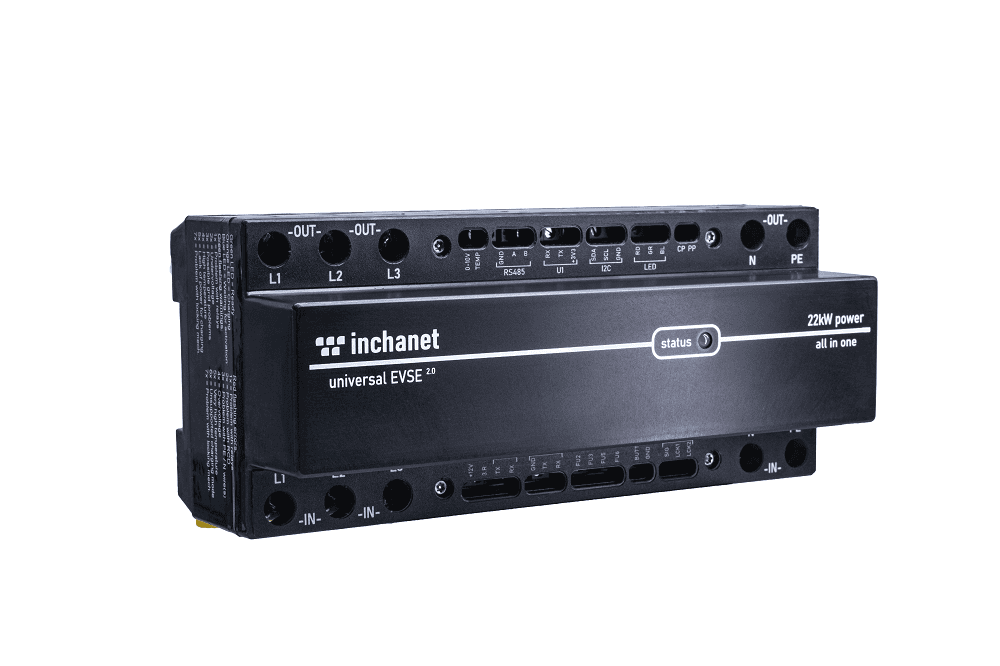
inChaNet Universal 2.0 DIN rail charging station
Controls and monitors inChaNet EV charging stations via Modbus TCP.
Template for inChaNet Universal 2.0 DIN rail charging station and compatible models. Reads energy metering, charging state, and diagnostics via Modbus TCP. Allows control of charge current, charge mode (1-phase or 3-phase), and socket lock.
- Protocol
- Modbus TCP
- Connection
- Ethernet, Modbus TCP
- Registers
- 44, read and write
- Brand
- inChaNet
- Key readings
- Voltage L1 to L3 · Current L1 to L3 · Power L1 to L3 and Total · Session and Total Energy (Wh) · EV State and Charging State · Temperature (internal and external)
- Available commands
- Charge Enabled · Allowed Charge Current (A) · Charge Mode 1Phase/3Phase · Socket Lock (Third Relay)
- Compatible models
- Universal 2.0 DIN · Cubish Tower Smart · Cubish Portabox Smart · Cubish wallbox L Smart · Cubish wallbox XL Smart
- Last updated
Registers (44)
42 read, 14 write
| Name | Unit | Access | Address (Hidden until you enter your email) | Function (hidden) | Type (hidden) |
|---|---|---|---|---|---|
| 0 EVSE ID | Read | ||||
| 2 EVSE Charge Enabled | Read and write | ||||
| 3 EVSE Allowed Charge Current | A | Read and write | |||
| 4 EVSE Charge Mode - 1Phase/3Phase | Read and write | ||||
| 5 EVSE Third Relay (socket lock) | Read and write | ||||
| 6 External Relay (optional) | Read and write | ||||
| 10 EVSE Default Allowed Charge Current [A] | A | Read and write | |||
| 11 EVSE Default Charge Mode - 1Phase/3Phase | Read and write | ||||
| 12 EVSE Type | Read and write | ||||
| 13 Grid Type | Read and write | ||||
| 14 Source Wh measurement | Read and write | ||||
| 15 Comm Type with | Read and write | ||||
| 16 External Relay Conf | Read and write | ||||
| 100 EVSE L1 Voltage | V | Read | |||
| 102 EVSE L2 Voltage | V | Read | |||
| 104 EVSE L3 Voltage | V | Read | |||
| 106 EVSE L1 Current | A | Read | |||
| 108 EVSE L2 Current | A | Read | |||
| 110 EVSE L3 Current | A | Read | |||
| 112 EVSE L1 Power factor | Read | ||||
| 114 EVSE L2 Power factor | Read | ||||
| 116 EVSE L3 Power factor | Read | ||||
| 134 EVSE Wh charged all time (total counter) | Wh | Read | |||
| 118 EVSE L1 Frequency | Hz | Read | |||
| 120 EVSE L2 Frequency | Hz | Read | |||
| 122 EVSE L3 Frequency | Hz | Read | |||
| 126 EVSE L2 Power | W | Read | |||
| 128 EVSE L3 Power | W | Read | |||
| 130 EVSE Total Power | Wh | Read | |||
| 132 EVSE Wh charged in this session (charge session) | Wh | Read | |||
| 124 EVSE L1 Power | W | Read | |||
| 136 EVSE Temperature | °C | Read | |||
| 138 EVSE EV State | Read | ||||
| 139 EVSE Charging State (theoretical) | Read | ||||
| 144 EVSE Emergency STOP button | Read | ||||
| 140 EVSE Actual Charging State | Read | ||||
| 141 EVSE Warnings | Read | ||||
| 142 EVSE Seriour Errors | Read | ||||
| 143 EVSE Socket's lock state | Read | ||||
| 145 EVSE PP Pin State | Read | ||||
| 146 EVSE CP Pin PWM Width | Read | ||||
| 137 EVSE External Temperature | °C | Read | |||
| 52 EVSE Protocol Version | Write | ||||
| 50 Set Wh-Total Counter | Wh | Write |
Loading registers…
Send your device list
If a device is not in the library yet, we build the template for free as soon as we have the register data.
Use cases
- Monitor live charging power and session energy for each inChaNet station on a cloud dashboard.
- Set the allowed charge current remotely to implement dynamic load management across multiple chargers.
- Create an alert when internal temperature exceeds a threshold to prevent overheating.
- Switch between 1-phase and 3-phase charging mode based on available grid capacity.
- Track total energy consumption per charger for billing or energy reporting purposes.
- Detect EV connection and charging state changes to trigger notifications for the end user.
Installation
Connect the inChaNet charging station to the local network using an Ethernet cable (RJ45) or WiFi and verify it has a reachable IP address.
Connect the ModbusCloud Gateway to the same local network as the charging station.
Note the IP address and Modbus TCP port of the inChaNet station, which defaults to port 502.
If multiple stations are installed, assign each a unique IP address or Modbus unit ID to prevent address conflicts.
Import the inChaNet Universal 2.0 DIN template in the ModbusCloud portal and enter the station IP address and unit ID.
Verify that live values such as voltage, current, and EV state appear correctly on the ModbusCloud dashboard.
Things to watch for
Why does the Total Power register show values in Wh instead of W?
The inChaNet register documentation lists the Total Power register with a unit of Wh rather than W. Check the actual values returned by your firmware version. You may need to adjust the unit label or scaling factor in the template to match.
Which data types do the registers use?
Metering registers (voltage, current, power) use float32. Counters and the EVSE ID use uint32. Status and configuration registers use uint16 or int16. The template pre-configures all data types, so no manual adjustment is needed.
Can I use this template for other inChaNet models besides the Universal 2.0 DIN?
Yes. The same register map applies to the Cubish Tower Smart, Cubish Portabox Smart, Cubish wallbox L Smart, and Cubish wallbox XL Smart. Select this template for any of those models.
The gateway cannot connect to the charging station over Modbus TCP. What should I check?
Verify the station IP address is correct and reachable from the gateway network. Confirm the Modbus TCP port is set to 502 (or the port configured on the station). Ensure no firewall rules block traffic between the gateway and the charger.






Want to see how it works?
