








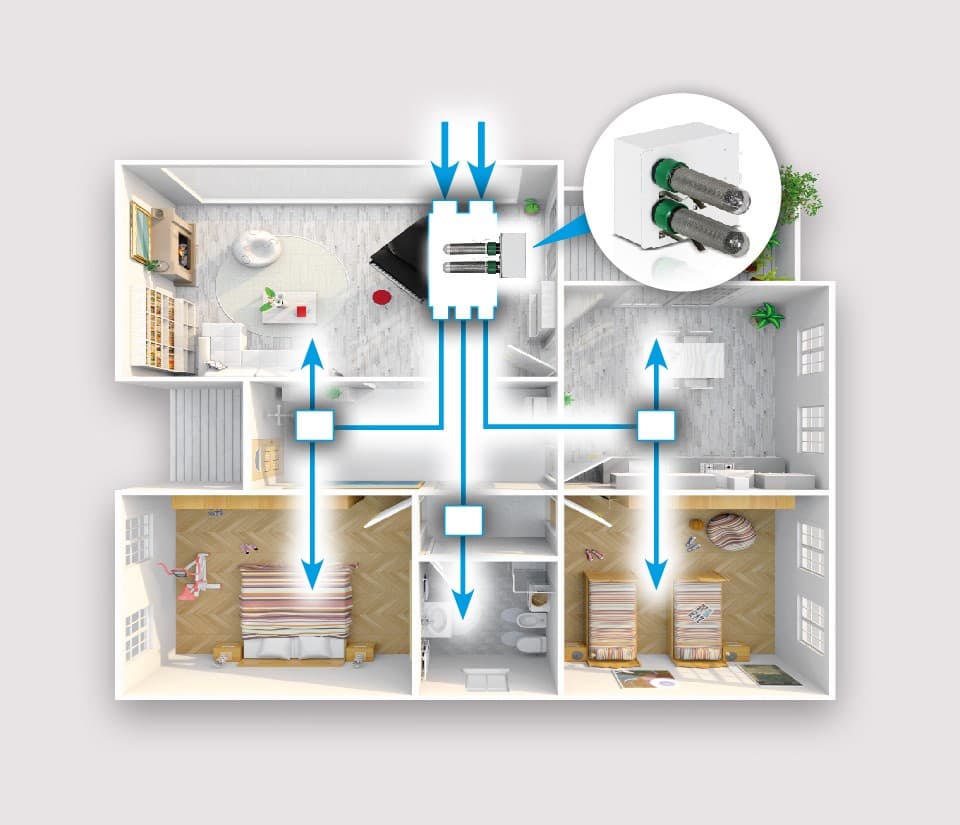
JONIX Duct & CMV for Ventilation
Controls Jonix NTP air sanitisation devices for ventilation duct systems.
Template for Jonix Inside Duct and CMV air sanitisation devices by Eneren. Reads generator voltages, status, maintenance counters, and alarm thresholds. Provides on/off control and counter resets via Modbus TCP.
- Protocol
- Modbus TCP
- Connection
- Ethernet, Modbus TCP
- Registers
- 19, read and write
- Brand
- Jonix by Eneren
- Key readings
- Generators Actual Voltage · Generators Actual Status · Maintenance Counter (Hours) · Replacement Counter (Hours) · Vmin/Vmax Generator Alarms · FW Version
- Available commands
- Modbus ON/OFF Command & Status · Alarm Thresholds (Maintenance/Replacement) · RESET Maintenance Counter · RESET Replacement Counter
- Compatible models
- Duct 70MIC2C · Duct 70MIC4C · Duct 70MIC2F · Duct 70MIC4F · VMC 70MICVMC2C
- Last updated
Registers (19)
17 read, 9 write
| Name | Unit | Access | Address (Hidden until you enter your email) | Function (hidden) | Type (hidden) |
|---|---|---|---|---|---|
| FW Version | Read | ||||
| Generators Actual Voltage | cV | Read | |||
| Vmin generators Threshold | cV | Read | |||
| Vmax generators Threshold | cV | Read | |||
| Maintenance Counter -Hours- | h | Read | |||
| Alarm Threshold Maintenance Counter | h | Read | |||
| Replacement Counter | h | Read | |||
| Alarm Threshold Replacement Counter | h | Read and write | |||
| Alarm Maintenance Counter | Read and write | ||||
| Alarm Replacement Counter | Read and write | ||||
| Alarm Vmax generators_ | Read and write | ||||
| Alarm Vmin generators | Read and write | ||||
| Modbus ON-OFF Command Enabling Status | Read and write | ||||
| Modbus ON-OFF Status | Read and write | ||||
| Vmin Alarm Enabling Status | Read | ||||
| Vmax Alarm Enabling Status | Read | ||||
| Generators Actual Status | Read | ||||
| RESET Maintenance Counter | Write | ||||
| RESET Replacement Counter | Write |
Loading registers…
Send your device list
If a device is not in the library yet, we build the template for free as soon as we have the register data.
Use cases
- Monitor generator voltage and status across multiple Jonix Duct installations on a single dashboard.
- Create alerts when maintenance or replacement hour counters exceed configured thresholds.
- Remotely switch Jonix NTP generators on or off to match building occupancy schedules.
- Reset maintenance and replacement counters after a service visit without traveling to site.
- Track Vmin and Vmax generator alarms to detect degradation before complete failure occurs.
- Adjust alarm thresholds remotely to match site-specific air quality requirements.
Installation
Connect the ModbusCloud Gateway to the Jonix device using the Modbus TCP network interface, ensuring both devices are on the same IP subnet.
Configure the Jonix device IP address and Modbus unit ID according to the Jonix installation manual.
Import the Jonix Duct and CMV template from the ModbusCloud template library into your project.
Assign the correct IP address and unit ID in the ModbusCloud gateway configuration to match the Jonix device settings.
Verify communication by checking that generator voltage and status registers return valid data on the ModbusCloud dashboard.
Configure alarm thresholds for maintenance and replacement counters to suit the installation requirements.
Things to watch for
Why does the generator voltage value look unusually high?
Generator voltage is reported in centivolts (cV), not volts. Divide the register value by 100 to get the voltage in volts. The template documentation notes this scaling.
Can I use this template with both Duct and CMV models?
Yes. The template is compatible with Duct 70MIC2C, Duct 70MIC4C, Duct 70MIC2F, Duct 70MIC4F, and VMC 70MICVMC2C. All models share the same Modbus register map.
What happens when I reset the maintenance counter remotely?
Writing a reset command to the maintenance or replacement counter register sets it back to zero. This should only be done after the corresponding service or part replacement has actually been performed.
The device documentation mentions Modbus RTU, but the template uses Modbus TCP. Is this correct?
The ModbusCloud gateway handles protocol conversion. If your Jonix device uses Modbus RTU via RS-485, connect it to the gateway RS-485 port and the gateway will bridge the communication to Modbus TCP for cloud connectivity.






Want to see how it works?
