








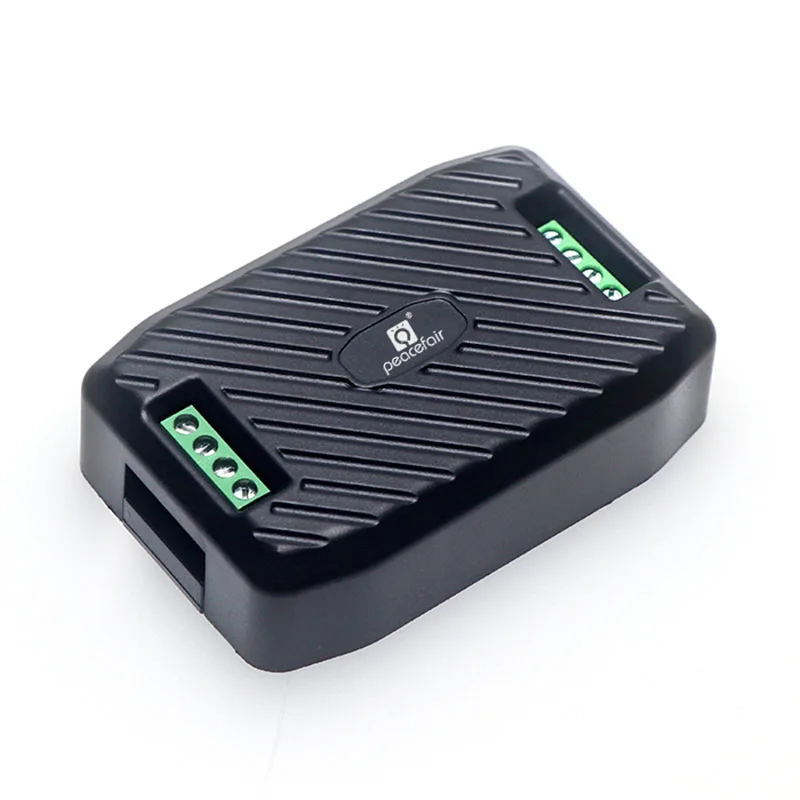
Peacefair PZEM-003, PZEM-017 DC Energy Meter
Measures DC voltage, current, active power and energy consumption.
Peacefair PZEM-003 and PZEM-017 are RS485-based DC energy meters that measure voltage, current, active power, and energy consumption. This ModbusCloud template reads all measurement registers and provides control over voltage alarm thresholds and the Modbus address.
- Protocol
- Modbus TCP
- Connection
- Ethernet, Modbus TCP
- Registers
- 8, read and write
- Brand
- Peacefair
- Key readings
- DC Voltage · DC Current · Active Power · Energy Consumption · High Voltage Alarm Status · Low Voltage Alarm Status
- Available commands
- High Voltage Alarm Threshold · Low Voltage Alarm Threshold · Modbus Address
- Compatible models
- PZEM-003 · PZEM-017
- Last updated
Registers (8)
8 read, 3 write
| Name | Unit | Access | Address (Hidden until you enter your email) | Function (hidden) | Type (hidden) |
|---|---|---|---|---|---|
| Voltage value | V | Read and write | |||
| Current value | A | Read and write | |||
| Power value | W | Read and write | |||
| Energy value | Wh | Read | |||
| High voltage alarm status | Read | ||||
| Low voltage alarm status | Read | ||||
| High voltage alarm threshold | V | Read | |||
| Low voltage alarm threshold | V | Read |
Loading registers…
Send your device list
If a device is not in the library yet, we build the template for free as soon as we have the register data.
Use cases
- Monitor DC voltage and current of a battery bank on a live cloud dashboard for remote customers.
- Create an alert when the DC bus voltage exceeds the high voltage alarm threshold to protect sensitive equipment.
- Track cumulative DC energy consumption over time for billing or efficiency analysis of off-grid installations.
- Set low voltage alarm thresholds remotely to prevent deep discharge of battery systems.
- Compare active power output from multiple DC circuits on a single ModbusCloud dashboard.
Installation
Connect the PZEM-003 or PZEM-017 RS485 A and B terminals to the corresponding terminals on your ModbusCloud Gateway.
For the PZEM-017, install an external shunt rated for the desired current range (50A, 100A, 200A, or 300A) and wire it according to the Peacefair datasheet.
Set the Modbus slave address on the meter to a unique value on the bus, noting the default address is typically 1.
Confirm the RS485 communication settings: 9600 baud, 8 data bits, no parity, 2 stop bits (default for PZEM series).
Import the Peacefair PZEM-003/PZEM-017 template in the ModbusCloud portal and assign it to the correct gateway and slave address.
Verify that DC voltage, current, and power readings appear on the ModbusCloud dashboard before finalizing the installation.
Things to watch for
Why do I get zero readings for power and energy even though voltage and current are correct?
Power and energy registers are unsigned 32-bit values that span two consecutive Modbus addresses. Ensure the template is reading both registers as a uint32 pair. The ModbusCloud template handles this automatically, but custom configurations may need adjustment.
Which external shunt do I need for the PZEM-017?
The PZEM-017 requires a 75mV external shunt matched to your desired current range (50A, 100A, 200A, or 300A). The shunt specification determines the measurement range. Use only shunts rated at 75mV for correct readings.
What are the default RS485 communication parameters?
The default settings are 9600 baud, 8 data bits, no parity, and 2 stop bits. The default Modbus slave address is 1. These can be changed via the holding registers if needed.
Can I connect multiple PZEM meters on the same RS485 bus?
Yes. Assign each meter a unique Modbus slave address before connecting them to the same bus. You can change the address through the writable Modbus address register or through the ModbusCloud template.






Want to see how it works?
