








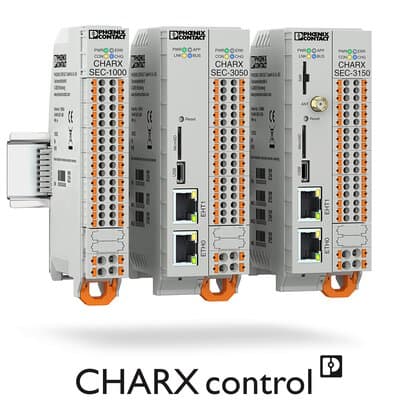
Phoenix Contact CHARX SEC-3100
Controls Phoenix Contact CHARX EV charging controllers via Modbus TCP.
This template connects Phoenix Contact CHARX SEC-3100 EV charging controllers to ModbusCloud via Modbus TCP. It reads voltage, current, energy, vehicle status, and error codes while providing write control over charging rate, charging release, connector unlock, and device reset.
- Protocol
- Modbus TCP
- Connection
- Ethernet, Modbus TCP
- Registers
- 19, read and write
- Brand
- Phoenix Contact
- Key readings
- Voltage L1 to L3 · Current L1 to L3 · Active Energy Counter · Vehicle Status · Charging Release Mode · Error Code
- Available commands
- Max Charging Rate (Amps) · Charging Release · Force Unlock · Reset
- Compatible models
- CHARX SEC-3000 · CHARX SEC-3100 · CHARX SEC-3050 · CHARX SEC-3150 · CHARX SEC-1000
- Last updated
Registers (19)
15 read, 4 write
| Name | Unit | Access | Address (Hidden until you enter your email) | Function (hidden) | Type (hidden) |
|---|---|---|---|---|---|
| Rate_I | A | Read | |||
| Rate_Prct | % | Read | |||
| Vehicle Status | Read | ||||
| Max Configured Rate | A | Read | |||
| Min Configured Rate | A | Read | |||
| Counter Active Energy | Wh | Read | |||
| Allowed Current By plugged in cable | A | Read | |||
| Charging release mode | Read | ||||
| Voltage of phase L1 | V | Read | |||
| Voltage of phase L2 | V | Read | |||
| Voltage of phase L3 | V | Read | |||
| Current of phase L1 | A | Read | |||
| Current of phase L2 | A | Read | |||
| Current of phase L3 | A | Read | |||
| Error Code | Read | ||||
| Max Charging Rate I | Amps | Write | |||
| Charging Release | Write | ||||
| Force Unlock | Write | ||||
| Reset | Write |
Loading registers…
Send your device list
If a device is not in the library yet, we build the template for free as soon as we have the register data.
Use cases
- Monitor per-phase voltage and current on a live dashboard to verify balanced charging across all three phases.
- Set the maximum charging rate remotely to implement simple load management during peak demand hours.
- Create an alert when the CHARX controller reports an error code so a technician can respond quickly.
- Track cumulative active energy per charger to generate usage reports for billing or energy audits.
- Force a connector unlock remotely when a vehicle owner reports a stuck plug at an unattended charging site.
- Reset the charging controller from the cloud after a fault without requiring an on-site visit.
Installation
Connect the ModbusCloud Gateway to the same IP network as the Phoenix Contact CHARX controller.
Verify that Modbus TCP is enabled on the CHARX controller and note its IP address and port (default TCP port 502).
Assign a unique Modbus unit ID on the CHARX controller if multiple chargers share the same network segment.
Import the Phoenix Contact CHARX SEC-3100 template in the ModbusCloud platform and enter the controller IP address, port, and unit ID.
Confirm that live readings for voltage, current, and vehicle status appear on the ModbusCloud dashboard before commissioning the site.
Things to watch for
Which CHARX SEC models does this template support?
The template is compatible with the CHARX SEC-3000, SEC-3100, SEC-3050, SEC-3150, and SEC-1000. All use the same Modbus TCP register map.
What data type do the registers use?
All registers are uint16. No special byte order or 32-bit register pairing is required, which simplifies configuration.
How do I know what charging rate value to write?
The template includes read-only registers for the minimum and maximum configured rates and the cable allowed current. Check these values before writing a new max charging rate to stay within safe limits.
The gateway connects but readings show zero or no data. What should I check?
Confirm that Modbus TCP is enabled in the CHARX controller settings. Verify the correct IP address, TCP port, and unit ID. Ensure there is no firewall blocking traffic between the gateway and the controller.






Want to see how it works?
