








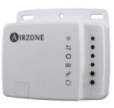
Airzone Aidoo
Manages and integrates HVAC equipment via Modbus RTU
This template integrates the Airzone Aidoo HVAC controller via Modbus RTU. It reads on/off state, setpoint temperature, local temperature, and operating mode. It also provides full write access to control these parameters remotely through the ModbusCloud platform.
- Protocol
- Modbus RTU
- Connection
- RS485, 19200 baud
- Registers
- 4, read and write
- Brand
- Airzone
- Key readings
- On/Off state · Setpoint temperature · Local temperature · Operating mode
- Available commands
- On/Off · Setpoint temperature · Local temperature · Mode selection
- Compatible models
- Airzone Aidoo
- Last updated
Registers (4)
4 read, 4 write
| Name | Unit | Access | Address (Hidden until you enter your email) | Function (hidden) | Type (hidden) |
|---|---|---|---|---|---|
| On_Off | Read and write | ||||
| Setpoint | °C | Read and write | |||
| Local temperature | °C | Read and write | |||
| Modes | Read and write |
Loading registers…
Send your device list
If a device is not in the library yet, we build the template for free as soon as we have the register data.
Use cases
- Monitor real-time room temperature and setpoint of each HVAC zone on a cloud dashboard.
- Control on/off state remotely to switch units off outside business hours and reduce energy waste.
- Create an alert when local temperature deviates more than 2 degrees from the setpoint for over 15 minutes.
- Switch operating modes between heating and cooling from the ModbusCloud portal without an on-site visit.
- Log historical temperature data per zone to support energy audits and comfort optimization reports.
Installation
Wire the RS-485 A and B terminals from the Airzone Aidoo to the corresponding terminals on your ModbusCloud Gateway.
Set the Airzone Aidoo Modbus slave address to a unique value on the bus, using the Aidoo configuration interface.
Configure the serial port on your gateway to 19200 baud, odd parity, and 1 stop bit to match the Aidoo settings.
Import the Airzone Aidoo template from the ModbusCloud template library and assign the correct slave address.
Verify that live readings for on/off state, setpoint, local temperature, and mode appear on your ModbusCloud dashboard.
Test write access by toggling the on/off state or adjusting the setpoint from the platform and confirming the change on the unit.
Things to watch for
I see no data after connecting the Airzone Aidoo. What should I check?
Verify that the baud rate is set to 19200 and parity is set to odd on both the Aidoo and the Modbus gateway. Also confirm the RS-485 A and B wires are not swapped.
Can I connect multiple Airzone Aidoo devices on the same RS-485 bus?
Yes, each Aidoo must have a unique Modbus slave address. Add a separate device entry in ModbusCloud for each unit, all using the same template.
What unit are the temperature values in?
Setpoint and local temperature registers return values in degrees Celsius as uint16. No scaling factor is required.
Do I need to enable Modbus on the Airzone Aidoo before connecting?
Yes, Modbus RTU communication must be enabled in the Aidoo configuration menu. Refer to the Airzone Aidoo installation manual for the exact steps.






Want to see how it works?
