








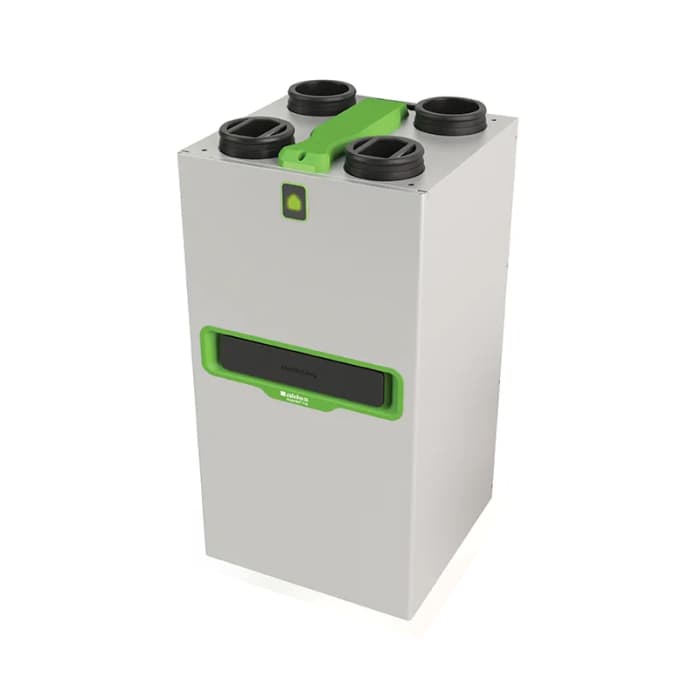
Aldes InspirAIR Top
Modbus RTU template for the Aldes InspirAIR Top ventilation unit. Read indoor and outdoor temperatures, airflow rates, fan speeds, filter status, bypass state, and error codes. Control operating modes such as boost, away, and at home.
- Protocol
- Modbus RTU
- Connection
- RS485, 9600 baud
- Registers
- 22, read and write
- Brand
- Aldes
- Key readings
- Indoor and outdoor air temperatures · Extraction and insufflation airflow rates · Extraction fan speed · Filter status and lifetime · Bypass state · Error code
- Available commands
- Operating mode (Demande User) · User level
- Compatible models
- InspirAIR Top 300 · InspirAIR Top 300 Premium · InspirAIR Top 450 · InspirAIR Top 450 Premium
- Last updated
Registers (22)
20 read, 2 write
| Name | Unit | Access | Address (Hidden until you enter your email) | Function (hidden) | Type (hidden) |
|---|---|---|---|---|---|
| Serial Number | Read | ||||
| Filters usage | h | Read | |||
| Extract air temperature outdoor | °C | Read | |||
| Actual mode | Read | ||||
| Filters status | % | Read | |||
| Fresh air temperature outdoor | °C | Read | |||
| Extract air temperature indoor | °C | Read | |||
| Fresh air temperature indoor | °C | Read | |||
| Filters lifetime | mois | Read | |||
| Extraction fan speed | tr/min | Read | |||
| Extraction fan speed | tr/min | Read | |||
| Produt code | Read | ||||
| ID Modbus user | Read | ||||
| Bypass | Read | ||||
| Extraction rate | m³/h | Read | |||
| Insufflation rate | m³/h | Read | |||
| Regulation mode | Read | ||||
| Error code | Read | ||||
| Extraction filter type | Read | ||||
| Insufflation filter type | Read | ||||
| Demande User | Write | ||||
| User level | Write |
Loading registers…
Send your device list
If a device is not in the library yet, we build the template for free as soon as we have the register data.
Use cases
- Monitor indoor and outdoor air temperatures on a live dashboard to verify ventilation performance remotely.
- Create an alert when the filter lifetime drops below a threshold so you can schedule replacement visits proactively.
- Switch the InspirAIR Top between boost, away, and at home modes remotely for unoccupied holiday homes.
- Track extraction and insufflation airflow rates over time to detect duct blockages or declining unit performance.
- Set up error code notifications to respond quickly when the ventilation unit reports a fault condition.
- Log bypass state and fan speed data to validate heat recovery efficiency during seasonal changes.
Installation
Connect the ModbusCloud Gateway to the RS-485 port of the Aldes InspirAIR Top, ensuring correct A and B line polarity.
Verify that the InspirAIR Top Modbus RTU baud rate is set to 9600, matching the gateway configuration.
Set the Modbus slave address on the InspirAIR Top unit and note it for the template configuration.
Import the Aldes InspirAIR Top template in the ModbusCloud portal and assign the correct slave address.
After the connection is established, write the value 34102 to the User Level register (address 16) to unlock extended register access.
Confirm that temperature, airflow, and filter readings appear on your ModbusCloud dashboard before finalising the installation.
Things to watch for
Why do some registers return zero or no response?
You must first write the value 34102 to the User Level register (address 16) to raise user permissions. Without this step, the unit restricts access to several data registers. This write may need to be repeated after a unit restart.
What baud rate and serial settings should I use?
The InspirAIR Top communicates at 9600 baud over Modbus RTU. Ensure your gateway is configured with the same baud rate and matching parity and stop bit settings as the unit.
Which InspirAIR Top models are compatible with this template?
The template supports the InspirAIR Top 300, Top 300 Premium, Top 450, and Top 450 Premium. Register maps are shared across these models.
The gateway cannot communicate with the unit. What should I check?
Verify RS-485 wiring polarity (A and B lines). Confirm the slave address on the unit matches the address configured in ModbusCloud. Also check that no other master device is on the same bus causing conflicts.






Want to see how it works?
