








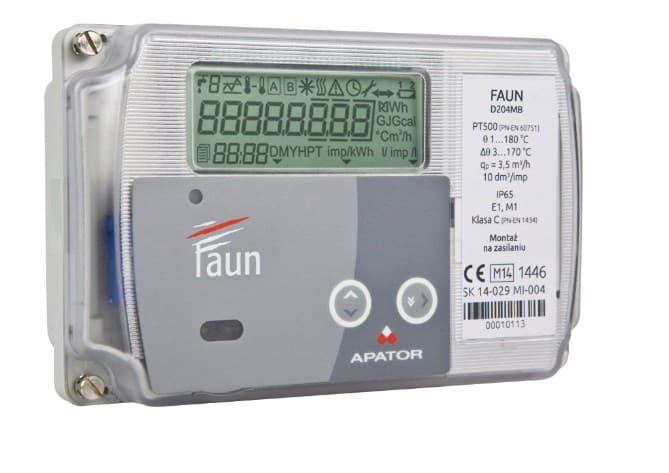
Apator Faun
Monitors heat meter energy, temperature, and flow data via Modbus RTU.
The Apator Faun is an electronic calculator for heat meters used in heating and cooling installations. This Modbus RTU template reads energy consumption, flow and return temperatures, volume, flow rate, and instantaneous power. It is suited for monitoring heat distribution in residential, commercial, and industrial buildings.
- Protocol
- Modbus RTU
- Connection
- RS485, 9600 baud
- Registers
- 6, read only
- Brand
- Apator
- Key readings
- Main Energy (kWh) · Flow Temperature · Return Temperature · Main Volume (m3) · Instantaneous Flow Rate · Instantaneous Power (kW)
- Compatible models
- Apator Faun
- Last updated
Registers (6)
6 read, 0 write
| Name | Unit | Access | Address (Hidden until you enter your email) | Function (hidden) | Type (hidden) |
|---|---|---|---|---|---|
| Main Energy | kWh | Read | |||
| Flow temperature | °C | Read | |||
| Return temperature | °C | Read | |||
| Main Volume | m³ | Read | |||
| Instantaneous flow rate | m³/h | Read | |||
| Instantaneous power | kW | Read |
Loading registers…
Send your device list
If a device is not in the library yet, we build the template for free as soon as we have the register data.
Use cases
- Monitor main energy consumption in kWh on a live cloud dashboard for billing verification.
- Track flow and return temperatures over time to evaluate heating system efficiency.
- Create an alert when the temperature differential between flow and return drops below a threshold.
- Log instantaneous flow rate and power to detect abnormal load patterns in heat distribution centres.
- Generate monthly energy and volume reports for building managers or energy consultants.
- Compare heat meter data across multiple buildings in a single ModbusCloud project.
Installation
Wire the Modbus RTU connection (A and B terminals) from the Apator Faun to the RS-485 port on your ModbusCloud Gateway.
Set the Apator Faun Modbus slave address to a unique value on the bus and note the address for gateway configuration.
Confirm the Apator Faun serial settings: 9600 baud, even parity (matching the template defaults).
In the ModbusCloud portal, add a new device and import the Apator Faun template from the template library.
Enter the configured Modbus slave address in the device settings and verify communication by checking live register values.
If multiple devices share the same RS-485 bus, ensure each has a unique slave address and proper bus termination.
Things to watch for
I see zero values for energy and volume. What could be wrong?
Energy and volume are stored in 32-bit registers spanning two consecutive addresses. Verify that your gateway is reading both registers as a single 32-bit value. A register offset mismatch can also cause this. Check the slave address and confirm the Faun is powered and responding.
What baud rate and parity should I use?
The Apator Faun uses 9600 baud with even parity (1 stop bit). Make sure the ModbusCloud gateway serial port is configured to match these settings exactly. A mismatch will result in communication timeouts.
Can I write setpoints or control the Apator Faun via Modbus?
No. The Apator Faun only exposes read-only registers. This template is monitoring-only and does not include any writable registers.
Temperature readings seem unusually high or incorrect. How do I fix this?
Temperatures are provided as uint32 values in degrees Celsius. Check that the register data type is set to uint32 and not uint16. If you have customised the template, verify the register addresses match the Faun documentation for your firmware version.






Want to see how it works?
