








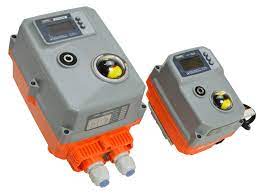
AVA Smart Actuator
Controls a 2-way smart valve actuator from 0 to 100% open position.
AVA Smart Actuator template for Modbus RTU. Controls a 2-way valve from 0 to 100% open position and reads the current valve position. Output values range from 0 to 1000 and are scaled to 0 to 10 for use with mixing valve function blocks.
- Protocol
- Modbus RTU
- Connection
- RS485, 9600 baud
- Registers
- 2, read and write
- Brand
- AVA
- Key readings
- Valve Position
- Available commands
- Change Valve Position
- Compatible models
- AVA Smart Actuator
- Last updated
Registers (2)
1 read, 1 write
| Name | Unit | Access | Address (Hidden until you enter your email) | Function (hidden) | Type (hidden) |
|---|---|---|---|---|---|
| Read Valve Position | Read | ||||
| Change Valve Position | % | Write |
Loading registers…
Send your device list
If a device is not in the library yet, we build the template for free as soon as we have the register data.
Use cases
- Monitor the current valve position of AVA Smart Actuators in real time on a cloud dashboard.
- Adjust valve opening percentage remotely to fine-tune HVAC mixing circuits without a site visit.
- Create an alert when the valve position deviates from the expected setpoint for more than five minutes.
- Log historical valve position data to analyze heating or cooling system performance over time.
- Manage multiple AVA Smart Actuators across different customer sites from a single ModbusCloud account.
Installation
Connect the AVA Smart Actuator to the ModbusCloud gateway RS-485 port, but swap the A and B terminals as they are reversed on this device.
Configure the actuator Modbus slave address, baud rate (9600), and parity (odd) directly on the device to match your bus settings.
Power on the gateway and import the AVA Smart Actuator template from the ModbusCloud template library.
Assign the correct Modbus slave address in the template configuration to match the address set on the actuator.
Verify communication by reading the current valve position on the ModbusCloud dashboard and sending a test position command.
Things to watch for
Why is the gateway not communicating with the AVA Smart Actuator?
The A and B RS-485 terminals on the AVA Smart Actuator are swapped compared to standard wiring. Cross the A and B wires at the actuator side. Also verify the baud rate is set to 9600 and parity to odd on both the device and the gateway.
What does the 0 to 1000 output range mean?
The template sends values from 0 to 1000 to the actuator register. A correction factor scales this to 0 to 10, which is the expected input range for mixing valve function blocks. The actuator itself opens proportionally from 0% to 100%.
Can I change the Modbus address or baud rate on the actuator?
Yes. The Modbus slave address, baud rate, parity, and stop bits can all be adjusted directly on the AVA Smart Actuator. Make sure the settings on the device match the configuration in your ModbusCloud gateway.
Does this template support Modbus TCP?
No. The AVA Smart Actuator communicates via Modbus RTU over RS-485. Use the ModbusCloud Gateway, which has an RS-485 port, to connect it to ModbusCloud.






Want to see how it works?
