








DIEHL
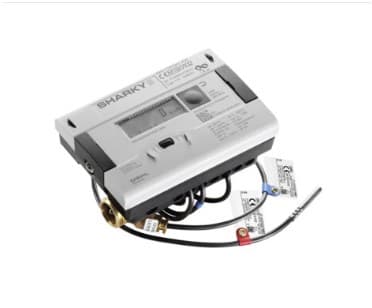
Measures energy consumption in heating and cooling systems via ultrasonic metering.
This template connects a DIEHL ultrasonic energy meter to ModbusCloud via Modbus RTU at 9600 baud. It reads energy consumption, volume, power, flow rate, forward and return temperatures, and temperature difference. The meter is used for billing in heating and cooling systems.
- Protocol
- Modbus RTU
- Connection
- RS485, 9600 baud
- Registers
- 14, read only
- Brand
- DIEHL
- Key readings
- Energy (kWh) · Volume (l) · Power (kW) · Flow rate (l/h) · Forward temperature · Return temperature · Temperature difference
- Last updated
Registers (14)
14 read, 0 write
| Name | Unit | Access | Address (Hidden until you enter your email) | Function (hidden) | Type (hidden) |
|---|---|---|---|---|---|
| Energy | kWh | Read | |||
| Volume | l | Read | |||
| Power | kW | Read | |||
| Flow rate | l/h | Read | |||
| Forward temperature | °C | Read | |||
| Temperature difference | °C | Read | |||
| Return temperature | °C | Read | |||
| Energy unit | Read | ||||
| Volume unit | Read | ||||
| Power unit | Read | ||||
| Flow rate unit | Read | ||||
| Forward temperature unit | Read | ||||
| Return temperature unit | Read | ||||
| Temperature difference unit | Read |
Loading registers…
Send your device list
If a device is not in the library yet, we build the template for free as soon as we have the register data.
Use cases
- Monitor real-time energy consumption in kWh on a cloud dashboard for remote billing verification.
- Track forward and return temperatures to detect underperformance in heating or cooling circuits.
- Create an alert when flow rate drops below a minimum threshold, indicating a possible blockage or pump failure.
- Generate monthly energy and volume reports for tenant billing in multi-unit buildings.
- Compare power and temperature difference trends over time to assess heat exchanger efficiency.
Installation
Connect the ModbusCloud Gateway to the DIEHL meter using a shielded RS-485 twisted pair cable, wiring A to A and B to B.
Set the Modbus RTU baud rate on the gateway to 9600 to match the DIEHL meter default settings.
Verify the Modbus slave address configured on the DIEHL meter and ensure it does not conflict with other devices on the same bus.
Import the DIEHL template from the ModbusCloud template library and assign it to the correct gateway and slave address.
Confirm that live readings for energy, volume, power, flow rate, and temperatures appear correctly in the ModbusCloud dashboard.
Things to watch for
Why do my readings show incorrect or unexpected units?
Each float32 measurement register on the DIEHL meter is preceded by a uint16 register that defines the unit. If the register mapping is offset by one address, values and units can be mismatched. Verify that the template register addresses align with your meter firmware version.
What baud rate and serial settings should I use?
The default communication settings are 9600 baud, 8 data bits, no parity, and 1 stop bit (9600 8N1). Ensure these settings match on both the DIEHL meter and the ModbusCloud gateway.
Can I write setpoints or control the meter remotely?
No. The DIEHL ultrasonic energy meter exposes read-only registers. There are no writable control registers available over Modbus RTU.
The gateway cannot communicate with the meter. What should I check?
Verify the RS-485 wiring polarity (A to A, B to B). Check that the slave address on the gateway matches the address configured on the meter. If the bus has multiple devices, ensure proper termination resistors are installed at both ends of the bus.






Want to see how it works?
