








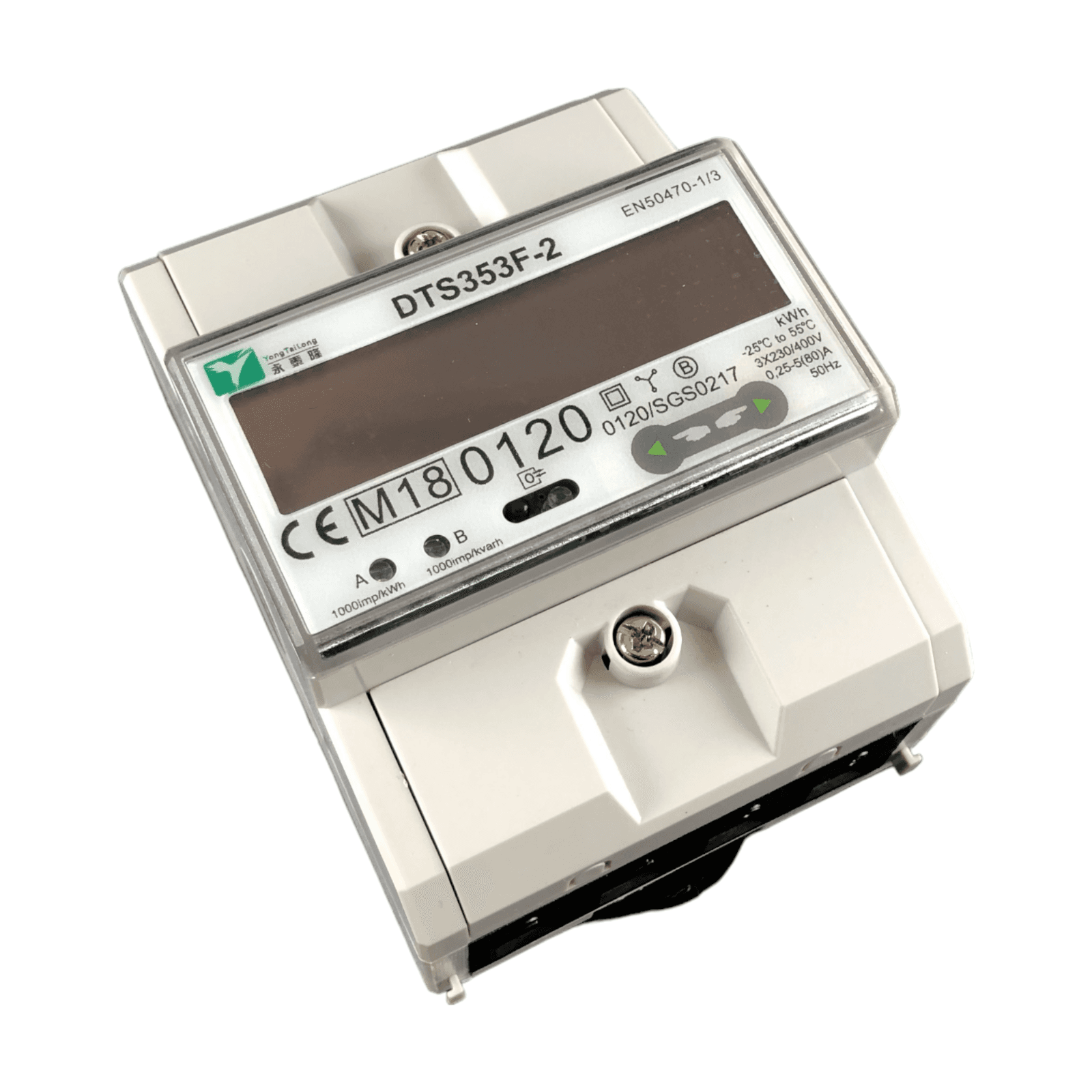
Drehstromzähler DTS353F-2
Reads three-phase energy data via Modbus RTU from a DTS353F-2 meter.
This template reads three-phase energy data from the YTL DTS353F-2 meter via Modbus RTU. It covers per-phase voltage, current, active power, total active power, total active energy, and grid frequency. All registers are preconfigured and ready to use with a ModbusCloud gateway.
- Protocol
- Modbus RTU
- Connection
- RS485, 9600 baud
- Registers
- 13, read only
- Brand
- YTL
- Key readings
- Voltage L1 to L3 · Current L1 to L3 · Active Power L1 to L3 · Total Active Power · Total Active Energy · Grid Frequency
- Compatible models
- DTS353F-2
- Last updated
Registers (13)
13 read, 0 write
| Name | Unit | Access | Address (Hidden until you enter your email) | Function (hidden) | Type (hidden) |
|---|---|---|---|---|---|
| L2 Voltage | V | Read | |||
| L1 Current | A | Read | |||
| L3 Voltage | V | Read | |||
| L1 Voltage | V | Read | |||
| L2 Current | A | Read | |||
| L3 Current | A | Read | |||
| Grid Frequency | Hz | Read | |||
| L1 Active Power | kW | Read | |||
| L2 Active Power | kW | Read | |||
| L3 Active Power | kW | Read | |||
| Total Active Power | kW | Read | |||
| Total active energy | kWh | Read | |||
| Analogsensor 1 | Read |
Loading registers…
Send your device list
If a device is not in the library yet, we build the template for free as soon as we have the register data.
Use cases
- Monitor per-phase voltage, current, and active power on a live cloud dashboard for your customer.
- Track total active energy consumption over time to support billing or sub-metering requirements.
- Create an alert when grid frequency deviates from the nominal 50 Hz range for more than 30 seconds.
- Compare energy usage across three phases to detect load imbalance in a commercial installation.
- Log total active power data to generate weekly or monthly energy reports for facility managers.
- Verify PV self-consumption by correlating DTS353F-2 readings with inverter production data on one dashboard.
Installation
Wire the RS-485 A and B terminals of the YTL DTS353F-2 to the corresponding terminals on your ModbusCloud Gateway.
Set the Modbus slave address on the DTS353F-2 using its front panel buttons, and note the address for gateway configuration.
Confirm that the meter is configured to 9600 baud and odd parity, which matches the default settings of this template.
Power on the gateway, connect it to your local network, and verify it appears online in the ModbusCloud platform.
Import the DTS353F-2 template from the ModbusCloud template library and assign it to the correct gateway and slave address.
Check the live data view in ModbusCloud to confirm that voltage, current, power, and energy values are updating correctly.
Things to watch for
I see zero or incorrect values for total active energy but other registers read fine. What is wrong?
Total active energy is located at register address 256, which is outside the main register block (14 to 34). Verify that your gateway polling range includes address 256. The template should handle this automatically, but a manual check can help.
What baud rate and parity settings does the DTS353F-2 require?
The default communication settings are 9600 baud with odd parity (1 stop bit). These must match on both the meter and the ModbusCloud gateway. A mismatch will result in communication timeouts.
How do I interpret the float32 registers correctly?
Each measurement occupies two consecutive 16-bit Modbus registers, forming a 32-bit IEEE 754 floating point value. The template preconfigures the correct byte order. If you see very large or very small nonsensical values, check that the word order (big-endian vs. little-endian) in the gateway matches the meter.
What is the register at address 258 used for?
Address 258 contains an analog sensor value, but the manufacturer does not specify a unit for it. The template includes this register for completeness. You can ignore it if it is not relevant to your project.






Want to see how it works?
