








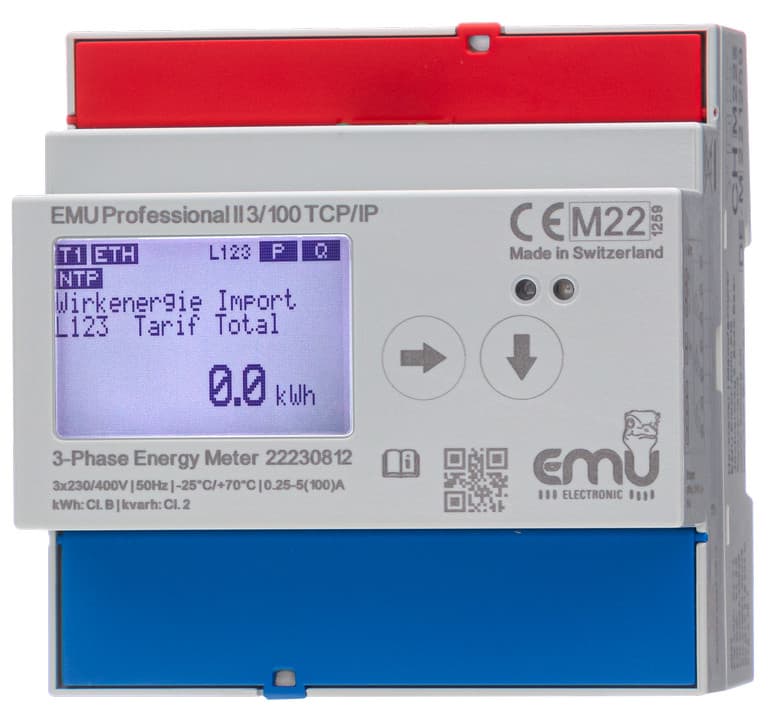
EMU Professional II Modbus TCP
Reads 3-phase energy, power, voltage, current and power factor via Modbus TCP.
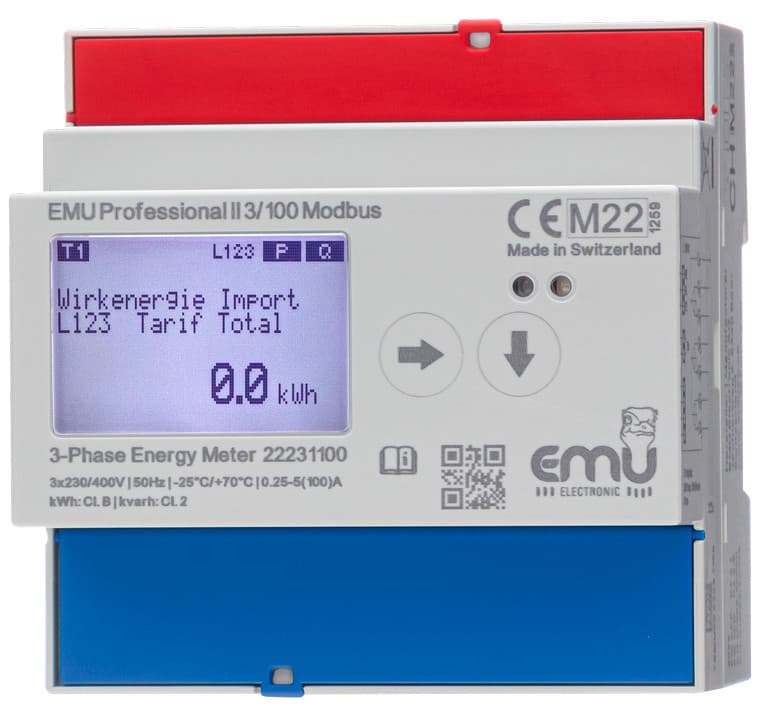
The EMU Professional II is a MID B+D certified 3-phase DIN rail energy meter with an integrated TCP/IP interface. This template reads active and reactive energy (import/export), voltage, current, active power, power factor, and frequency via Modbus TCP over Ethernet.
- Protocol
- Modbus TCP
- Connection
- Ethernet, Modbus TCP
- Registers
- 27, read only
- Brand
- EMU
- Key readings
- Active Energy Import/Export L123 · Reactive Energy Import/Export L123 · Active Power L1 to L3 · Voltage L1-N to L3-N · Current L1 to L3 · Power Factor L1 to L3 and Frequency
- Compatible models
- EMU Professional II 3/100 TCP/IP · EMU Professional II 3/5 TCP/IP
- Last updated
Registers (27)
27 read, 0 write
| Name | Unit | Access | Address (Hidden until you enter your email) | Function (hidden) | Type (hidden) |
|---|---|---|---|---|---|
| Active Energy Import L123 Total | kWh | Read | |||
| Active Energy Import L123 T1 | kWh | Read | |||
| Active Energy Import L123 T2 | kWh | Read | |||
| Active Energy Export L123 Total | kWh | Read | |||
| Active Energy Export L123 T1 | kWh | Read | |||
| Active Energy Export L123 T2 | kWh | Read | |||
| Reactive Energy Import L123 Total | kvarh | Read | |||
| Reactive Energy Import L123 T1 | kvarh | Read | |||
| Reactive Energy Import L123 T2 | kvarh | Read | |||
| Reactive Energy Export L123 Total | kvarh | Read | |||
| Reactive Energy Export L123 T1 | kvarh | Read | |||
| Reactive Energy Export L123 T2 | kvarh | Read | |||
| Active Power L123 | W | Read | |||
| Active Power L1 | W | Read | |||
| Active Power L2 | W | Read | |||
| Active Power L3 | W | Read | |||
| Current L123 | A | Read | |||
| Current L1 | A | Read | |||
| Current L2 | A | Read | |||
| Current L3 | A | Read | |||
| Voltage L1N | V | Read | |||
| Voltage L2N | V | Read | |||
| Voltage L3N | V | Read | |||
| Power Factor L1 | Cos | Read | |||
| Power Factor L2 | Cos | Read | |||
| Power Factor L3 | Cos | Read | |||
| Frequency | Hz | Read |
Loading registers…
Send your device list
If a device is not in the library yet, we build the template for free as soon as we have the register data.
Use cases
- Monitor 3-phase energy consumption and export values on a live cloud dashboard for your customer.
- Create alerts when power factor on any phase drops below a defined threshold.
- Track active energy import per tariff register to support ISO 50001 energy management reporting.
- Compare voltage levels across all three phases to detect imbalance issues remotely.
- Generate monthly energy billing reports based on MID-certified meter readings.
- Log reactive energy import and export to identify power quality improvement opportunities.
Installation
Mount the EMU Professional II TCP/IP meter on a DIN rail and wire the phase conductors and neutral according to the meter installation manual.
Connect the meter to the local Ethernet network using a standard RJ-45 cable and configure its IP address via the meter display or web interface.
Connect the ModbusCloud Gateway to the same local network, ensuring it can reach the meter IP address on Modbus TCP port 502.
Import the EMU Professional II Modbus TCP template in the ModbusCloud platform and assign the correct IP address of the meter.
Verify that energy and instantaneous values appear on the ModbusCloud dashboard before closing the electrical cabinet.
Things to watch for
Which Modbus TCP port does the EMU Professional II use?
The meter uses the standard Modbus TCP port 502. Ensure no firewall or VLAN rules block traffic between the ModbusCloud gateway and the meter on this port.
What is the difference between the 3/100 and 3/5 models?
The 3/100 model supports direct measurement up to 100 A. The 3/5 model is designed for use with external current transformers with a 5 A secondary. Both models use the same Modbus register map.
Why do current or frequency values show incorrect decimals?
Make sure you are using template version 1.0.1 or later, which includes the correct decimal point handling for current and frequency registers.
Are the energy registers suitable for billing purposes?
Yes. The EMU Professional II carries MID B+D certification, so its energy registers are accepted for official energy cost billing and ISO 50001 energy management.
Want to see how it works?
