








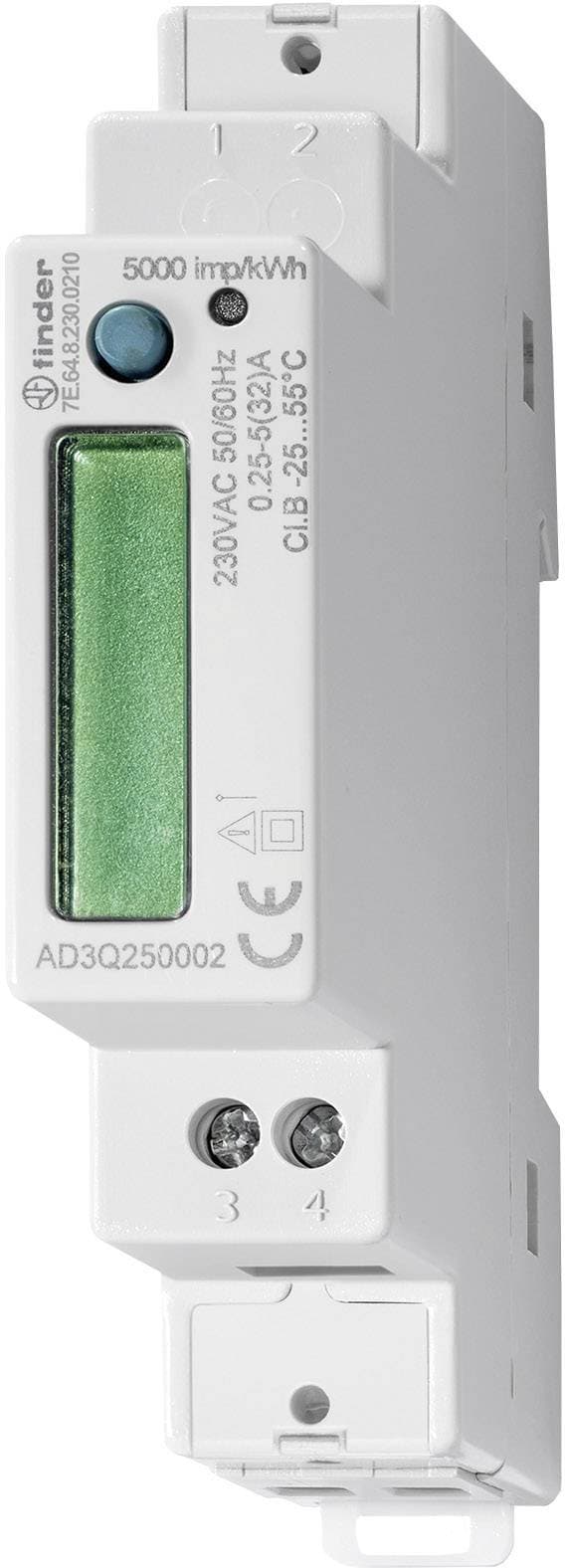
Energy Counter Finder 7E.64.8.230.0210 Modbus-RTU
Monitors energy consumption and production via Modbus RTU for Finder 7E series meters.
This template connects to the Finder 7E.64.8.230.0210 energy meter via Modbus RTU at 9600 baud. It reads total active, reactive, and apparent power, voltage, current, power factor, frequency, and bidirectional energy counters. No write commands are included as this is a read-only metering device.
- Protocol
- Modbus RTU
- Connection
- RS485, 9600 baud
- Registers
- 9, read only
- Brand
- finder
- Key readings
- Total Active Power · Total Apparent Power · Total Reactive Power · Voltage · Current · Power Factor
- Compatible models
- 7E.64.8.230.0210
- Last updated
Registers (9)
9 read, 0 write
| Name | Unit | Access | Address (Hidden until you enter your email) | Function (hidden) | Type (hidden) |
|---|---|---|---|---|---|
| Total Active Power (P∑) | W | Read | |||
| Energy Consumption (+kWh∑) | kWh | Read | |||
| Energy Production (-kWh∑) | kWh | Read | |||
| Frequency (F) | Hz | Read | |||
| Total Apparent Power (S∑) | VA | Read | |||
| Total Reactive Power (Q∑) | var | Read | |||
| Voltage (V∑) | V | Read | |||
| Current (A∑) | A | Read | |||
| Power Factor (PF∑) | Read |
Loading registers…
Send your device list
If a device is not in the library yet, we build the template for free as soon as we have the register data.
Use cases
- Monitor real-time voltage, current, and power consumption of a building section on a cloud dashboard.
- Track bidirectional energy counters to verify solar PV self-consumption and grid feed-in over time.
- Create an alert when power factor drops below a defined threshold, indicating potential reactive power issues.
- Generate monthly energy reports for tenants or departments by logging consumption data from multiple meters.
- Compare active, reactive, and apparent power to identify inefficient loads in a commercial installation.
Installation
Wire the Finder 7E.64.8.230.0210 RS485 A and B terminals to the corresponding terminals on the ModbusCloud Gateway, and add a 120 ohm termination resistor if the meter is the last device on the bus.
Set the Modbus slave address on the Finder meter using the front panel buttons, and ensure no other device on the same bus shares the same address.
Confirm the meter's communication settings are 9600 baud, 8 data bits, 1 stop bit, no parity (or match the settings expected by the template).
Import the Finder 7E.64.8.230.0210 template from the ModbusCloud template library into your gateway configuration.
Verify that the byte order and word order for float32 registers are set correctly in the gateway to match the Finder meter's encoding.
Check the live data view in the ModbusCloud platform to confirm that voltage, current, and power readings appear with plausible values.
Things to watch for
I see zero or garbled values for all registers. What is wrong?
The most common cause is incorrect byte order or word order for float32 decoding. The Finder 7E.64 uses a specific word order for its 32-bit float registers. Check the meter's documentation and adjust the word swap setting in your gateway configuration.
Can I connect multiple Finder 7E.64 meters to one RS485 bus?
Yes. Assign a unique Modbus address to each meter using the front panel. Make sure all devices share the same baud rate (9600) and parity settings. Only the last device on the bus should have a termination resistor.
The power factor reading seems incorrect or out of range. Why?
Verify that the CT (current transformer) polarity is correct and that the meter is installed according to the Finder wiring diagram. A reversed CT connection can produce unexpected power factor values.
Do I need to enable Modbus on the Finder 7E.64 before it responds?
On most Finder 7E.64 models, Modbus RTU communication is enabled by default. However, you should verify the baud rate and slave address via the meter's display menu to ensure they match your template configuration.






Want to see how it works?
