








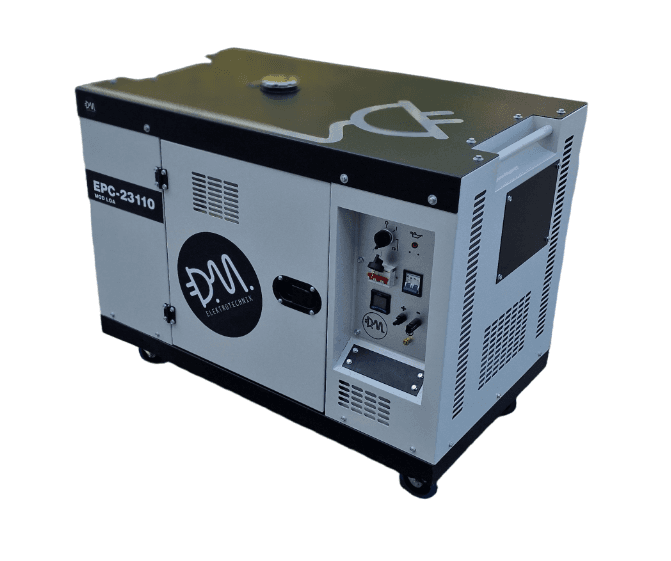
EPC-23110
Monitors and controls an EPC-23110 generator via Modbus RTU.
This template connects to the DM-Elektrotechnik EPC-23110 generator controller via Modbus RTU. It reads key operational data such as battery voltage, fuel level, oil pressure, and running time. It also allows remote start and stop control of the generator.
- Protocol
- Modbus RTU
- Connection
- RS485, 19200 baud
- Registers
- 8, read and write
- Key readings
- Battery voltage · Fuel level · Oil pressure · Running status · Running time / total running time · Maintenance countdown
- Available commands
- Start/stop command
- Compatible models
- EPC-23110
- Last updated
Registers (8)
7 read, 1 write
| Name | Unit | Access | Address (Hidden until you enter your email) | Function (hidden) | Type (hidden) |
|---|---|---|---|---|---|
| battery voltage | V | Read | |||
| maintenance countdown | Read | ||||
| running time | Read | ||||
| oil pressure value | Read | ||||
| fuel level value | Read | ||||
| running status | Read | ||||
| total running time | Read | ||||
| start command | Write |
Loading registers…
Send your device list
If a device is not in the library yet, we build the template for free as soon as we have the register data.
Use cases
- Monitor battery voltage and fuel level on a live cloud dashboard to prevent unexpected generator downtime.
- Send remote start and stop commands to the EPC-23110 without visiting the site.
- Create an alert when fuel level drops below a defined threshold to schedule timely refueling.
- Track total running time and maintenance countdown to plan preventive service intervals.
- Log oil pressure readings over time to detect early signs of engine wear.
- Centralize monitoring of multiple generator sites into a single ModbusCloud account for fleet management.
Installation
Wire the ModbusCloud Gateway to the EPC-23110 RS-485 terminals using a shielded twisted pair cable with correct A/B polarity.
Set the baud rate on the gateway to 19200 to match the EPC-23110 default communication settings.
Configure the Modbus RTU slave address on the EPC-23110 and enter the same address in the ModbusCloud gateway configuration.
Import the DM-Elektrotechnik EPC-23110 template from the ModbusCloud template library into your project.
Verify communication by checking that battery voltage and running status values appear correctly on the ModbusCloud dashboard.
Test the start and stop commands from the dashboard to confirm write access to the generator controller.
Things to watch for
Why does the total running time value look incorrect or show zero?
The total running time register at address 4150 is a uint32 value that spans two consecutive 16-bit registers. Make sure your gateway is configured to read both registers and that the byte/word order matches the EPC-23110 format.
The gateway cannot communicate with the EPC-23110. What should I check?
Verify that the RS-485 wiring polarity (A/B) is correct and that the baud rate is set to 19200 on both the gateway and the controller. Also confirm that the Modbus slave address matches on both sides.
Can I send start and stop commands without affecting the local control panel?
Remote Modbus commands are typically processed alongside local inputs. Check the EPC-23110 configuration to ensure remote control is enabled and that there are no conflicting local override settings.
Are all register values uint16 except the total running time?
Yes. All registers in this template use uint16 format except the total running time at address 4150, which is uint32 and occupies two consecutive registers.






Want to see how it works?
