








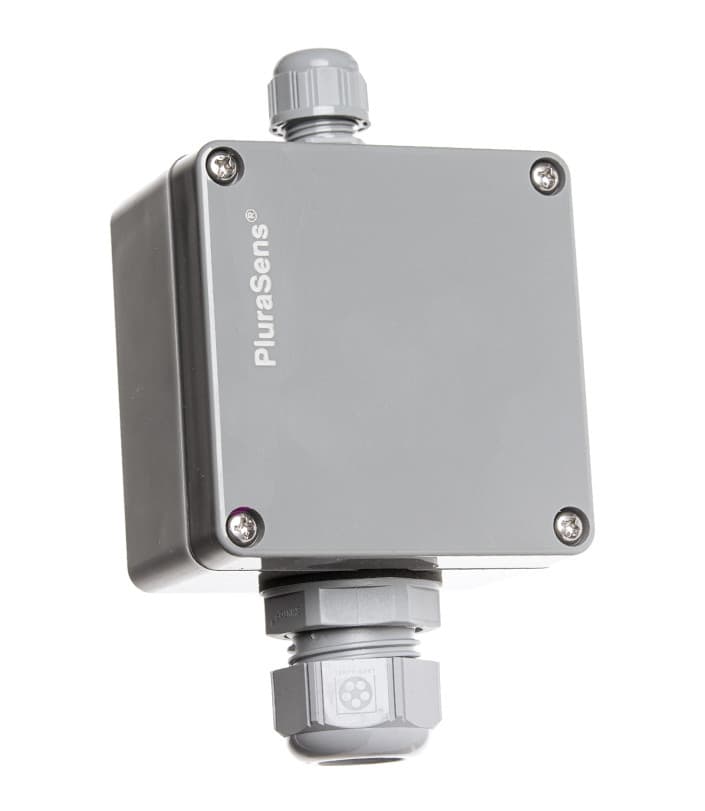
Evikon E2618 CO
Monitors CO gas concentration and temperature for garage ventilation control
Modbus RTU template for the Evikon E2618 CO sensor. Reads carbon monoxide concentration in ppm and ambient temperature. Also exposes sensor status, hardware version, serial number, and output units.
- Protocol
- Modbus RTU
- Connection
- RS485, 9600 baud
- Registers
- 8, read and write
- Brand
- Evikon
- Key readings
- Gas concentration (ppm) · Temperature · Sensor status · Hardware version · Serial number · Output units code
- Available commands
- Slave ID · Restarts counter
- Compatible models
- E2618
- Last updated
Registers (8)
7 read, 2 write
| Name | Unit | Access | Address (Hidden until you enter your email) | Function (hidden) | Type (hidden) |
|---|---|---|---|---|---|
| HW_ver | Read | ||||
| Gas concentration | ppm | Read | |||
| Slave ID | Read and write | ||||
| Serial number | Read | ||||
| Sensor status | Read | ||||
| Temperature | °C | Read | |||
| Output units code | Read | ||||
| Restarts counter | count | Write |
Loading registers…
Send your device list
If a device is not in the library yet, we build the template for free as soon as we have the register data.
Use cases
- Monitor CO concentration in an underground parking garage and display live values on a cloud dashboard.
- Create an alert when CO levels exceed a defined ppm threshold for more than five minutes.
- Log temperature and CO readings over time to generate compliance reports for building inspections.
- Remotely verify sensor status and hardware version to plan preventive maintenance visits.
- Track the restarts counter to detect unexpected power cycles or communication issues on the RS-485 bus.
Installation
Wire the Evikon E2618 sensor to the RS-485 terminals (A, B, GND) of the ModbusCloud Gateway.
Set the sensor baud rate to 9600, 8N1, which is the factory default for the E2618.
Assign a unique Modbus slave ID to each E2618 on the bus by writing to register address 4, or use the default address if only one sensor is connected.
Power on the gateway and import the Evikon E2618 CO template from the ModbusCloud template library.
Configure the slave ID in the template to match the address set on the physical sensor.
Verify that CO concentration and temperature values appear on the ModbusCloud dashboard before closing the enclosure.
Things to watch for
The gateway cannot communicate with the E2618. What should I check?
Verify that the RS-485 wiring is correct (A to A, B to B) and that termination resistors are placed at both ends of the bus if the cable run exceeds a few meters. Confirm the baud rate is set to 9600 with 8 data bits, no parity, and 1 stop bit.
Can I change the slave ID without physically accessing the sensor?
Yes. The slave ID is stored in register address 4 and is writable. You can change it from the ModbusCloud platform, but make sure you update the template configuration to match the new address immediately afterwards.
What does the sensor status register indicate?
The sensor status register reports the operational state of the CO sensing element. A non-zero or unexpected value typically signals a fault condition such as element degradation. Consult the Evikon E2618 datasheet for the specific status codes.
How many E2618 sensors can I connect to one gateway?
You can connect multiple sensors on a single RS-485 bus, each with a unique slave ID. Practical limits depend on cable length and electrical loading, but Modbus RTU supports up to 247 devices on one bus.






Want to see how it works?
