








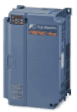
FUJI FRENIC-ACE
Controls a Fuji frequency inverter via Modbus RTU.
This template connects to the Fuji Electric FRENIC-ACE frequency inverter via Modbus RTU. It reads working frequency and analog input values, and allows writing frequency reference and motor operation commands from the ModbusCloud dashboard.
- Protocol
- Modbus RTU
- Connection
- RS485, 19200 baud
- Registers
- 5, read and write
- Brand
- Fuji Electric
- Key readings
- Frequency Reference · Working Frequency · Analog Input C1
- Available commands
- Frequency Reference · Motor 1 Operation
- Compatible models
- Frenic-ace
- Last updated
Registers (5)
3 read, 2 write
| Name | Unit | Access | Address (Hidden until you enter your email) | Function (hidden) | Type (hidden) |
|---|---|---|---|---|---|
| M05 Frequency Reference | Hz | Read | |||
| M09 Working Frequency | Hz | Read | |||
| M50 INPUT VALUE C1 ANALOG | Read | ||||
| S05 Frequency Reference | Hz | Write | |||
| S06 Motor 1 Operation | Write |
Loading registers…
Send your device list
If a device is not in the library yet, we build the template for free as soon as we have the register data.
Use cases
- Monitor the working frequency of a ventilation fan motor in real time on a cloud dashboard.
- Write a new frequency reference remotely to adjust pump speed without visiting the site.
- Create an alert when the working frequency deviates from the setpoint by more than 5 Hz.
- Log analog input C1 values over time to track external sensor readings connected to the inverter.
- Send motor start and stop commands from the ModbusCloud dashboard during commissioning or maintenance.
- Supervise multiple FRENIC-ACE drives across different sites from a single ModbusCloud account.
Installation
Connect the ModbusCloud gateway RS-485 terminals (A and B) to the RS-485 communication terminals on the FRENIC-ACE inverter.
On the inverter keypad or parameter tool, set the Modbus slave address (e.g. station number parameter) to a unique value and confirm the baud rate is set to 19200.
Enable Modbus RTU communication on the inverter by setting the appropriate communication function parameters as described in the FRENIC-ACE manual.
In the ModbusCloud platform, add a new device and import the Fuji FRENIC-ACE template from the template library.
Set the Modbus slave address in the ModbusCloud device configuration to match the address configured on the inverter.
Verify communication by checking that the working frequency and analog input C1 values appear on the live dashboard.
Things to watch for
Why does the frequency reference read value differ from what I wrote?
The read and write registers for frequency reference use different addresses. Reading is performed at register 2053, while writing uses register 1797. Both must be mapped correctly in the template for consistent results.
The gateway cannot communicate with the inverter. What should I check?
Verify that the baud rate on the inverter is set to 19200 to match the template default. Also confirm the Modbus slave address matches between the inverter settings and the ModbusCloud device configuration. Check RS-485 wiring polarity (A to A, B to B).
Can I send run and stop commands to the motor from ModbusCloud?
Yes. The template includes a writable Motor 1 Operation register. Make sure the inverter is configured to accept run commands via Modbus rather than from the local keypad or terminal inputs.
Do I need a termination resistor on the RS-485 bus?
If the gateway and inverter are the only two devices on the bus or the cable run exceeds 20 meters, add a 120 ohm termination resistor at the far end of the bus to reduce signal reflections.




Want to see how it works?
