








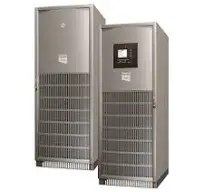
Galaxy 5000 / Galaxy 5500
Monitors Schneider Electric Galaxy 5000/5500 UPS via Modbus TCP
This template integrates Schneider Electric Galaxy 5000 and Galaxy 5500 UPS systems via Modbus TCP. It reads key operational data including UPS status signals, battery capacity, remaining runtime, output power, and frequency values for monitoring and alerting.
- Protocol
- Modbus TCP
- Connection
- Ethernet, Modbus TCP
- Registers
- 11, read only
- Brand
- Schneider Electric
- Key readings
- UPS Status Register · Battery Capacity · Battery Remaining Runtime · Battery Voltage and Temperature · Total Output Load and Power · Mains and Output Frequency
- Compatible models
- Galaxy 5000 · Galaxy 5500
- Last updated
Registers (11)
11 read, 0 write
| Name | Unit | Access | Address (Hidden until you enter your email) | Function (hidden) | Type (hidden) |
|---|---|---|---|---|---|
| Battery Capacity | % | Read | |||
| Battery Remaining Runtime | min | Read | |||
| Battery Voltage | V | Read | |||
| Battery Temperature | °C | Read | |||
| Total Output Load | % | Read | |||
| Total Output Active Power | kW | Read | |||
| Total Output Apparent Power | kVA | Read | |||
| Mains Input Frequency | Hz | Read | |||
| Output Frequency | Hz | Read | |||
| Battery Current | A | Read | |||
| UPS Status Register | Read |
Loading registers…
Send your device list
If a device is not in the library yet, we build the template for free as soon as we have the register data.
Use cases
- Monitor UPS status flags such as On Battery, Bypass, and Overload on a live cloud dashboard.
- Create alerts when battery capacity drops below a defined threshold or remaining runtime becomes critical.
- Track battery voltage and temperature over time to schedule preventive battery replacements.
- Log output load and power values to analyze UPS utilization and plan capacity upgrades.
- Send email alerts to facility managers when the UPS switches to battery or enters emergency stop.
- Compare mains frequency and output frequency to detect grid instability events.
Installation
Install and configure the Network Management Card in the Galaxy 5000 or Galaxy 5500 UPS, and enable Modbus TCP communication in the device settings.
Connect the ModbusCloud Gateway to the same network as the UPS and ensure TCP connectivity on the configured Modbus port.
Set the correct IP address of the UPS in the ModbusCloud gateway configuration and confirm the Modbus unit ID matches the UPS setting.
Import the Schneider Electric Galaxy 5000 / Galaxy 5500 template from the ModbusCloud template library.
Verify that all registers are returning data by checking the live values on the ModbusCloud dashboard, paying attention to Battery Current at address 270.
Configure alerts and dashboard widgets as needed for your monitoring requirements.
Things to watch for
Why is the Battery Current register showing no data while other battery values read correctly?
Battery Current is located at Modbus address 270, which is separate from the other battery registers at addresses 301 and 329 through 331. Verify that the template includes this address and that the register range is not blocked by the Network Management Card configuration.
What does the UPS Status Register at address 64 contain?
Address 64 encodes multiple status flags as a bitmask. The flags include On Battery, Battery Low, Shutdown, Bypass, Overload, and Emergency Stop. Each bit corresponds to a specific condition. The template decodes these flags for individual monitoring.
The gateway cannot connect to the UPS over Modbus TCP. What should I check?
Ensure the Network Management Card is installed and that Modbus TCP is explicitly enabled in the card settings. Confirm the IP address, subnet, and Modbus TCP port are correct. Check that no firewall rules are blocking traffic between the gateway and the UPS.
Is this template compatible with other Schneider Electric UPS models?
This template is designed and tested for the Galaxy 5000 and Galaxy 5500. Other Schneider Electric UPS models may use different register maps. Using this template on unsupported models may result in incorrect or missing data.
More Schneider Electric templates


Want to see how it works?
