








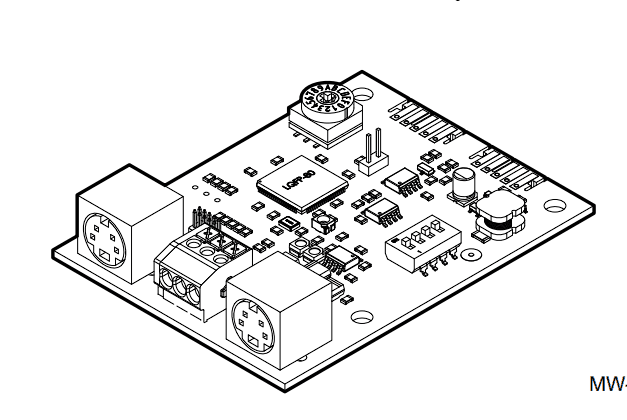
GTW08 Gateway
Controls Baxi and Dietrich A/C systems via Modbus gateway
The GTW08 is a Modbus RTU gateway that enables monitoring and control of Baxi and De Dietrich heating and cooling systems. This template reads temperature values, operating status, and season mode, while providing control over setpoints, on/off states, and heating modes.
- Protocol
- Modbus RTU
- Connection
- RS485, 9600 baud
- Registers
- 8, read and write
- Brand
- GTW08
- Key readings
- On/Off Heating · On/Off Cooling · On/Off ACS · Setpoint · Season Mode · Outdoor Temp · Ambient Temp · Heating Mode
- Available commands
- On/Off Heating · On/Off Cooling · Setpoint · Heating Mode
- Compatible models
- GTW08
- Last updated
Registers (8)
8 read, 4 write
| Name | Unit | Access | Address (Hidden until you enter your email) | Function (hidden) | Type (hidden) |
|---|---|---|---|---|---|
| On_Off Heating | Read and write | ||||
| On_Off Cooling | Read and write | ||||
| On_Off ACS | Read | ||||
| Setpoint | °C | Read and write | |||
| Season Mode | Read | ||||
| Outdoor Temp | °C | Read | |||
| Heating Mode | Read and write | ||||
| Ambient Temp | °C | Read |
Loading registers…
Send your device list
If a device is not in the library yet, we build the template for free as soon as we have the register data.
Use cases
- Monitor ambient and outdoor temperatures on a live dashboard to verify heating system performance.
- Remotely switch heating or cooling on and off for Baxi or De Dietrich units without a site visit.
- Adjust the temperature setpoint from the cloud when a building occupant requests a comfort change.
- Create an alert when outdoor temperature drops below a threshold to anticipate increased heating demand.
- Track season mode changes over time to optimize energy usage across heating and cooling seasons.
- Verify domestic hot water (ACS) status to ensure availability for end users.
Installation
Connect the GTW08 gateway to the Baxi or De Dietrich HVAC unit following the GTW08 manufacturer wiring instructions.
Wire the RS-485 A and B terminals of the GTW08 to the corresponding terminals on the ModbusCloud Gateway, observing correct polarity.
Set the Modbus RTU slave address on the GTW08 and ensure the baud rate is configured to 9600, 8N1.
Power on both the GTW08 and the ModbusCloud gateway, then verify the RS-485 bus connection with a quick register read test.
Import the GTW08 template in the ModbusCloud platform and assign it to the correct gateway and slave address.
Confirm that temperature readings and on/off statuses appear correctly on the ModbusCloud dashboard before leaving the site.
Things to watch for
I am not getting any response from the GTW08 on the Modbus bus. What should I check?
Verify that the RS-485 wiring polarity (A and B) is correct and that the slave address configured on the GTW08 matches the address set in the ModbusCloud template. Also confirm the baud rate is set to 9600 with 8 data bits, no parity, and 1 stop bit.
Which Baxi and De Dietrich models are compatible with the GTW08?
Compatibility depends on the GTW08 firmware version and the specific HVAC model. Consult the GTW08 manufacturer documentation for the current list of supported units. Updating the GTW08 firmware may add support for newer models.
Can I control both heating and cooling simultaneously from ModbusCloud?
The template provides separate on/off controls for heating and cooling. Whether simultaneous operation is possible depends on the connected HVAC unit and its configuration. In most setups, the season mode register determines which mode is active.
Temperature values appear incorrect or scaled wrong. How do I fix this?
Check the GTW08 documentation for the expected register data format and scaling factor. The template uses default scaling as documented by the gateway manufacturer. If the firmware version uses a different scale, adjust the register multiplier in the ModbusCloud template settings.






Want to see how it works?
