








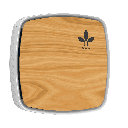
Inbiot - Mica Wall
Monitors indoor air quality including CO2, formaldehyde, VOCs, and particulate matter.
The Inbiot Mica Wall is an indoor air quality sensor communicating over Modbus RTU at 9600 baud. This template reads temperature, humidity, CO2, formaldehyde, total VOCs, suspended particles, and a renovation-hour signal indicating when ventilation is needed.
- Protocol
- Modbus RTU
- Connection
- RS485, 9600 baud
- Registers
- 7, read only
- Brand
- Inbiot
- Key readings
- Temperature · Humidity · CO2 · Formaldehyde / O3 · VOCs · PMs and Renovation-hour
- Compatible models
- Mica Wall
- Last updated
Registers (7)
7 read, 0 write
| Name | Unit | Access | Address (Hidden until you enter your email) | Function (hidden) | Type (hidden) |
|---|---|---|---|---|---|
| Temp. | °C | Read | |||
| CO2 | ppm | Read | |||
| Humidity | % | Read | |||
| Formaldehyde _ O3 | ug/m3 | Read | |||
| COVs | ug/m3 | Read | |||
| PMs | ug/m3 | Read | |||
| Renovation-hour | ren / hora | Read |
Loading registers…
Send your device list
If a device is not in the library yet, we build the template for free as soon as we have the register data.
Use cases
- Monitor CO2, humidity, and temperature trends in office buildings to verify ventilation performance.
- Create an alert when the renovation-hour signal activates so the building manager is notified to increase ventilation.
- Log formaldehyde and TVOC levels over time to document indoor air quality compliance for building certifications.
- Track particulate matter readings across multiple zones by deploying several Mica Wall sensors on one Modbus RTU bus.
- Generate periodic IAQ reports for facility managers using historical data stored in the ModbusCloud platform.
Installation
Wire the Inbiot Mica Wall to the ModbusCloud Gateway using a shielded RS-485 cable, connecting A, B, and GND terminals.
Set the Modbus RTU slave address on the Mica Wall according to its configuration manual, ensuring it does not conflict with other devices on the same bus.
Confirm the baud rate is set to 9600 on both the Mica Wall and the ModbusCloud gateway.
Import the Inbiot Mica Wall template from the ModbusCloud template library into your project.
Assign the correct slave address in the template configuration to match the physical device address.
Verify that temperature, humidity, and other readings appear on the ModbusCloud dashboard within a few polling cycles.
Things to watch for
Why do temperature and humidity show incorrect or very large values?
Temperature and humidity are stored as float32 values spanning two registers each. Ensure the byte order and word order in your gateway configuration match the Mica Wall's format. The template handles this automatically, but manual overrides can cause misreads.
What baud rate and serial settings should I use?
The default is 9600 baud, 8 data bits, no parity, 1 stop bit (8N1). If you have changed the settings on the Mica Wall, update the gateway serial port configuration to match.
Can I connect multiple Mica Wall sensors to one gateway?
Yes. Assign a unique Modbus slave address to each Mica Wall and add a separate template instance per device in ModbusCloud. Keep the total bus length within RS-485 limits and use proper termination resistors.
What does the renovation-hour register indicate?
It is a uint16 value that signals when indoor air quality has degraded enough to warrant ventilation. You can use this value to create threshold-based alerts in ModbusCloud.




Want to see how it works?
